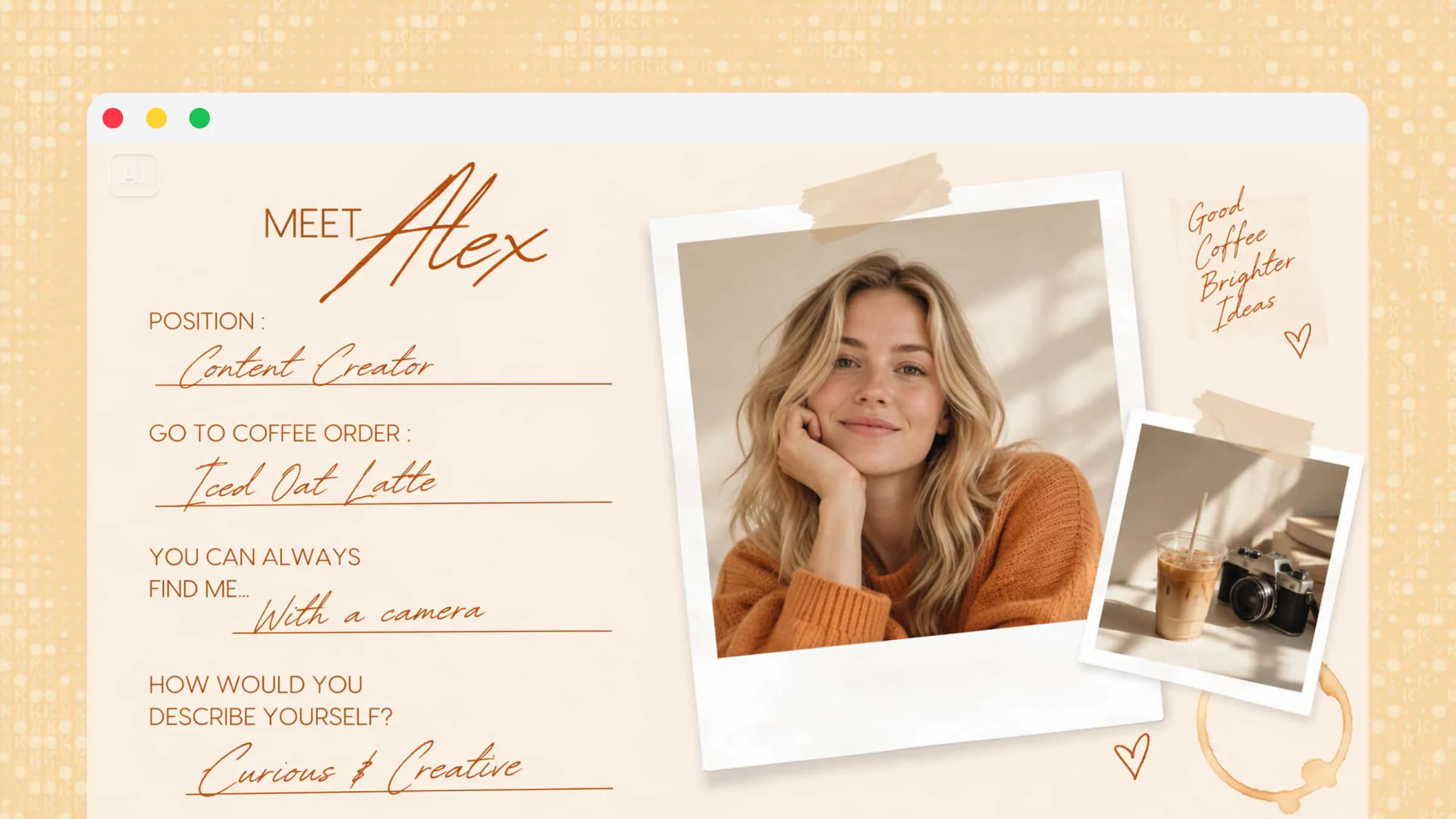
A collection of photos can tell a beautiful story, but sometimes a single picture isn't enough to capture every special moment. Whether you want to share travel memories, celebrate an occasion, or add a personal touch to your social media, picture collage templates make it easy to bring your favorite photos together. With so many creative layouts and styles to explore, you can turn simple pictures into something worth sharing. Explore 10 picture collage templates in this article to find fresh inspiration.
Overview of 10 photo collage templates
Different collage styles work better for different creative needs, whether you're organizing personal memories, sharing travel experiences, or designing content for social media. Here's a quick overview to help you find a style that matches your purpose and explore the options that interest you most.
| Template | Layout style | Design elements | Ideal use |
|---|---|---|---|
| Film strip | Horizontal sequence of frames | Black borders, film grain | Travel memories |
| Polaroid | Overlapping frames | White borders, washi tape | Friendship and family photos |
| Scrapbook | Organic arrangement | Stickers, notes, paper textures | Journals and birthdays |
| Magazine editorial | Asymmetric layout | Typography, white space | Fashion and portfolios |
| Mood board | Mixed-size image slots | Colors, textures, references | Branding and interiors |
| Travel | Dynamic vertical layout | Location labels, postcard details | Travel recaps |
| Aesthetic photo dump | Asymmetric grid | Subtle borders, mixed orientations | Instagram posts |
| Heart-shaped | Heart-shaped arrangement | White borders, soft shadows | Anniversaries and gifts |
| Before and after | Side-by-side frames | Labels, central divider | Makeovers and progress |
| Torn paper | Layered arrangement | Ripped edges, paper textures | Creative portfolios |
10 photo collage templates for every style and occasion
Creating a photo collage is simple with Kimi Design, an AI design generator, even if you have no design experience. Upload the photos you want to use, then describe the collage in a text prompt, including your preferred style, layout, colors, and occasion. Kimi Design uses your instructions to generate a collage that you can further refine with additional prompts. Now, let's explore 10 creative photo collage templates that you can make with Kimi Design for your next design.
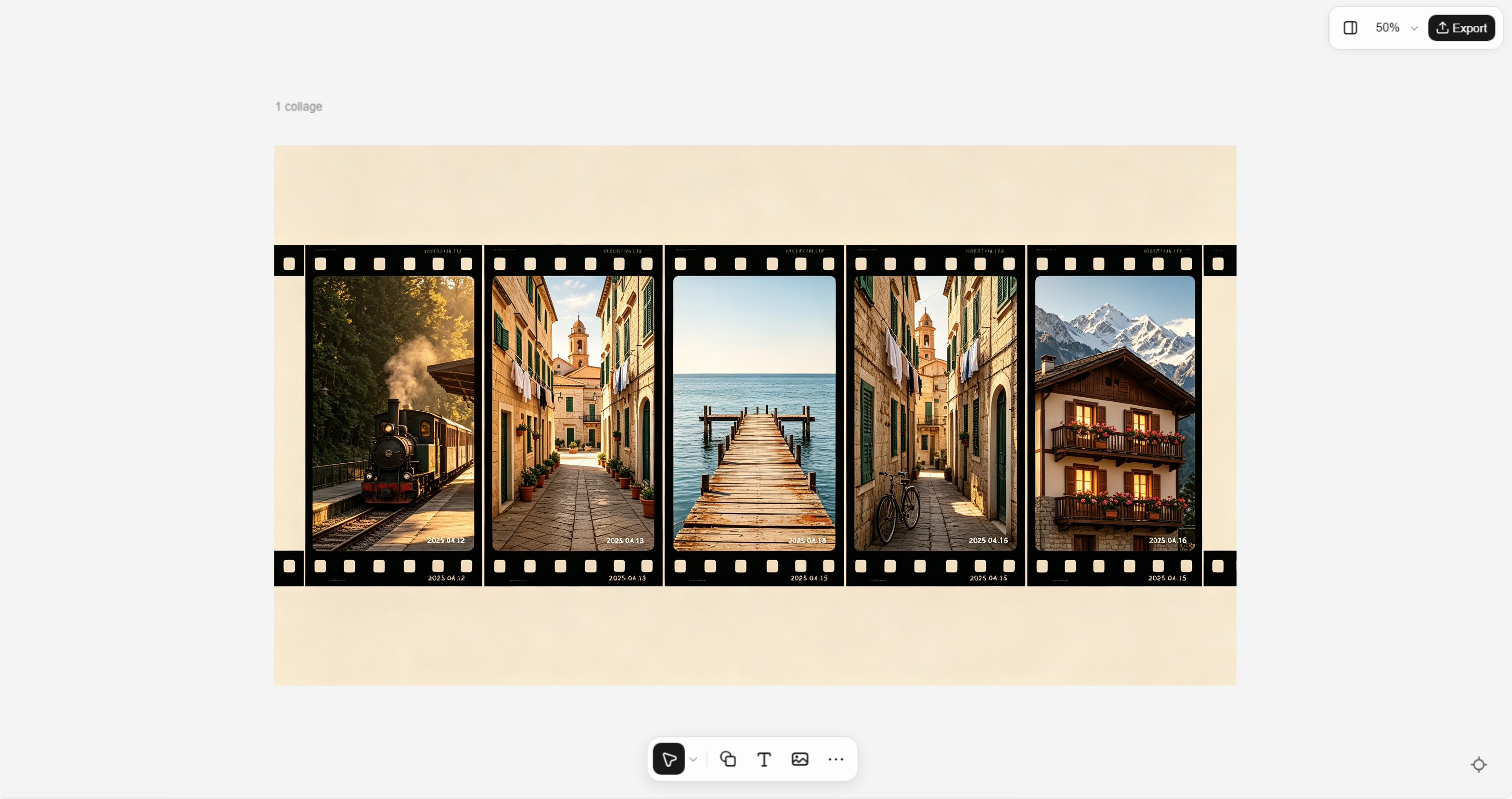
Film strip photo collage
A film strip collage brings the charm of old-school photography into a clean, modern layout. Its connected frames give your pictures a cinematic look, like scenes from a personal movie. Add warm vintage tones, subtle film grain, and small date markings for an authentic feel. It's perfect for travel memories and everyday moments worth keeping forever.
Prompt:
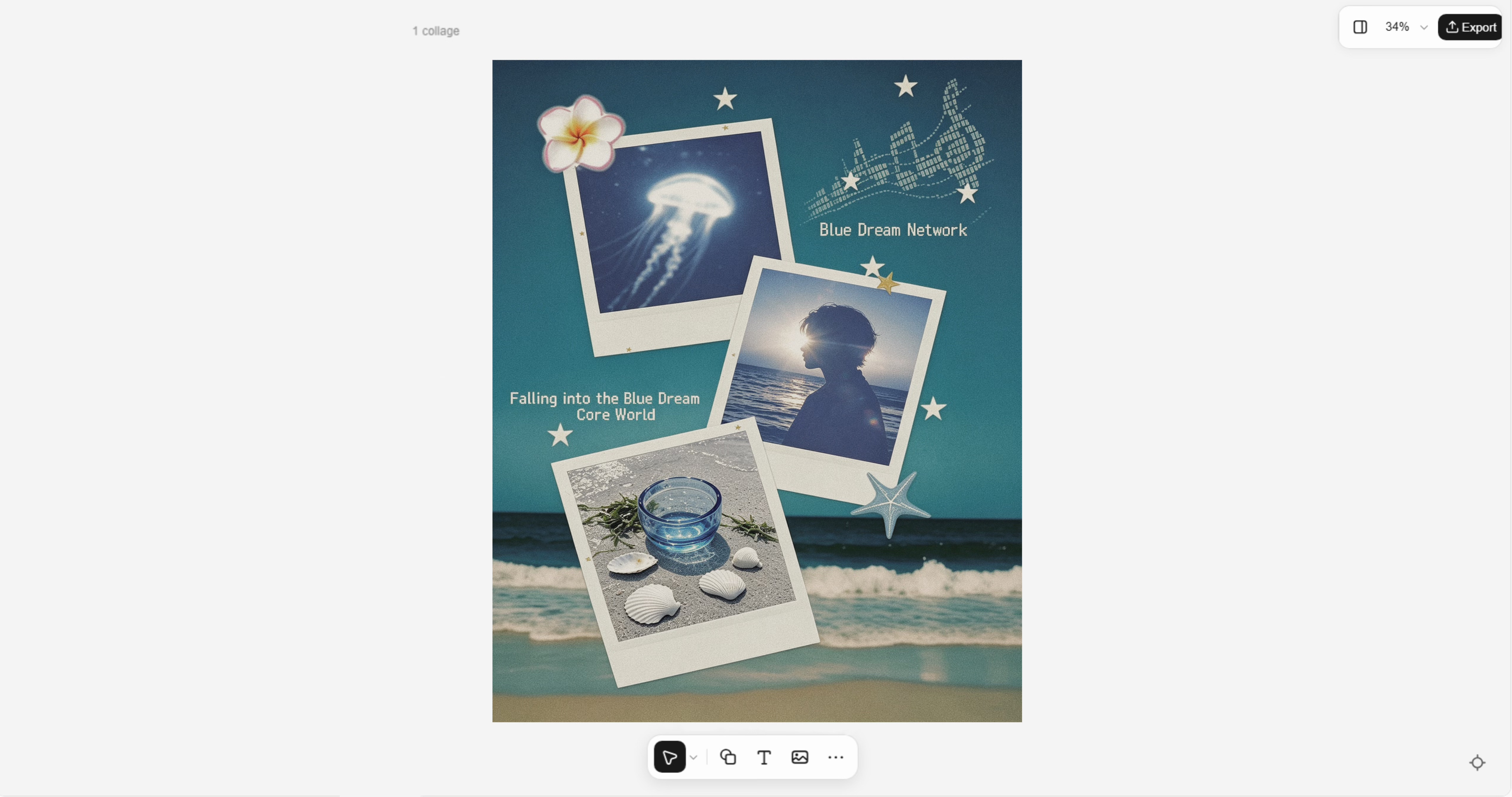
Polaroid photo collage
Polaroid collages give your pictures a nostalgic feel with classic white borders and slightly overlapping frames. You can add washi tape, soft paper textures, and warm neutral colors to make the design more personal. The layout looks like a collection of printed photographs arranged on a desk. It's ideal for friendship memories, special occasions, and personal photo collections.
Prompt:
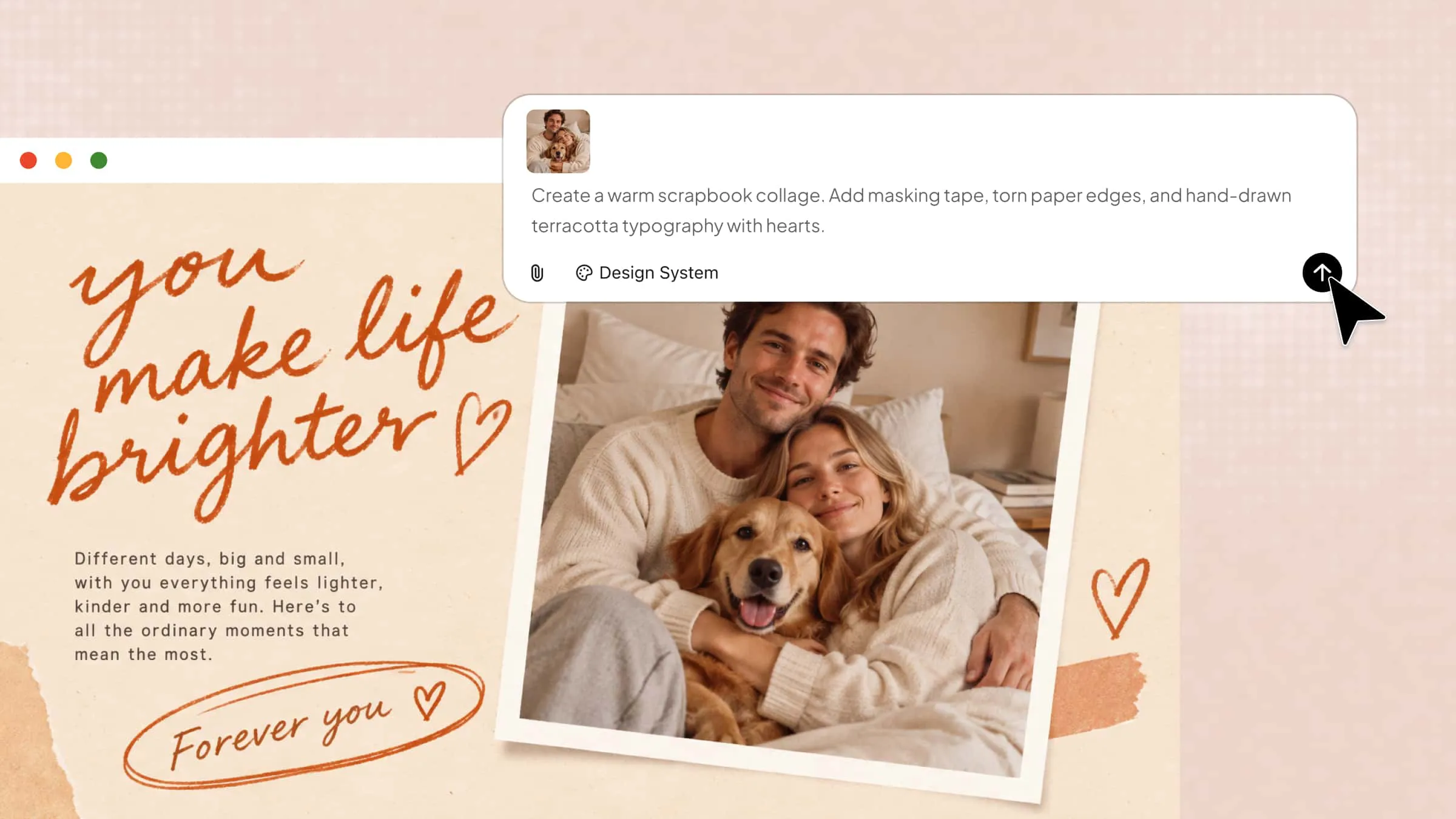
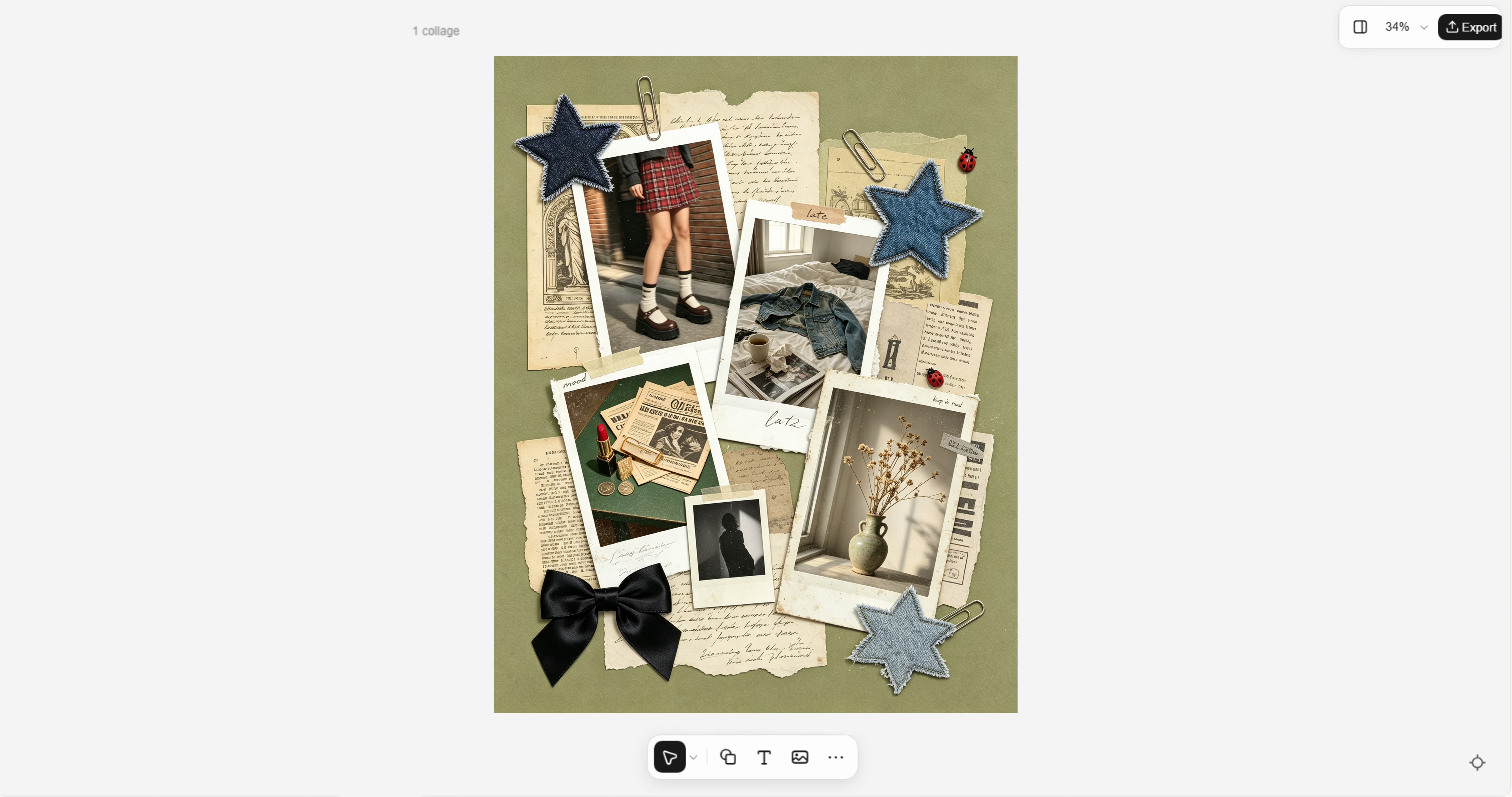
Scrapbook collage
A scrapbook collage is perfect for bringing your favorite memories together in a creative, handmade style. It combines different photo sizes with layered paper, stickers, handwritten notes, and decorative tape. Muted olive, red, and denim-blue shades give the design a warm, vintage Y2K appearance. Use it to showcase birthday memories, everyday photo collections, or other special moments.
Prompt:
Magazine editorial collage
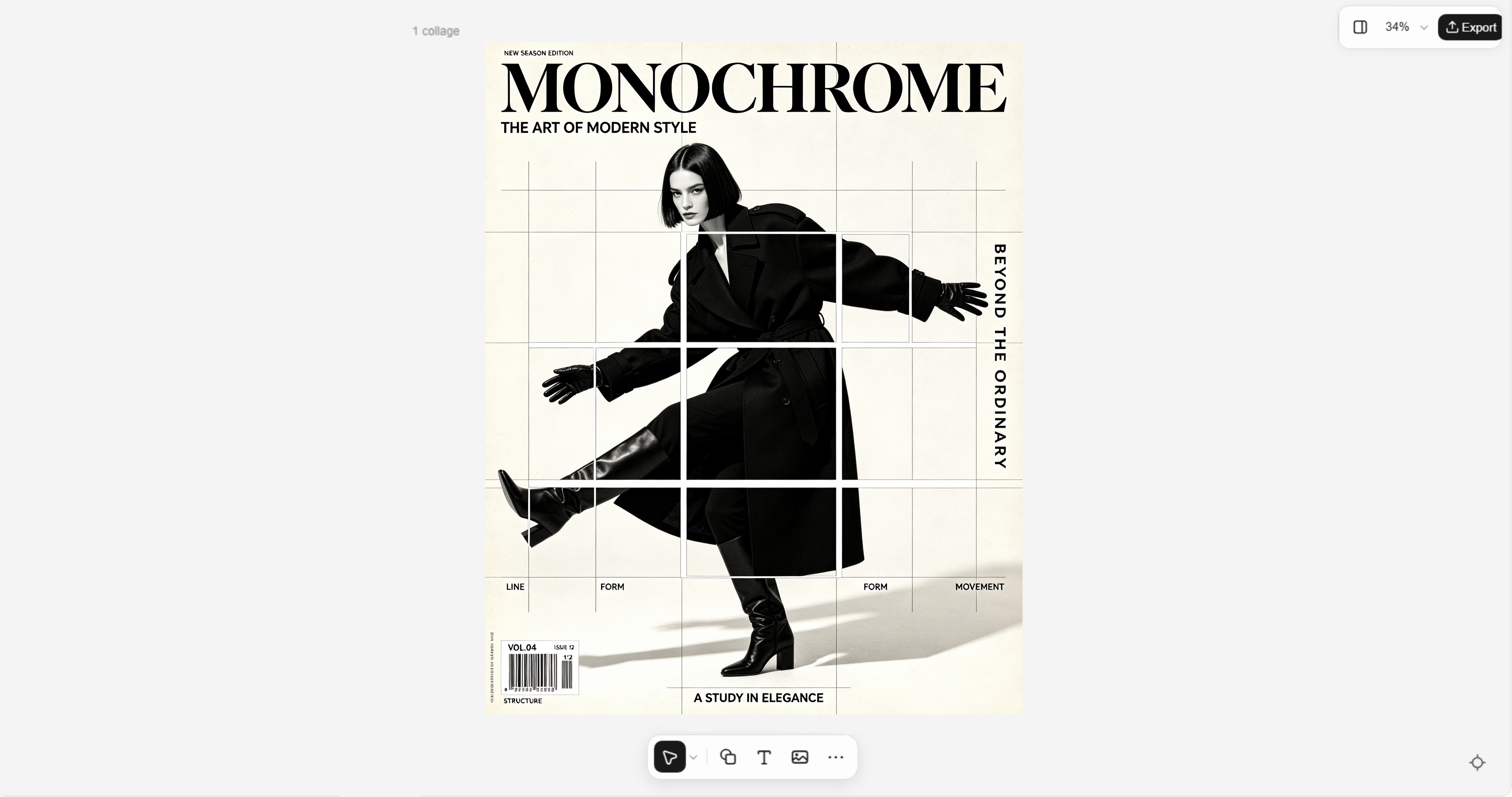
A magazine editorial collage is a sophisticated, magazine-inspired style that combines striking photography, bold typography, and structured visual compositions. It features oversized headlines, layered image panels, geometric divisions, and refined editorial details such as captions, issue numbers, and decorative text. By mixing different photo crops, overlapping layouts, and contrasting visual elements, this style creates a polished, high-fashion aesthetic reminiscent of contemporary fashion magazines.
Prompt:
Mood board collage
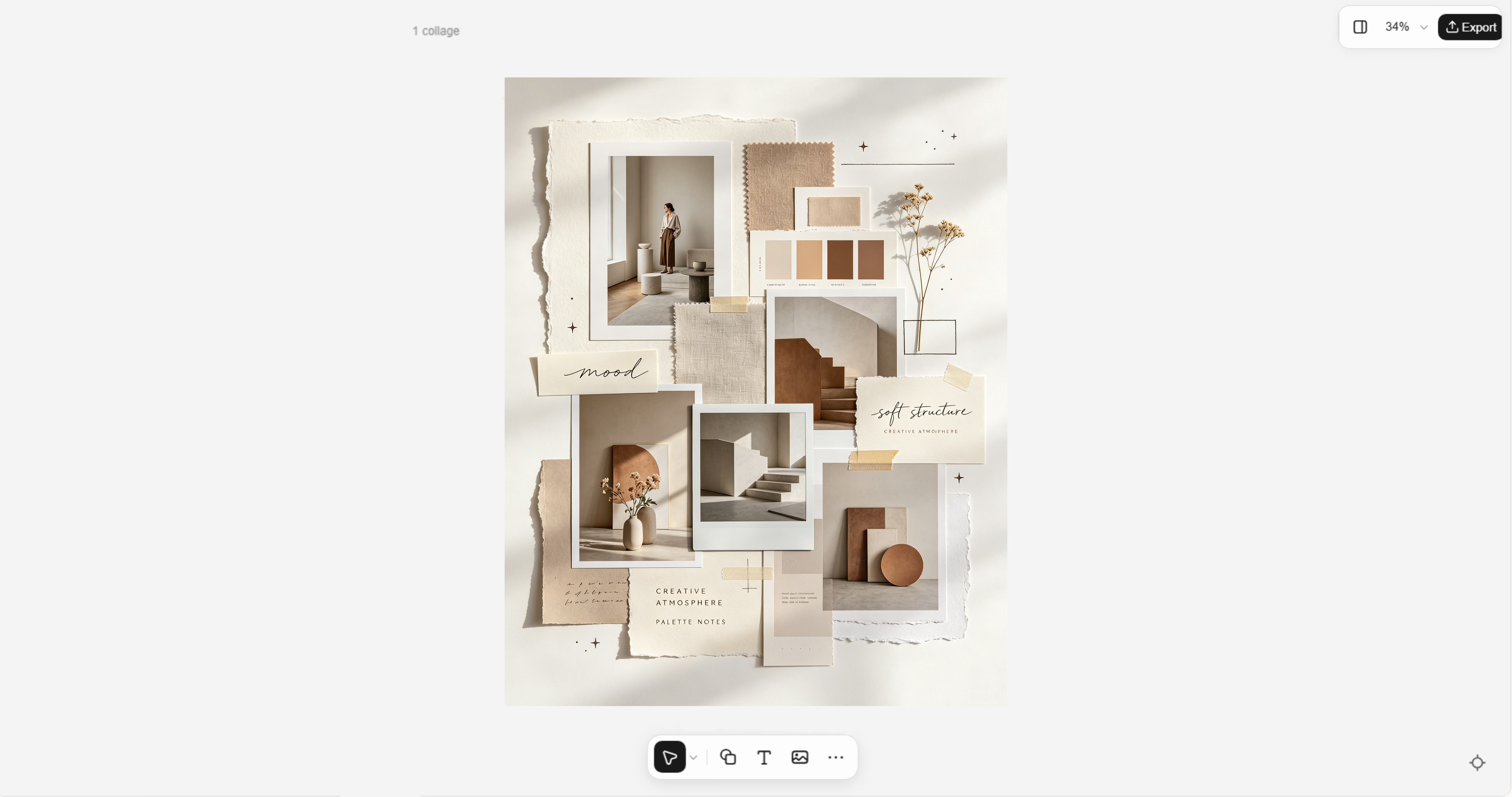
A mood board collage brings together photographs, colors, textures, and visual ideas around a particular theme. Different image sizes help create an interesting layout without making it feel crowded. You can combine interior inspiration, fabric textures, and color references to build a consistent visual style. It's especially useful for branding, fashion concepts, and creative planning.
Prompt:
Travel photo collage
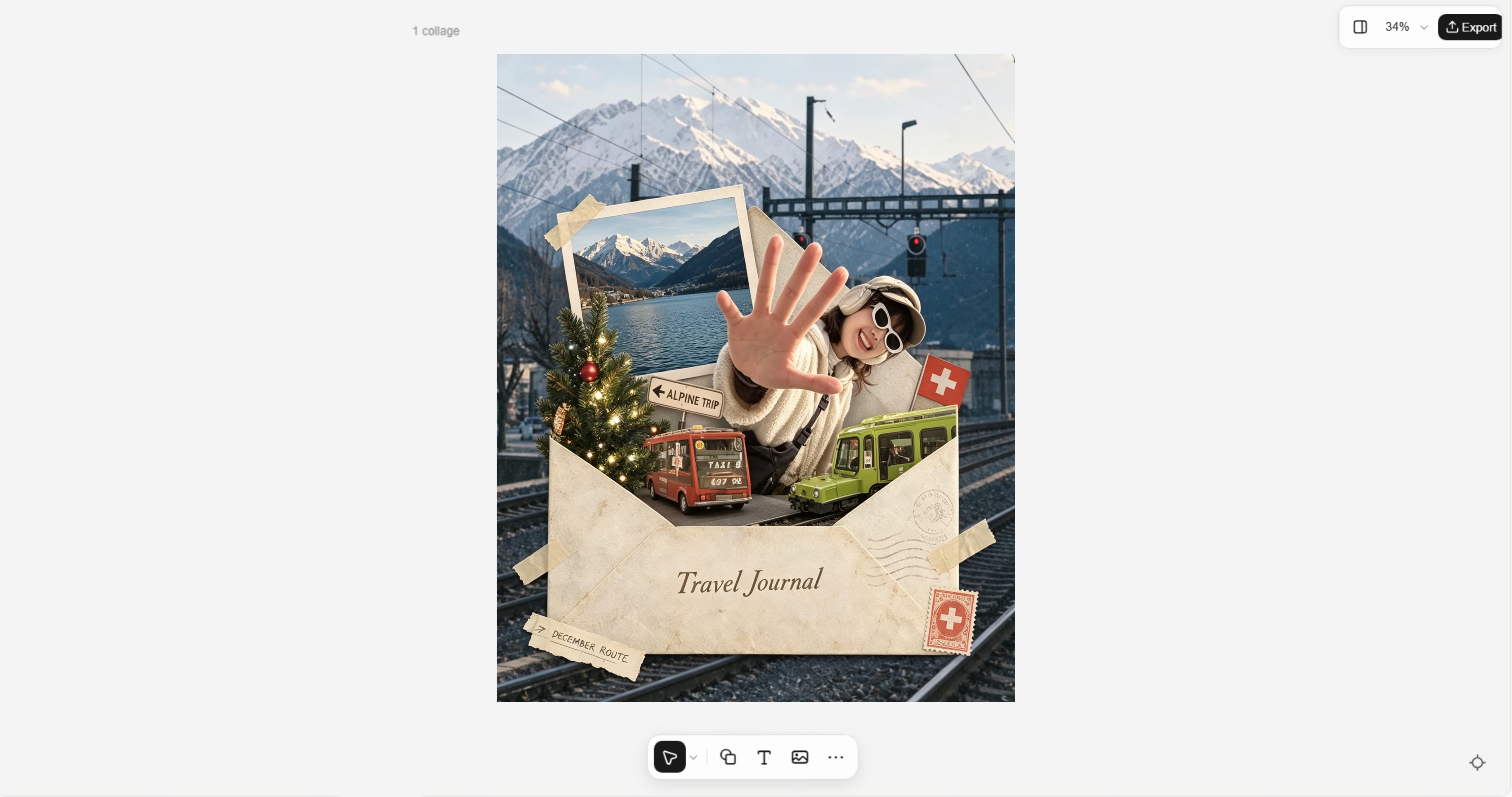
A travel photo collage brings your favorite holiday memories together in one beautiful layout. Combine pictures of destinations, local experiences, and special moments with postcard-inspired details and simple location labels. Warm natural colors and soft backgrounds give the design a personal travel-journal feel. It's perfect for sharing adventures or remembering your favorite trips.
Prompt:
Aesthetic photo dump collage
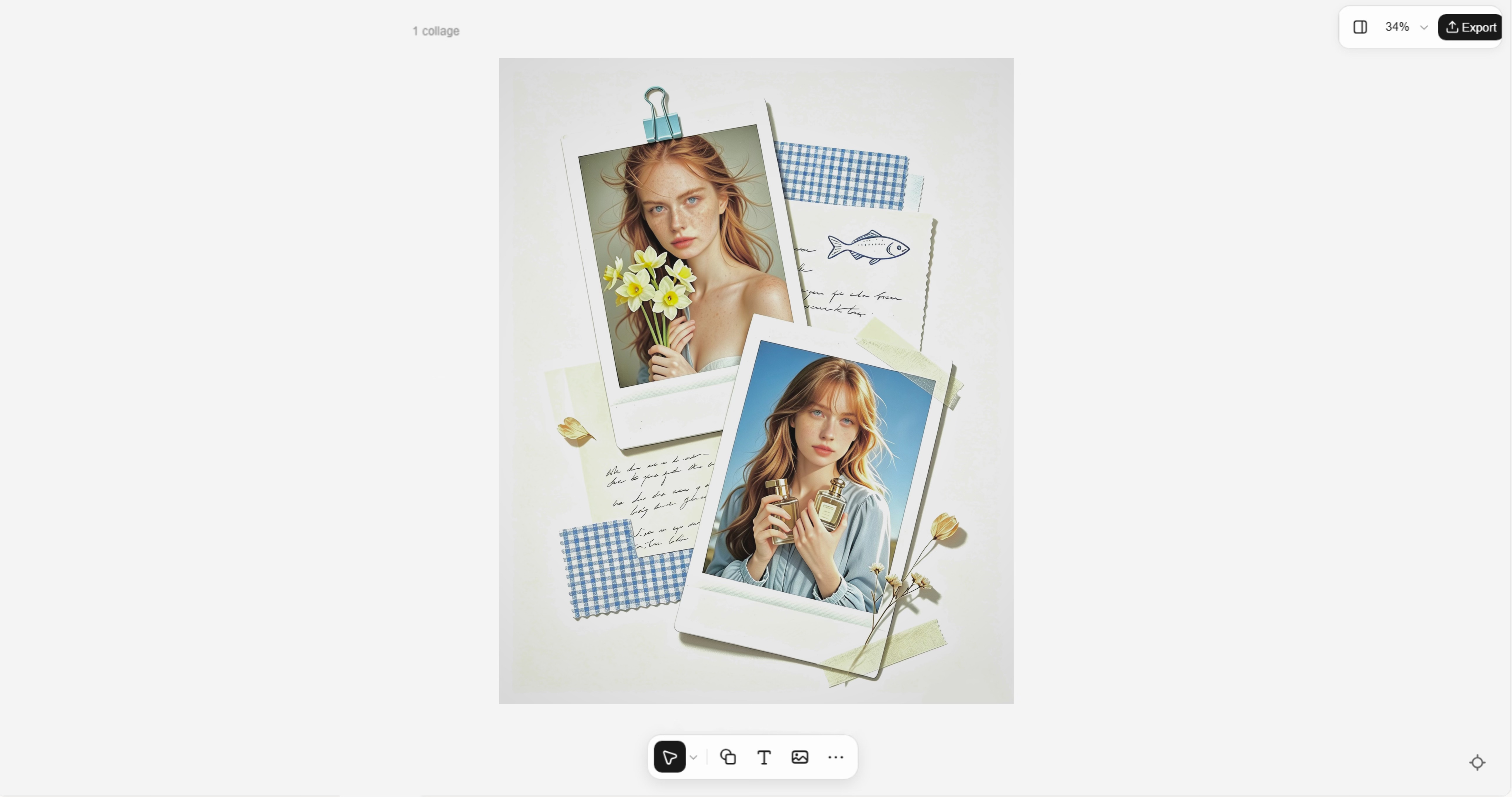
This aesthetic photo collage template is a fun way to share everyday moments without making everything look too carefully arranged. It combines different photo sizes and orientations for a relaxed, natural appearance. Include pictures of friends, food, outfits, and places with subtle borders and balanced spacing. It's a great choice for Instagram posts and personal photo collections.
Prompt:
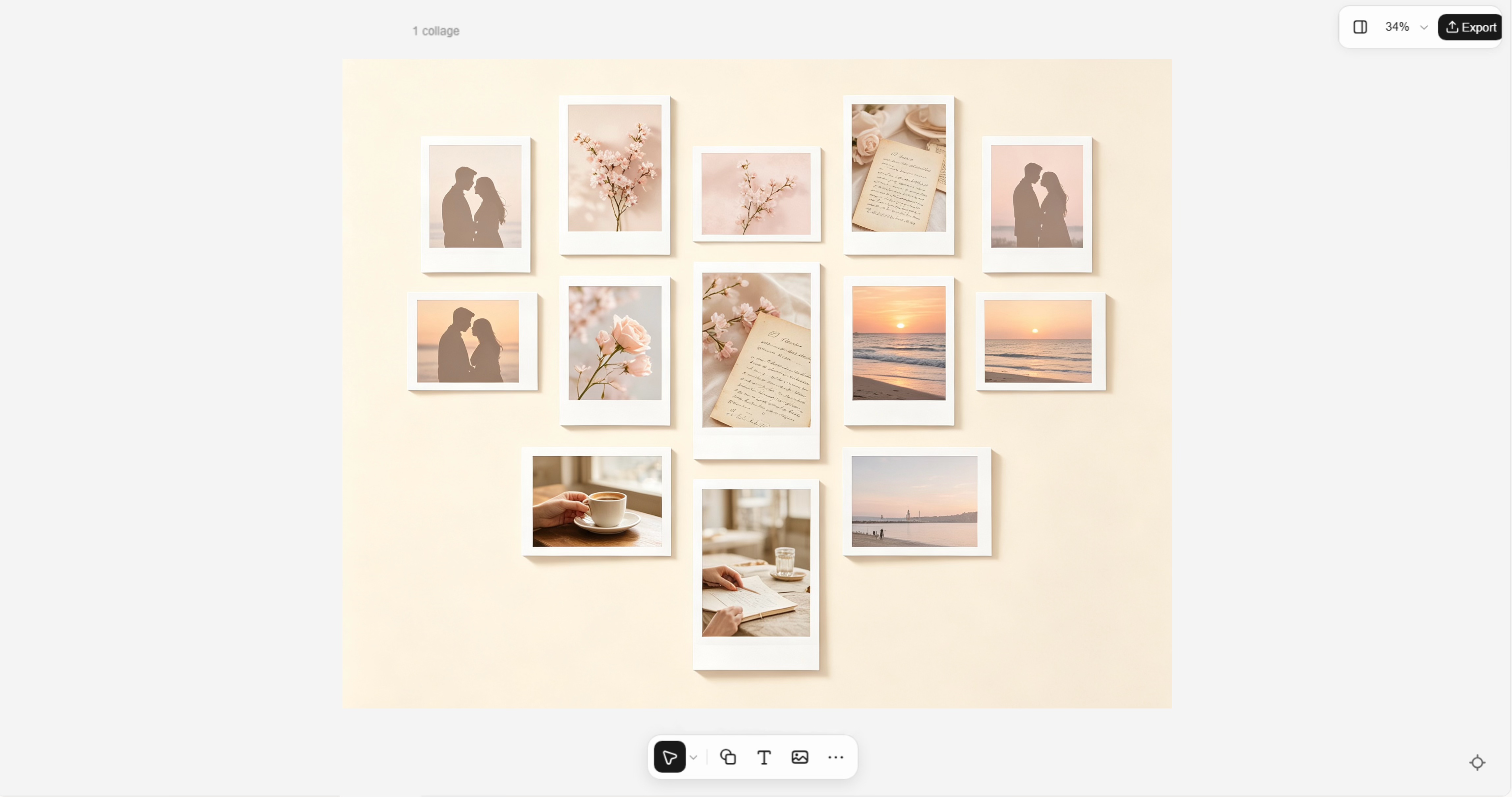
Heart-shaped photo collage
A heart-shaped collage turns your favorite photographs into a design filled with love and meaningful memories. Arrange individual pictures to form a clear heart shape, using consistent borders and subtle shadows. A warm background keeps the layout clean while making the shape stand out. It's a lovely idea for anniversaries, Valentine's Day, and special gifts.
Prompt:
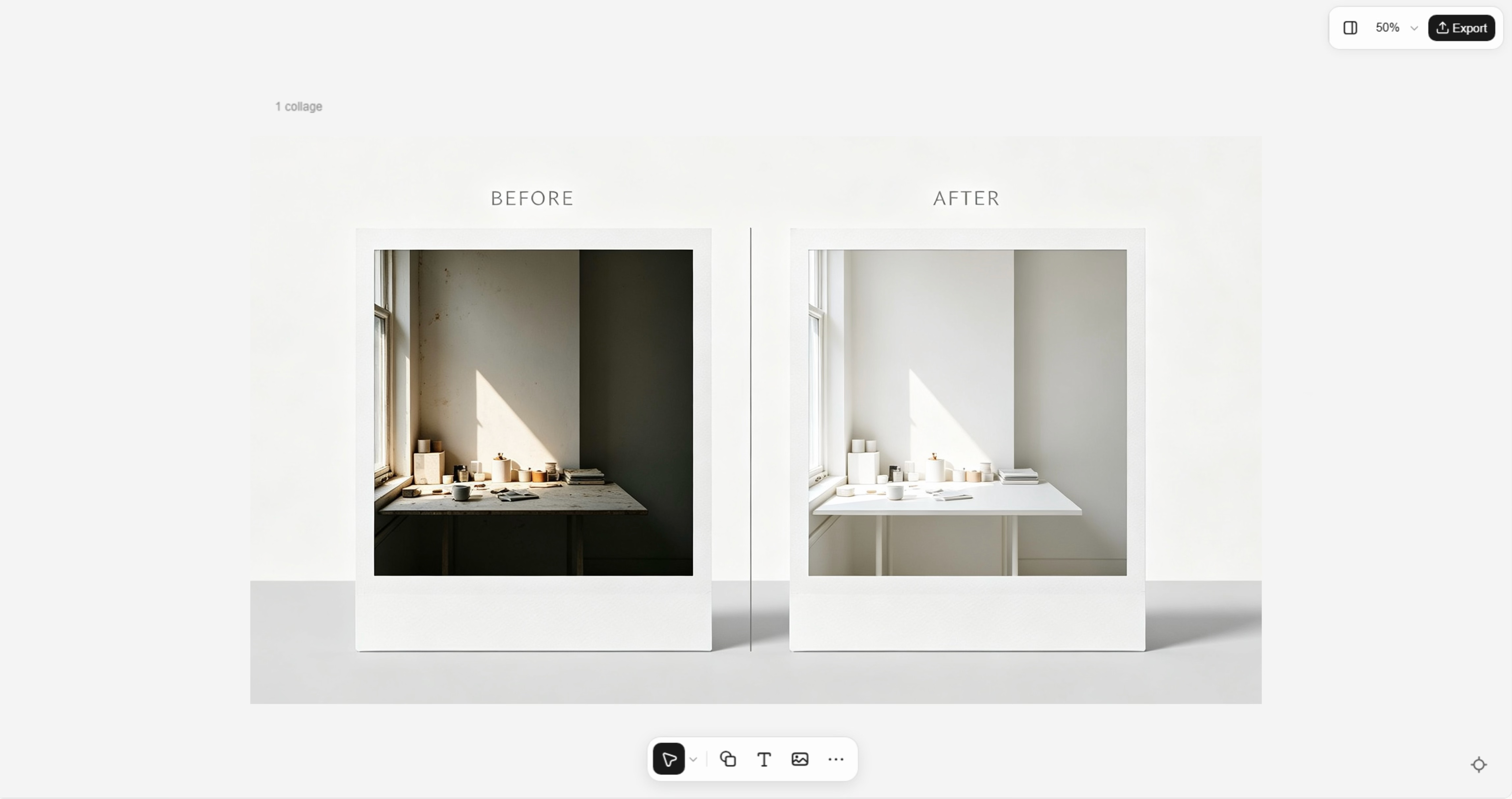
Before and after collage
A before-and-after collage makes it easy to show changes by placing two photographs side by side. Equal-sized frames, a simple divider, and clear labels help viewers compare both pictures at a glance. Its clean layout keeps the focus on transformation rather than unnecessary decorations. Use it for fitness progress, home makeovers, beauty transformations, or creative projects.
Prompt:
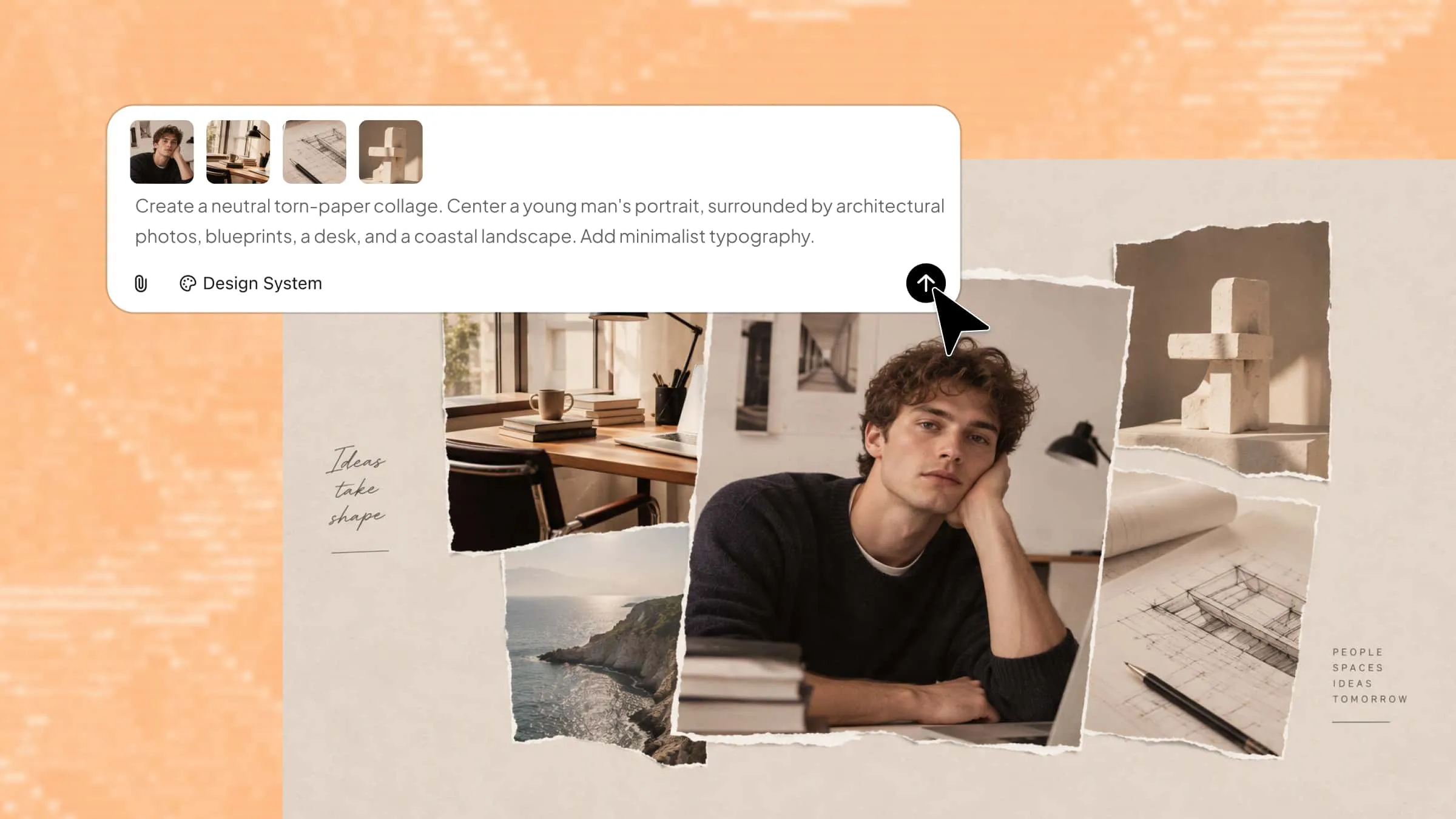
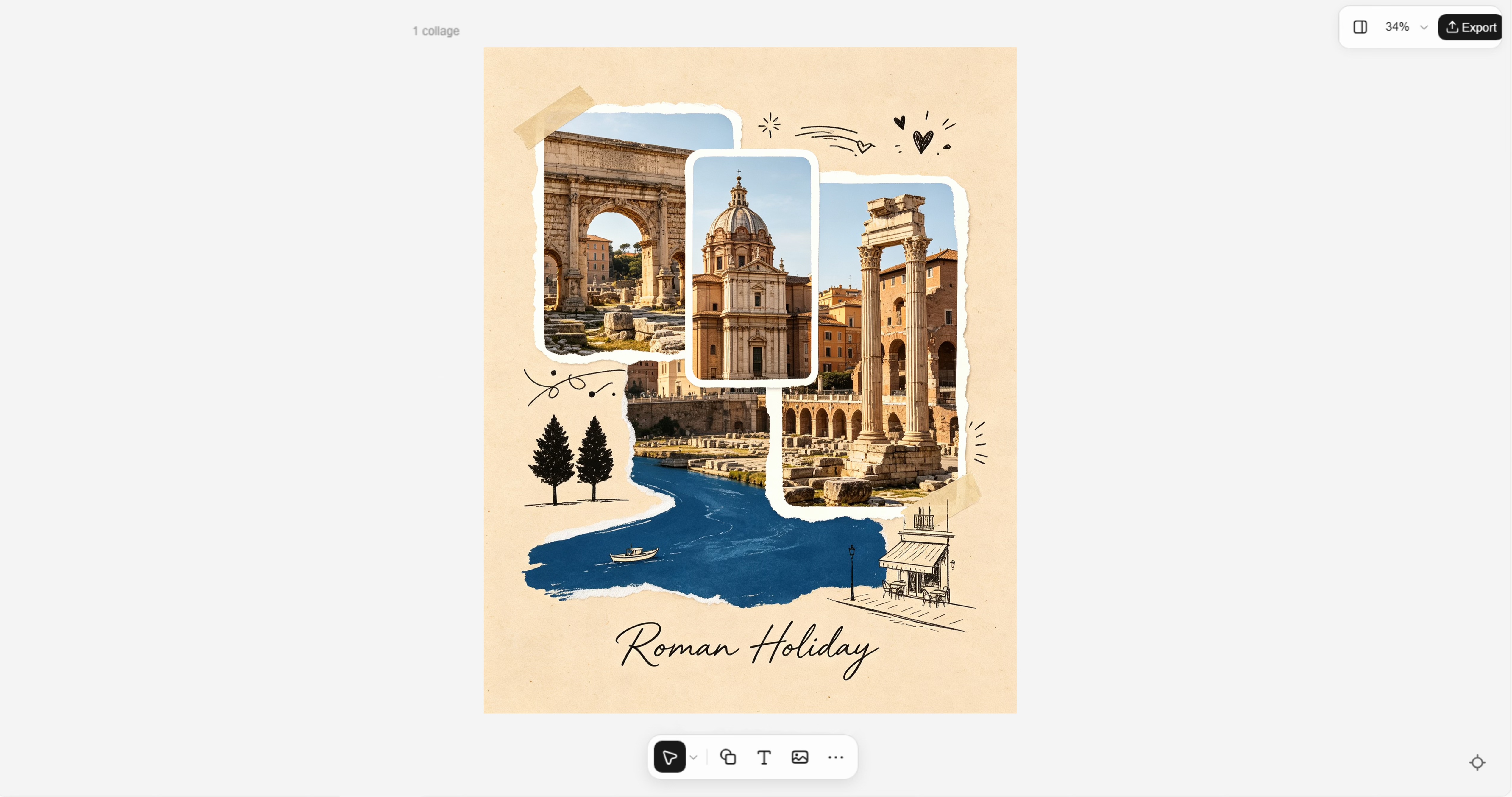
Torn paper collage
A torn paper collage gives your photographs an artistic look with irregular edges and layered textures. Its overlapping frames create a relaxed, handmade appearance instead of a perfectly arranged grid. Off-white, charcoal, beige, and dusty rose shades help keep the design balanced. It's a great choice for fashion inspiration, creative portfolios, and personal journals.
Prompt:
Why choose Kimi Design for personalized photo collages
Finding the right collage style is just the beginning. You also need the freedom to turn your ideas into designs that match your taste and memories. Kimi Design makes this easy with text prompts and flexible customization options. Here are some of its key features.
Create personalized photo collages from your ideas
Describe the collage style, photo arrangement, colors, and decorative elements you have in mind. Whether you prefer a minimalist photo grid, vintage film strip, scrapbook layout, or magazine-inspired collage, Kimi Design turns your ideas into custom designs. You can also upload reference images to guide the composition and visual style.
Combine multiple photos into creative layouts
Bring your favorite photos together in different arrangements and compositions. Explore overlapping photo frames, asymmetrical grids, Polaroid borders, torn-paper effects, and other creative layouts. You can also incorporate captions, stickers, shapes, and decorative elements to give your collage more personality.
Customize photo collages with flexible editing tools
Refine your collage through natural-language prompts in the chat or comments on specific elements. You can also manually adjust photos, text, shapes, colors, and layouts to achieve your desired look. With version history available, you can revisit earlier designs and restore previous versions while experimenting with different compositions.
Export photo collages in flexible sizes and formats
Export your finished collages in PNG, JPG, PSD, or PDF formats for different purposes. When exporting as PNG or JPG, you can customize the dimensions in pixels or centimeters to suit social media posts, digital albums, or print projects. PDF export provides a convenient format for printing and sharing your finished designs, while PSD files preserve editable layers for further adjustments in compatible design software.
Tips for creating your customized photo collages
Choosing collage templates is only one part of creating a beautiful design. When using Kimi Design to create a photo collage that reflects your personal style, a few thoughtful decisions can make your photos look more connected, balanced, and visually appealing. Keep these simple tips in mind to get better results from your photo collages.
Choose photos with a consistent visual theme
Pick photos that share a similar mood, color palette, or subject to give your collage a connected look. For example, travel pictures, family memories, or everyday moments work well when grouped by theme. This keeps the overall design from feeling random or distracting.
Match the layout to the number of photos
Choose a layout that gives every picture enough space without making the collage look crowded. A few photos work better in simple layouts, while larger collections need more frames and flexible arrangements. This helps maintain a clean and balanced appearance.
Mix different photo orientations
Combining portrait, landscape, and square photographs can make your collage more interesting. Try placing larger images alongside smaller ones to create variety without losing balance. Make sure the different orientations fit naturally within the overall layout.
Maintain a clear visual hierarchy
Give your most important photographs more space so they naturally attract attention. Place smaller pictures around them to support the overall design without competing for focus. This makes your collage easier to explore and understand.
Use decorative elements thoughtfully
Stickers, borders, text, and paper textures can add personality to your collage. However, using too many decorative details can distract viewers from the photographs themselves. Choose a few elements that complement your theme and keep the design clean.
Export at the right size and resolution
Consider where you plan to use your collage before choosing its final dimensions. Social media posts, desktop wallpapers, and printed photographs may require different aspect ratios and resolutions. Exporting at the appropriate size helps keep your pictures sharp and prevents unwanted cropping.
Conclusion
Sometimes, a few pictures are all you need to create something memorable. Exploring different photo collage templates gives you new ways to present your photos and express your creativity. Don't be afraid to experiment with layouts and visual styles. Open Kimi Design, try your ideas, and create a collage that feels uniquely yours.