Running a business often means managing many tasks at once, from handling daily operations to analyzing data and creating content. Without the right support, these processes can take more time and effort than needed. AI tools for business can help simplify workflows, improve productivity, and support better decisions. Explore this article to discover 18 powerful AI tools that can help your business work smarter and grow faster.
What are AI tools for business?
AI tools for business are software solutions that use artificial intelligence to help companies automate tasks, analyze data, and improve daily operations. They support areas such as content creation, customer service, marketing, reporting, and decision-making. These tools help teams save time, reduce manual work, and improve productivity.
Overview of 18 AI tools for business
AI tools for business cover a wide range of use cases, from workflow automation and data analysis to research, sales, customer support, and team productivity. While some tools focus on connecting existing systems, others specialize in autonomous task execution, insight generation, or content creation. The table below compares popular AI tools by positioning, core capabilities, ideal use cases, and key advantages to help you find the right solution for your business needs.
| Tool | Positioning | Key capabilities | Best for | Main advantage |
|---|---|---|---|---|
| Kimi Work | AI agent workspace for business workflow automation | Executes multi-step tasks, coordinates tools, processes files, and generates documents, spreadsheets, presentations, websites, and research outputs | Operations teams, founders, managers, and cross-functional teams | Turns natural-language instructions into completed business deliverables |
| Zapier AI | AI-powered workflow automation platform | Creates workflows from prompts, connects SaaS apps, manages triggers and actions, and adds AI-powered steps | Teams automating repetitive processes across multiple tools | Extensive app integrations for connecting existing workflows |
| Lindy | AI assistant platform for routine business task delegation | Handles communication, scheduling, document processing, and administrative workflows | Small businesses, agencies, and operations teams | Delegates repetitive tasks to customizable AI assistants |
| Kimi Deep Research | AI research agent for structured business intelligence | Clarifies research goals, searches sources, analyzes evidence, and creates cited reports | Strategy teams, consultants, analysts, and investors | Produces comprehensive research reports with traceable sources |
| Perplexity | AI answer engine with conversational search | Provides cited answers, follow-up exploration, and market information discovery | Executives, marketers, and analysts conducting quick research | Fast access to source-backed information |
| ChatGPT | General-purpose AI assistant for reasoning and content creation | Analyzes information, drafts content, creates frameworks, and supports iterative problem-solving | Teams needing flexible AI support across different tasks | Versatile assistant for research, writing, and analysis |
| Kimi Sheets | AI spreadsheet agent for data processing and analysis | Creates spreadsheets, extracts data, combines reports, generates formulas, and supports analysis | Finance teams, analysts, and business users working with data | Converts natural-language requests into editable spreadsheet outputs |
| ThoughtSpot | AI-powered analytics platform for business intelligence | Enables natural-language queries, dashboards, data exploration, and automated insights | Data-driven organizations and BI teams | Makes business analytics accessible without complex queries |
| Microsoft Copilot | AI assistant integrated into workplace applications | Supports document creation, spreadsheet analysis, meeting summaries, and workflow assistance | Organizations using Microsoft 365 | Brings AI capabilities directly into existing productivity tools |
| Salesforce Einstein / Agentforce | CRM-native AI platform for sales and customer workflows | Analyzes CRM data, predicts opportunities, recommends actions, and automates customer processes | Sales teams and enterprises using Salesforce | Embeds AI directly into customer relationship management |
| Clay | AI-powered go-to-market data and prospecting platform | Enriches leads, researches prospects, generates personalized outreach, and automates workflows | Sales teams, growth marketers, and RevOps teams | Combines data enrichment with AI-driven personalization |
| HubSpot AI | AI assistant integrated into CRM and marketing workflows | Supports content creation, customer data enrichment, prospecting, and workflow automation | Marketing, sales, and customer success teams | Connects AI assistance with existing CRM operations |
| RingCentral AI | AI communication and contact center assistant | Handles calls, provides conversation intelligence, summarizes interactions, and assists employees | Customer service teams and communication-heavy businesses | Improves customer conversations through voice and meeting intelligence |
| Tidio AI | AI chatbot and customer support automation platform | Automates chat responses, manages customer conversations, and supports e-commerce workflows | Ecommerce businesses and support teams | Provides accessible AI customer service automation |
| Salesforce Agentforce | Autonomous AI agent platform for customer service | Understands requests, uses CRM context, executes service actions, and manages escalation | Enterprises with complex customer support operations | Automates service workflows while preserving human handoff |
| Notion AI | AI-powered knowledge and collaboration assistant | Summarizes documents, organizes knowledge, creates tasks, and supports workspace search | Product teams, startups, and knowledge workers | Combines AI assistance with team knowledge management |
| Otter.ai | AI meeting transcription and conversation intelligence tool | Records meetings, creates transcripts, extracts summaries, and enables conversation search | Sales teams, remote teams, and project managers | Turns conversations into searchable knowledge and action items |
| Spinach AI | AI meeting assistant focused on outcomes and follow-ups | Captures meetings, generates recaps, extracts tasks, and connects outputs to workflows | Agile teams, project managers, and distributed teams | Converts meetings into actionable tasks instead of simple transcripts |
18 powerful AI tools for business you need to try
AI business tool uses artificial intelligence to help companies complete tasks faster and more efficiently. They can assist with areas like data analysis, customer support, content creation, research, and workflow automation. Here are the top 18 AI tools for business use.
AI tools for business operations and workflow automation
Automation delivers value when it removes handoffs instead of adding another dashboard. The three tools below approach operations from different angles: Kimi Work turns instructions into finished business outputs, Zapier AI connects existing apps, and Lindy takes delegated tasks across daily communication.
Kimi Work
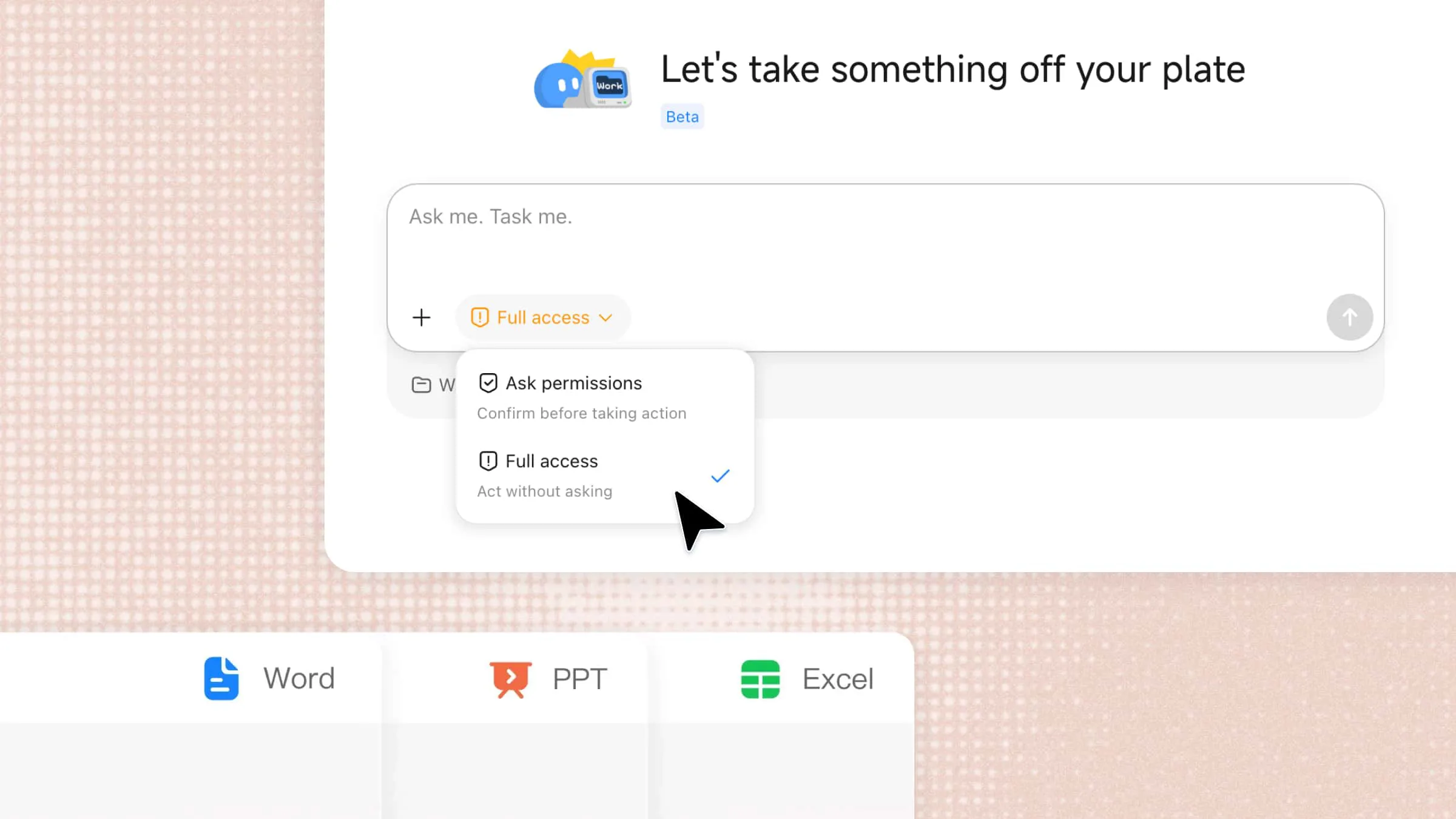
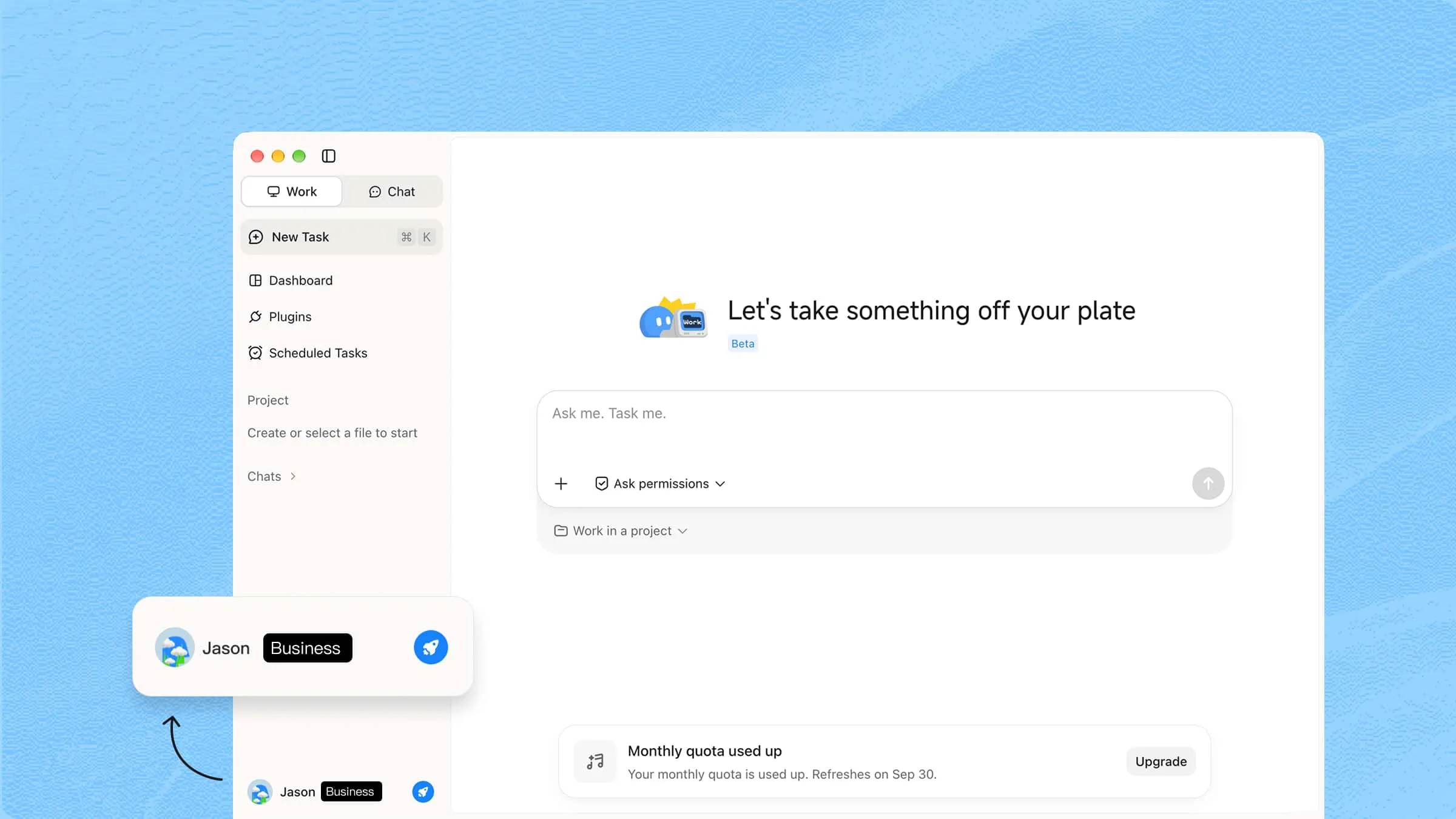
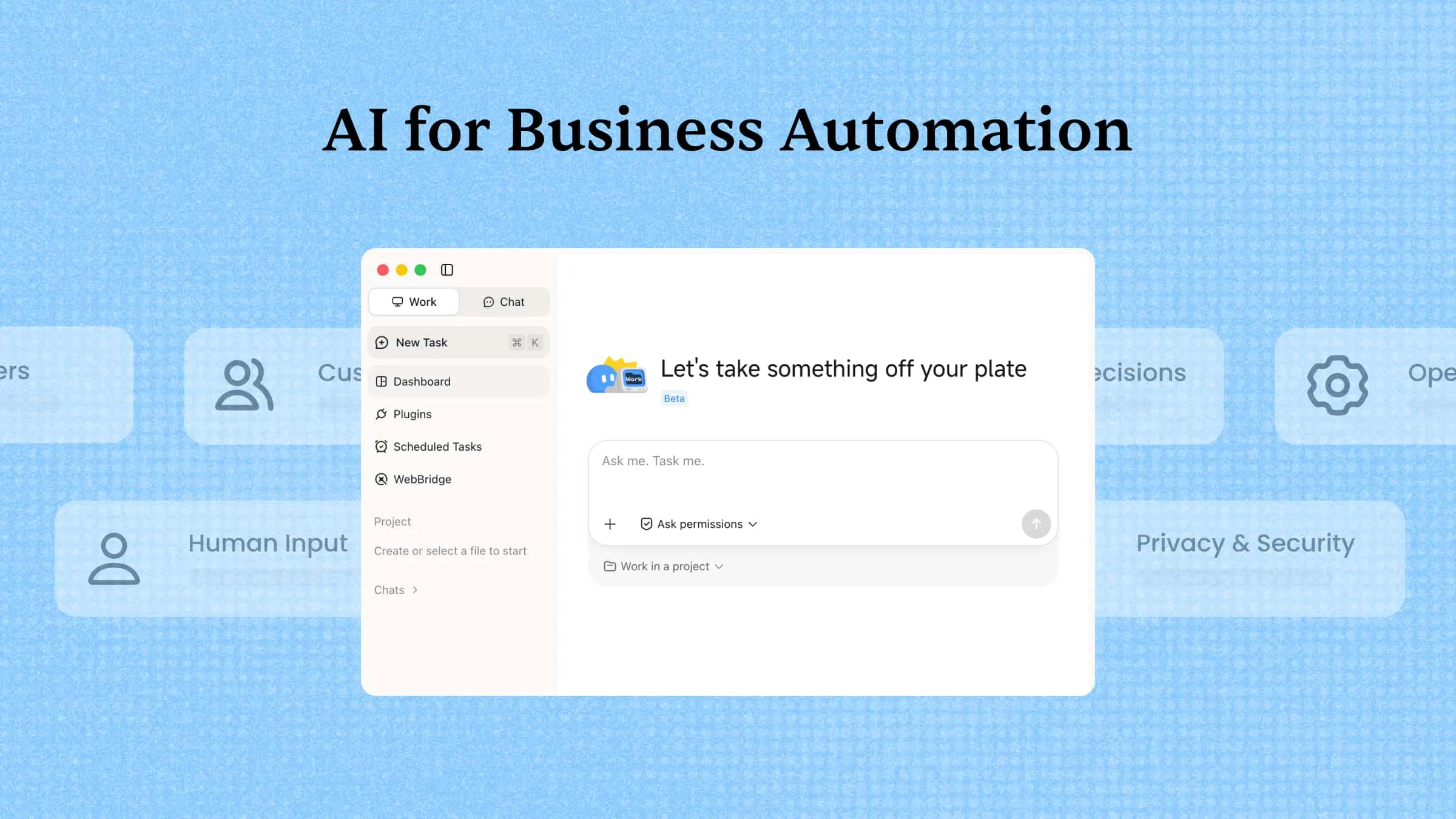
Kimi Work is an agentic AI workspace for converting a plain-language business request into a completed operational deliverable. It can plan a task, invoke the required tools, process source material, and return outputs such as documents, spreadsheets, slides, websites, or research files. It is most useful where a recurring brief needs to become a polished asset without moving between several specialist tools.
Main features
End-to-end task execution: Kimi Work can decompose complex requests into smaller actions and carry them through to a finished result. This reduces the operational gap between giving instruction and receiving a usable business asset.
Multi-format output: The workspace can produce documents, spreadsheets, presentations, web assets, and structured reports from the same task flow. Teams can standardize recurring deliverables without rebuilding each output manually.
Tool-using workflow coordination: Kimi Work can select and apply different tools including plugins or skills, during execution rather than relying on a single text response. That makes it suitable for tasks that combine reading, analysis, transformation, and file creation.
Iterative error handling: The agent can review intermediate results and correct its course when a step does not satisfy the task. This gives operations teams a more resilient workflow than a one-shot prompt.
Suitable for
Operations teams standardizing recurring reports and business deliverables
Founders who need one workspace for analysis, documentation, and execution
Cross-functional teams turning briefs into documents, sheets, or presentations
Managers automating routine knowledge work without building custom integrations
Zapier AI
Zapier AI extends Zapier's app-automation platform with natural-language workflow creation and in-context assistance. A user can describe an operational outcome, such as routing a lead or summarizing a channel, and the system translates that intent into a draft automation. Its technical strength is the connection layer: triggers, actions, filters, and optional custom logic can move data between thousands of SaaS tools.
Main features
Prompt-based workflow design: Users can explain the automation they want in everyday language and receive a starting workflow. This shortens setup time for people who understand the process but not the technical configuration.
Cross-app triggers and actions: Zapier moves information between forms, CRMs, spreadsheets, chat tools, calendars, and other operational systems. It is especially effective when the same record must stay synchronized across departments.
AI assistance inside automations: The platform can help troubleshoot, refine, or generate steps while a workflow is being built. That support makes branching logic and multi-step automations more approachable for non-developers.
Extensible AI actions: Teams can add AI steps, lightweight custom code, or chatbot experiences to a workflow. The result is automation that can classify, summarize, draft, or respond instead of only moving data.
Suitable for
Small and midsize operations teams connecting multiple SaaS tools
RevOps and support teams automating record updates and notifications
Non-technical users who need workflows without writing code
Businesses with recurring processes that cross departmental systems
Lindy
Lindy is an AI assistant designed to take ownership of routine business tasks after a user explains the workflow in plain language. It can work across communication, scheduling document processing, and support activities rather than acting as a single-purpose chatbot. It combines natural-language instructions, app integrations, model selection, and approval checkpoints so the assistant can act within defined boundaries.
Main features
Natural-language delegation: Users describe the outcome they want instead of scripting every rule or condition. This makes Lindy accessible to operators who know the process but do not want to maintain code.
Multi-channel task handling: Lindy can support workflows involving email, calls, calendars, CRM records, and internal messages. It is useful where one operational request naturally spans several communication channels.
Human approval controls: Sensitive actions can be routed back to a person before they are completed. That checkpoint helps teams delegate repetitive work while retaining control over customer-facing or high-impact decisions.
Configurable assistant behavior: Teams can adapt instructions, templates, integrations, and model choices to the task at hand. The flexibility lets one assistant handle different operational roles without forcing a single response style.
Suitable for
Founders and operations leaders in growing small businesses
Agencies managing intake, scheduling, and client follow-up
SaaS teams scaling outbound or inbound coordination
Service businesses that need continuous administrative coverage
AI tools for business research and intelligence
A useful research tool does more than return links. It helps frame the question, weigh sources, and turn scattered information into a defensible point of view. Kimi Deep Research, Perplexity, and ChatGPT each support business intelligence, but they differ in depth, speed, and flexibility.
Kimi Deep Research
Kimi Deep Research is built for questions that require structured investigation rather than a quick conversational answer. It clarifies the brief, plans searches, reviews sources, reasons over the evidence, and produces a long-form report with traceable citations. The system also creates a visual report that makes the findings easier to share with stakeholders who do not want to read every page.
Main features
Narrow the scope for better research: Deep Research can ask follow-up questions before it begins investigating. This helps narrow the market, timeframe, geography, and decision criteria before sources are collected.
Powerful search, reasoning, and cited reporting: The agent plans search paths, evaluates what it finds, and continues searching when more evidence is needed. It then synthesizes the findings into a structured report with linked sources, so readers can trace important claims back to the supporting evidence.
Flexible research deliverables: Turn research findings into the format that best fits the task, including PDFs, documents, spreadsheets, slides, or interactive reports, moving from research to analysis, presentation, or sharing without rebuilding the output from scratch.
Iterate through follow-up questions: Continue the conversation after the initial research is complete to ask follow-up questions, refine specific sections, explore new angles, or update the analysis. Each round builds on the existing research, so you can improve the final output without starting over.
Suitable for
Strategy teams preparing market-entry or planning documents
Consultants and analysts producing evidence-backed client research
Investors and business developers reviewing industries or competitors
Policy, regulatory, and research teams synthesizing many public sources
Perplexity
Perplexity is an AI answer engine that combines conversational search with source citations and follow-up exploration. It is particularly useful for scanning market movement, competitor positioning, product categories, and regulatory signals without opening dozens of tabs first. For business intelligence, it works best when speed and source visibility matter more than a fully developed long-form report.
Main features
Source-grounded answers: Perplexity presents responses with linked references that users can inspect. This makes it easier to separate a useful lead from an unsupported claim.
Conversational follow-up: Users can narrow, expand, or challenge an answer without starting the search again. The thread preserves context as the research question becomes more specific.
Rapid market scanning: The tool can surface recent company, industry, and competitor information in one pass. It is effective for early-stage discovery before a team commits to deeper analysis.
Research source comparison: Perplexity makes the underlying links visible alongside the answer. Teams can compare publications, identify weak sourcing, and decide what deserves primary verification.
Suitable for
Executives who need fast, cited briefings before meetings
Marketing teams tracking competitors and category narratives
Analysts performing first-pass market or regulatory scans
Founders validating assumptions before commissioning deeper research
ChatGPT
ChatGPT is a general-purpose AI workspace for reasoning, synthesis, drafting, and iterative analysis. In business research, it can turn rough notes, uploaded material, and user-provided context into briefs, comparisons, questions, and decision frameworks. Its strength is not a single predefined workflow. It is the ability to move between summarization, interpretation and communication in one conversation.
Main features
Flexible research synthesis: ChatGPT can combine user-supplied documents, notes, and research material into a coherent brief. It is useful when the challenge is organizing meaning rather than simply finding another link.
Analytical framing: The assistant can build comparison tables, decision criteria, hypotheses, and scenario outlines from a loose prompt. This helps teams move from open-ended exploration to a structured business question.
Drafting and refinement: Research findings can be converted into executive summaries, presentation copy, email briefs, or workshop materials. Teams can iterate on tone, length, and audience without rewriting from scratch.
Customizable working context: Projects, instructions, files, and connected workflows can preserve context across related tasks. That makes ChatGPT more useful as an ongoing research workspace than as a one-off answer box.
Suitable for
Business teams that need a flexible assistant across research and writing
Consultants turning notes and source material into client-ready outputs
Product and strategy teams exploring scenarios or decision frameworks
Leaders who want iterative analysis rather than a fixed research template
AI tools for data analysis and business intelligence
Data tools create business value when they shorten the path from a question to a decision. Kimi Sheets focuses on producing and transforming spreadsheet work, ThoughtSpot makes governed analytics searchable, and Microsoft Copilot brings analysis into the applications where many teams already work.
Kimi Sheets
Kimi Sheets is an AI Excel agent that turns natural-language instructions and source material into editable Excel workbooks. It can extract records from documents, combine reports, interpret cell relationships, and preserve cross-sheet logic rather than treating a workbook as plain text. This makes it useful for both data preparation and business modeling, especially when the required output is a working .xlsx file.
Main features
Natural-language workbook creation: Users can describe the spreadsheet they need and receive a structured Excel file. This is practical for teams that know business output but do not want to build every table manually.
Document-to-sheet extraction: Kimi Sheets can pull relevant records from files and place them into organized rows and columns. It helps convert unstructured source material into data that can be filtered, calculated, and reviewed.
Multi-source consolidation: The agent can combine separate departmental or operational reports into a unified workbook. This supports recurring rollups where manual copy-and-paste would introduce delay and error.
Formula and analysis support: Kimi Sheets understands relationships across cells and sheets while producing calculations, summaries, and visual outputs. The result is a working model rather than a static table of extracted values.
Suitable for
Finance and operations teams building recurring spreadsheet reports
Managers consolidating departmental data into one workbook
Analysts who need fast extraction and first-pass modeling
Business users who want Excel outputs without advanced spreadsheet skills
ThoughtSpot
ThoughtSpot is an AI-powered analytics platform designed to make governed business data searchable through natural language. Users can ask questions, receive visual answers, and explore live dashboards without writing SQL for every query. Its AI assistant and automated insight capabilities help surface changes, anomalies, and patterns that may not be visible in a static report.
Main features
Natural-language analytics: Business users can ask questions in ordinary language and receive charts or tables in response. This lowers the barrier for teams that need answers but do not work directly in SQL.
Automated insight detection: ThoughtSpot can highlight unusual movement, emerging trends, and predictive signals in the data. These prompts help teams investigate issues before they appear in a scheduled report.
Interactive Liveboards: Liveboards provide shared, drillable views of current business performance. Teams can move from a headline metric into the underlying dimensions during the same discussion.
Warehouse-connected analysis: The platform connects to cloud data sources so analysis stays close to governed, current data. This reduces dependence on exported spreadsheets and disconnected reporting copies.
Suitable for
BI teams supporting self-service analytics across departments
Executives who need direct access to current performance indicators
Data-mature organizations using cloud warehouses
Operations, finance, and revenue teams monitoring trends at scale
Microsoft Copilot
Microsoft Copilot embeds AI assistance across Microsoft 365 applications, including documents, spreadsheets, email, meetings, and collaboration workflows. It can summarize information, generate content, analyze data, and support more advanced reasoning through specialized agents. Copilot operates where business users already create and share work, reducing the need to move content into a separate AI tool.
Main features
In-app analytical assistance: Copilot can help interpret tables, identify patterns, and generate explanations inside familiar Microsoft applications. Users can move from raw information to a summary without switching tools.
Research and reasoning agents: Specialized Copilot experiences support deeper research and analytical tasks. They help users explore complex questions, organize evidence, and produce more structured outputs.
Meeting and communication intelligence: Copilot can summarize meetings, prioritize messages, and draft follow-ups across collaboration tools. This turns conversations and inboxes into clearer actions for the wider business.
Custom agent development: Copilot Studio gives organizations a way to configure agents around internal processes and data. IT and business teams can create governed AI experiences that match their workflows.
Suitable for
Organizations standardized on Microsoft 365
Business teams needing AI inside documents, email, meetings, and spreadsheets
Enterprise departments that require administrative control and governance
Operations, HR, finance, and sales teams automating daily knowledge work
AI tools for sales and marketing
Sales and marketing AI works best when it improves relevance without stripping away customer context. Salesforce Einstein and Agentforce bring intelligence into CRM records, Clay turns fragmented prospect data into targeted outreach, and HubSpot AI supports teams inside an integrated growth platform.
Salesforce Einstein / Agentforce
Salesforce Einstein and Agentforce bring predictive, generative, and agentic AI into the Salesforce customer platform. For sales and marketing teams, the system can analyze CRM activity, prioritize opportunities, recommend next steps and support campaign execution. This makes it most valuable for organizations that want AI embedded in pipeline management rather than added as a separate research tool.
Main features
Predictive revenue intelligence: Einstein can score leads, assess opportunities, and support forecasts from CRM activity and historical outcomes. Sales leaders gain a more consistent way to prioritize pipeline attention.
CRM-native recommendations: AI suggestions appear in the context of accounts, contacts, and opportunities. Representatives can act on insight without exporting records to another analytics environment.
Sales communication support: The platform can help draft emails, summarize records, and prepare follow-ups using customer context. This reduces administrative work while keeping messaging tied to the CRM history.
Agent-assisted revenue workflows: Agentforce can execute defined tasks across sales and marketing processes. Teams can automate routine actions while preserving access to customer data and workflow controls.
Suitable for
B2B sales organizations already using Salesforce as the system of record
Revenue leaders who need forecasting and pipeline prioritization
Marketing operations teams personalizing engagement from CRM data
Enterprise sales teams managing complex accounts and long buying cycles
Clay
Clay is a go-to-market data platform that combines enrichment, AI research, and workflow automation in a spreadsheet-like interface. It takes a basic account or contact list and adds firmographic details, role information, buying signals, and other context from multiple sources. Its waterfall approach checks different providers until it assembles a stronger record, while downstream actions can push the result into CRM.
Main features
Waterfall data enrichment: Clay checks multiple data sources in sequence to complete missing company or contact fields. This improves coverage when one provider alone cannot return reliable information.
AI research and personalization: Its AI assistant can use enriched fields to draft tailored opening lines, messages, and account notes. Outreach becomes more specific because it reflects current company context.
Signal-based lead scoring: Teams can rank accounts using triggers such as hiring, funding, technology changes, or role fit. This helps sellers concentrate on prospects with a stronger reason to engage.
Workflow actions from the table: Enriched records can be sent to CRMs, engagement tools, documents, or other systems. Clay therefore supports both research and the operational handoff that follows it.
Suitable for
Outbound sales teams building targeted account lists
Growth marketers personalizing campaigns from live prospect data
Agencies running research-heavy lead generation programs
RevOps teams automating enrichment before CRM routing
HubSpot AI
HubSpot AI, including its Breeze capabilities, embeds assistance across HubSpot's CRM, marketing, sales, and service hubs. It can summarize records, draft content, support prospecting, enrich customer data, and automate parts of the customer journey. The platform's advantage is operational continuity: the AI works directly with the contacts, deals, tickets, campaigns, and reporting already stored in HubSpot.
Main features
CRM copilot assistance: HubSpot AI can summarize records, answer questions, and help users complete work from inside the CRM. This reduces the time spent searching through contact and deal histories.
Task-focused AI agents: Breeze-style agents can support content, prospecting, customer responses, and data maintenance. Each agent addresses a specific growth workflow rather than forcing one generic assistant onto every task.
Data enrichment and intent signals: AI-supported intelligence can improve record quality and reveal accounts showing stronger buying interest. Sales and marketing teams can segment and prioritize outreach with better context.
Content and workflow generation: The platform can draft emails, landing-page copy, social content, and workflow steps. Teams can move from campaign idea to execution while keeping assets connected to CRM performance data.
Suitable for
SMBs already managing customers in HubSpot
Marketing teams producing campaigns with limited content resources
Sales teams that need prospecting help inside the CRM
Customer success and service teams seeking faster record context
AI tools for customer service and communication
Customer-facing AI must resolve routine demand quickly and know when to hand the conversation to a person. RingCentral AI focuses on voice-first communication and conversation intelligence, Tidio AI supports web and social chat, and Salesforce Agentforce delivers service automation inside CRM.
RingCentral AI
RingCentral AI applies agentic and conversational AI across business calls, meetings, messages, and contact-center workflows. Its capabilities include an AI receptionist for inbound calls, a virtual assistant for live employee support, and conversation intelligence for post-call analysis. Because these functions run on RingCentral's communications platform, the AI can work close to telephony, routing and interaction data.
Main features
Natural-language call handling: RingCentral AI can understand caller intent and route people to the right person, team, or workflow. This replaces rigid menu trees with a more natural front-door experience.
Business-aware automated answers: The AI can use approved company knowledge to respond to routine questions. Customers get faster answers while live agents remain available for complex issues.
Live employee assistance: A virtual assistant can surface relevant account context, suggest next steps, and generate summaries during or after conversations. This reduces after-call work and improves consistency across teams.
Conversation intelligence: RingCentral can analyze completed interactions for themes, sentiment, risk signals, and coaching opportunities. Leaders gain a broader view of service quality than manual call sampling provides.
Suitable for
Enterprises handling high volumes of inbound customer calls
Clinics, retailers, and professional services managing appointments
Contact centers that need routing, assistance, and analytics in one platform
Distributed service teams working across voice and digital channels
Tidio AI
Tidio AI combines live chat, automated flows, and the Lyro AI agent to help businesses respond to customers across web and social channels. Lyro learns from approved support content, answers common questions, and hands more complex conversations to human agents. The platform also gives teams a visual builder for triggered experiences such as abandoned-cart recovery, lead capture, and personalized recommendations.
Main features
Lyro AI responses: Lyro answers routine questions by drawing on a company's help content and conversation context. Customers receive direct responses without waiting for a live agent during busy periods.
No-code automation flows: Teams can design chat experiences that trigger from visitor behavior, page context, or customer intent. This makes it possible to automate recovery, qualification, and follow-up without developer support.
Multichannel conversation management: Tidio brings website chat, email, and social messaging into a shared workspace. Agents can maintain continuity when customers move between channels.
Ecommerce engagement support: The platform can surface product suggestions, discounts, and order-related help inside chat. These flows connect customer service activity more closely to revenue outcomes.
Suitable for
Ecommerce brands with frequent product, order, and return questions
Small support teams that need coverage outside business hours
Online retailers connecting chat to cart recovery and lead capture
Service businesses managing conversations across web and social channels
Salesforce Agentforce
Salesforce Agentforce is an autonomous AI agent layer for customer service that can understand requests, use CRM context, and complete defined service actions. Unlike a basic FAQ bot, it can draw on customer records, knowledge, and workflow rules to personalize the response. It is designed to operate continuously, resolve routine enquiries, and escalate conversations to people when judgment or empathy is required.
Main features
Autonomous service conversations: Agentforce can interpret customer intent and respond without waiting for a human agent. It is suited to repeatable enquiries where the correct policy and next step are already documented.
CRM-grounded personalization: The agent can use account, case, and customer history to tailor its answer. This prevents customers from repeating information that the business already holds.
Workflow and case execution: Agentforce can support actions such as updating records, progressing cases, or initiating follow-up steps. Service automation therefore extends beyond drafting a reply.
Context-preserving escalation: When a request exceeds the agent's scope, the conversation can move to a human with relevant history attached. This protects the customer experience while keeping people in control of complex cases.
Suitable for
Service teams already operating inside Salesforce
Businesses that need continuous support for routine customer enquiries
Enterprises managing high case volumes and complex customer records
Organizations that want AI automation with defined human handoff rules
AI tools for meetings and team productivity
Meeting and productivity tools earn their place when they turn discussion into owned next steps. Notion AI organizes knowledge and project work, Otter.ai creates a searchable record of conversations, and Spinach AI focuses on concise recaps and follow-through.
Notion AI
Notion AI is embedded in Notion's connected workspace for documents, wikis, projects, and team knowledge. It can summarize long pages, draft and refine content, extract action items, answer workspace questions, and support agent-like tasks across structured pages and databases. Its technical advantage is context retention inside the system where teams already document decisions and manage work.
Main features
Workspace-aware writing support: Notion AI can draft, rewrite, and summarize content using the surrounding page as context. Teams can turn rough notes into clearer plans without leaving the workspace.
Knowledge search and Q&A: Users can ask questions across relevant workspace information and connected sources. This helps teams recover decisions, policies, and project context without manual digging.
Task and project structuring: The AI can convert discussion or documentation into action lists, databases, and project pages. It supports the transition from planning to trackable execution.
Meeting and agent workflows: Notion AI can capture meeting notes and complete multi-step workspace tasks through agent capabilities. Recurring documentation and coordination work become easier to standardize.
Suitable for
Product and project teams documenting decisions in Notion
Startups building a shared company knowledge base
Managers turning meeting notes into owned tasks and project plans
Knowledge workers who want AI support inside their existing workspace
Otter.ai
Otter.ai is a meeting and conversation intelligence tool that records, transcribes, summarizes, and organizes discussions across major video meeting platforms. It can join scheduled calls, identify speakers, produce real-time notes, and make past conversations searchable through AI chat. Technically, its value comes from turning unstructured speech into a durable text record that can be queried and connected to business systems.
Main features
Real-time meeting capture: Otter can join calls and produce live transcripts with speaker attribution. Participants can stay engaged in the discussion instead of dividing attention with manual notes.
Summaries and action extraction: The platform condenses meetings into key points and follow-up tasks. Teams leave with a clearer record of what was decided and who needs to act.
Cross-meeting search: AI chat lets users ask questions across their stored conversation history. This is valuable when a detail from an earlier client or project call affects current work.
Workflow and CRM connections: Otter can move meeting outputs into systems such as CRMs, collaboration tools, or follow-up workflows. Sales and project teams spend less time re-entering the same context.
Suitable for
Sales and customer teams documenting discovery and account calls
Remote and hybrid teams that need a shared meeting record
Project managers tracking decisions and commitments across meetings
Consultants and agencies capturing client conversations for delivery teams
Spinach AI
Spinach AI is a meeting assistant designed to join calls, capture outcomes, and reduce the follow-up work that normally falls on a project manager or team lead. It produces concise summaries, decisions, and action items rather than forcing users to review a complete transcript. It also connects meeting outputs to project management, CRM and communication tools so next steps can move into the systems where work is tracked.
Main features
Automatic meeting participation: Spinach can join supported video and collaboration platforms to capture the discussion. The team receives a record even when no one is assigned to take notes.
Outcome-focused recaps: The assistant emphasizes decisions, blockers, and action items over raw transcription. This makes recaps faster to review and easier to use in day-to-day execution.
Task and ticket synchronization: Meeting outcomes can be pushed into project management, CRM, and communication tools. Follow-up work is more likely to become a tracked item instead of remaining in chat.
Templates and multilingual support: Spinach supports different meeting formats and a broad range of languages. Distributed teams can standardize recaps across recurring ceremonies and regional conversations.
Suitable for
Agile and product teams running standups, planning, and retrospectives
Project managers responsible for follow-ups and stakeholder alignment
Distributed teams working across time zones and languages
Research and delivery teams converting conversations into tracked work
How to choose the right AI tool for your business
Choosing the right AI solution requires more than just looking at popular features or trends. Businesses need to understand their goals, workflows, and challenges before investing in any tool. A careful approach helps you find AI tools for business that provide real value and support long-term growth.
Start with the business problem
Before selecting a free AI for business, identify the specific problem you want to solve. Whether you need better customer support, faster research, improved data analysis, or task automation, a clear goal helps you choose the right solution.
Consider how well it fits your existing workflow
An AI tool should work smoothly with the systems and processes your team already uses. Check whether it can connect with your current software, improve daily tasks, and reduce unnecessary steps. The best AI for business solutions support your workflow instead of creating extra complexity.
Look for automation beyond content generation
While many AI tools help create text, images, or marketing materials, their value goes beyond content creation. Look for tools that can automate repetitive tasks, analyze information, manage workflows, and improve productivity.
Evaluate data privacy and security
Data protection is an important factor when choosing an AI solution, especially for businesses handling customer or internal information. Review how the tool stores, processes, and protects your data before using it. Reliable AI for business platforms should provide strong security measures and clear privacy policies.
Measure business impact
The right AI tool should create measurable improvements in your business operations. Track results such as saved time, reduced costs, better accuracy, or increased productivity after implementation. Measuring performance helps you understand whether your chosen tools deliver real value.
Conclusion
Choosing the right AI solution can help businesses improve how they work, make smarter decisions, and adapt to changing needs. With so many AI tools for business available, focusing on your goals and workflow is key to finding the right fit. The best tools are those that save time, reduce complexity, and support meaningful growth. Try Kimi to simplify complex business tasks and turn ideas into practical results. Explore Kimi today and discover a smarter way to manage your business workflows.