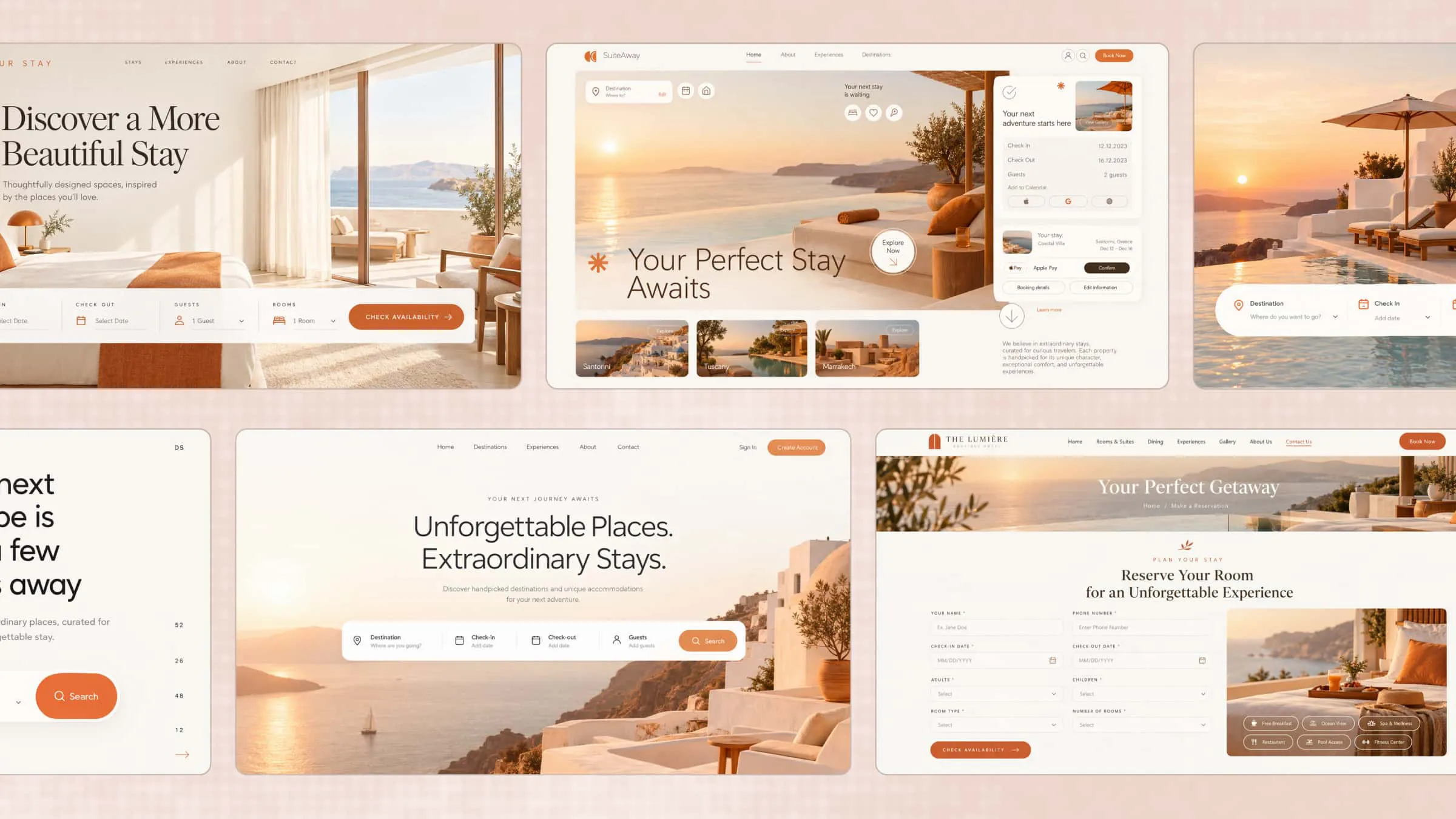
A simple booking page helps customers explore your services, check available times, and book without unnecessary back-and-forth. The right design makes the whole process easier while giving your business a professional look. With ready-to-use booking page templates, you can create a page that fits your services and makes scheduling simple. In this article, we'll explore 10 templates for different business needs.
Overview of 10 booking page templates
These 10 booking pages were created with Kimi Build to demonstrate how different businesses can present their services and manage booking-related interactions online. From beauty salons and medical clinics to hotels and event venues, each example features a tailored layout, relevant booking details, and interactive elements suited to its business needs. Explore their designs and features for inspiration for your own booking website.
| Template | Best suited for | Booking functionality | Design style |
|---|---|---|---|
| Beauty salon | Beauty salons, hairdressers | Treatment, stylist, date, and time selection | Elegant, blush pink |
| Spa and wellness | Spas, massage centers | Treatment, package, therapist, and session selection | Calm, sage green |
| Medical clinic | Clinics, healthcare centers | Specialty, doctor, date, and time selection | Clean, professional |
| Fitness studio | Gyms, fitness clubs | Class selection and seat reservation | Bold, energetic |
| Restaurant reservation | Restaurants, cafes | Guest count, date, time, and seating preference | Warm, inviting |
| Hotel booking | Hotels, resorts | Check-in, check-out, guest count, room selection | Premium, sophisticated |
| Photography | Photographers, photography studios | Shoot type, date, location, package selection | Minimal, image-focused |
| Tutoring and education | Tutors, learning centers | Subject, tutor, lesson format, and time selection | Friendly, academic |
| Car rental | Car rental agencies | Pickup, return, dates, vehicle selection | Modern, sleek |
| Event venue | Wedding venues, conference halls | Event type, date, guest count, venue inquiry | Elegant, refined |
10 booking page templates with clean and modern designs
Every business has different booking needs, so the right page should do more than just look good. It should make scheduling simple for customers while keeping everything easy to manage. Let's explore 10 booking page design templates that bring together a clean look and practical features.
Beauty salon booking page template
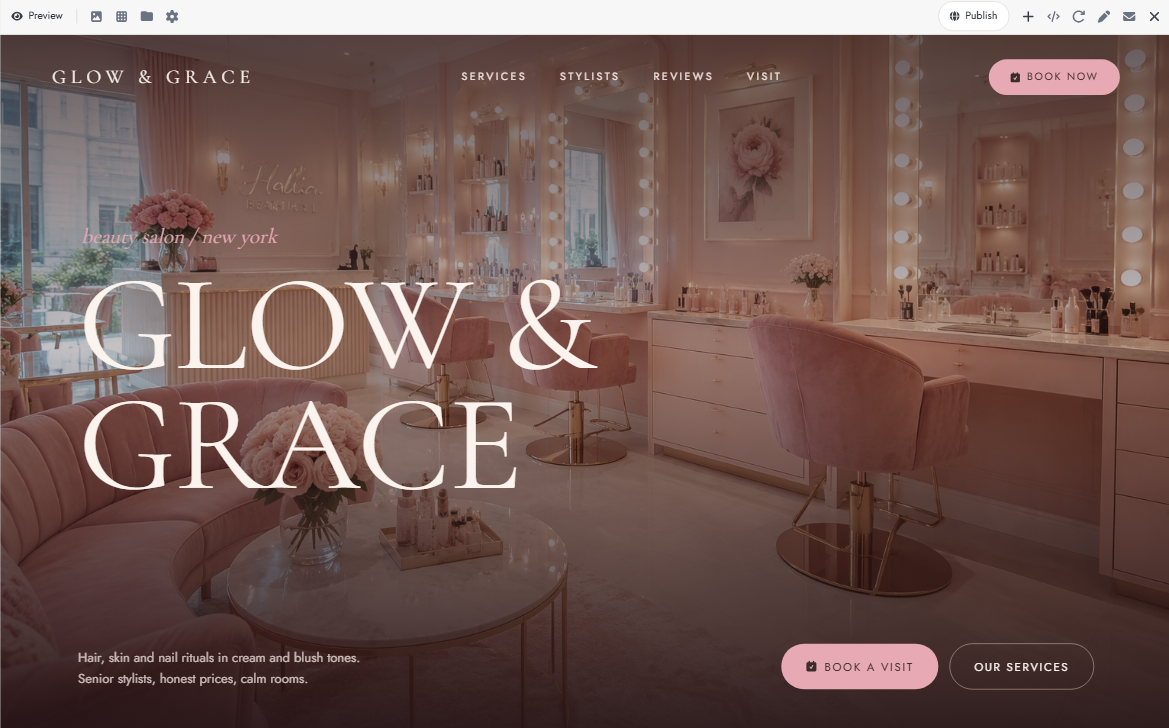
A blush-pink theme, elegant service cards, and stylist profiles give this template a polished salon look. Visitors can browse individual treatments, compare prices, and check how long each service takes. The appointment section brings stylist selection, date picking, and time slots into one place.
How to use
Step 1: Enter your prompt
Describe the salon's branding, services, pricing, and appointment requirements. Specify the fields and options you want in the booking form.
Prompt:
Step 2: Let AI generate your website
Kimi Build processes your prompt and generates the website structure, service sections, visual styling, and booking form. It organizes the requested elements into a responsive layout.
Step 3: Review and publish the website
Check the treatment details, stylist profiles, prices, and booking fields. Update the salon's actual information, test the appointment flow, and publish the website.
Spa and wellness booking page template
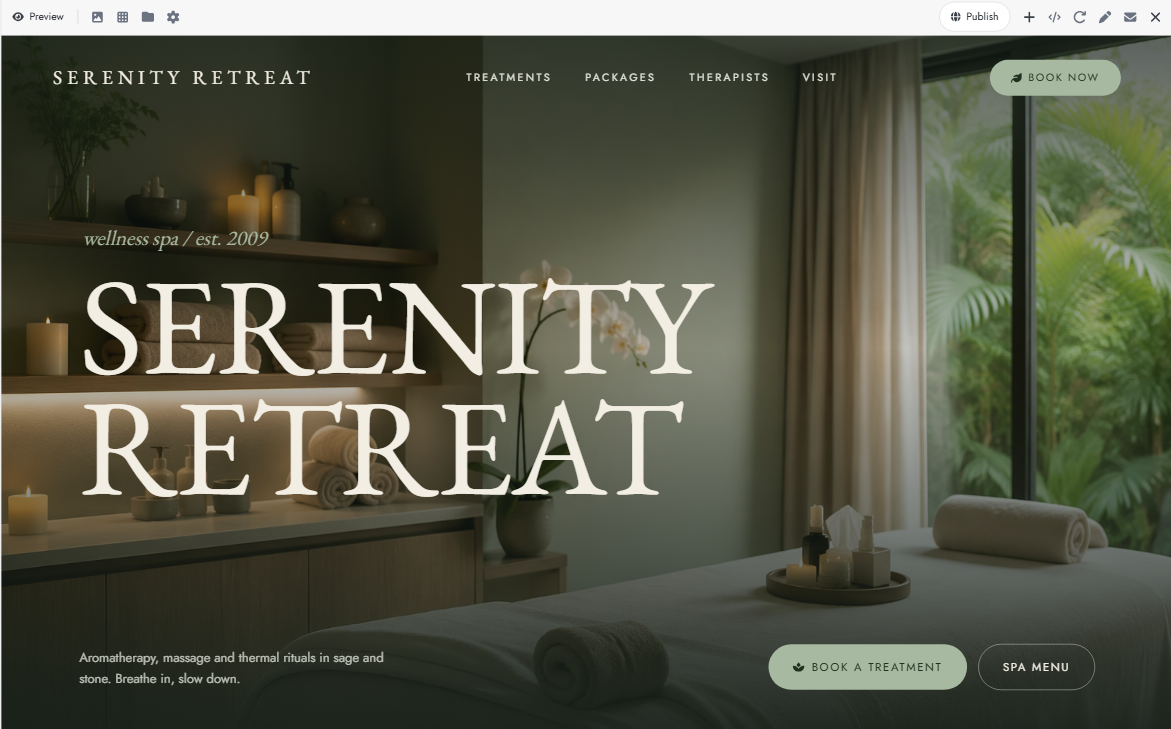
Soft sage tones, peaceful imagery, and spacious sections create a relaxing look for this spa design. Its treatment menu covers everything from aromatherapy and massages to facials and couples' packages. Visitors can explore the options and choose their preferred therapist and session time.
How to use
Step 1: Enter your prompt
Mention your spa treatments, wellness packages, visual theme, and booking preferences. Specify whether clients should be able to select individual sessions or complete packages.
Prompt:
Step 2: Let AI generate your website
Kimi Build interprets the treatment categories and booking requirements to generate the spa website. It creates the service cards, appointment interface, and responsive page structure based on your description.
Step 3: Review and publish the website
Replace sample treatments, prices, and therapist information with your actual details. Test the package selection and appointment form before publishing the website.
Medical clinic booking page template
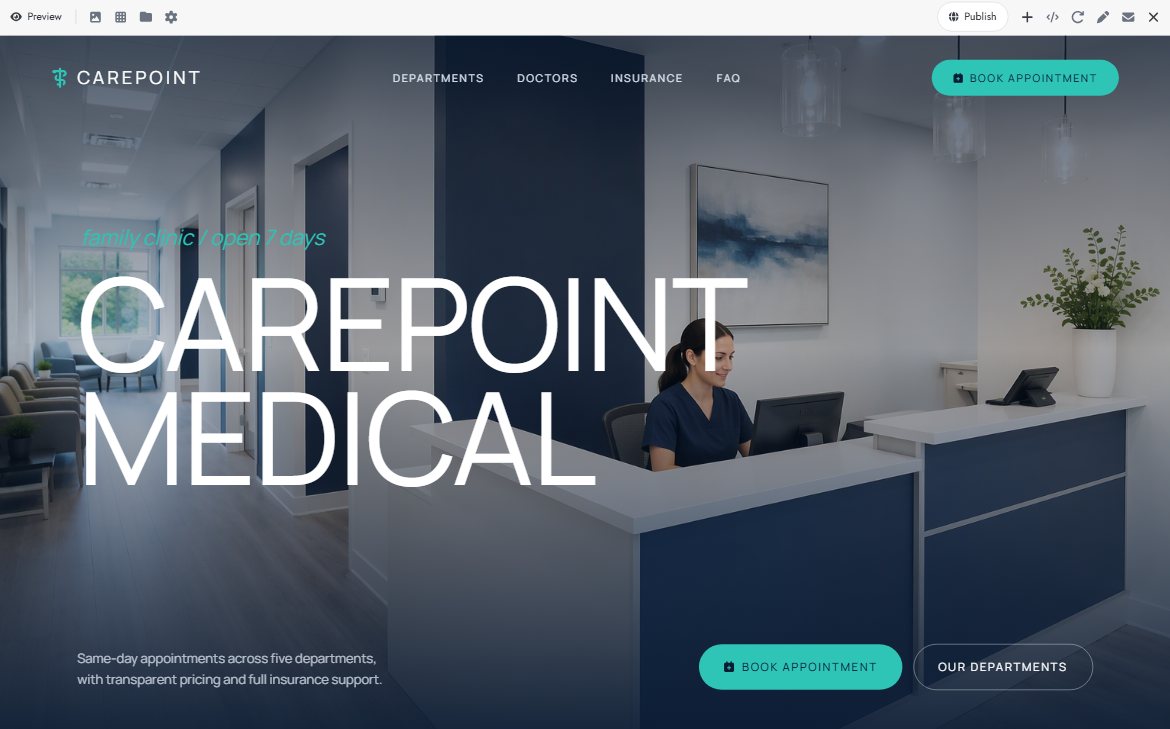
Patients often need to compare doctors and medical specialties before choosing an appointment. A well-organized clinic booking page makes this easier by displaying consultation options, doctor profiles, and clinic timings together. It can also collect basic patient details through a simple appointment request form.
How to use
Step 1: Enter your prompt
Outline the clinic's departments, doctor profiles, consultation types, and patient information fields. Include the appointment scheduling requirements and accessibility preferences.
Prompt:
Step 2: Let AI generate your website
Kimi Build processes the clinic requirements and generates the department listings, doctor profiles, and appointment form. It arranges these components into a structured website with responsive layouts.
Step 3: Review and publish the website
Verify the doctor information, specialties, clinic timings, and contact details. Test the appointment request form and update all sample information before publishing.
Fitness studio booking page template
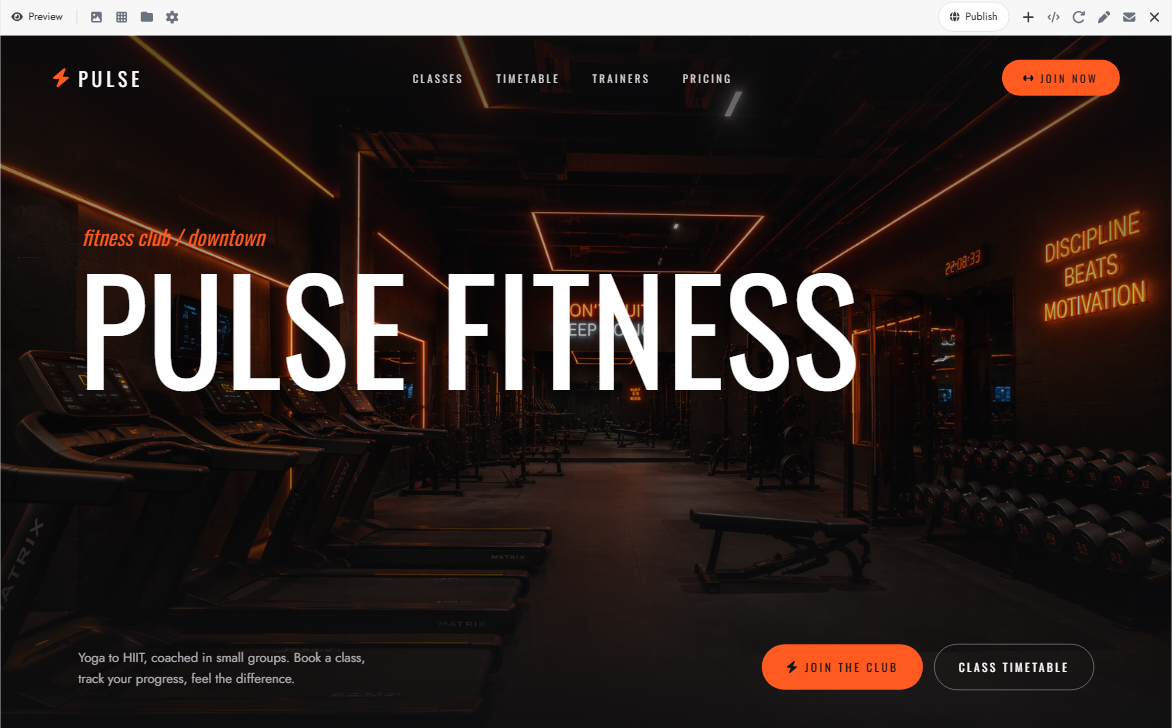
A bold color scheme and energetic visuals give this fitness template a more active feel. Its weekly class schedule displays session timings, trainers, difficulty levels, and available spaces. Members can browse different workouts and reserve a place in their preferred class.
How to use
Step 1: Enter your prompt
Describe your fitness classes, membership options, trainer details, and scheduling system. Specify how members should select classes and reserve their spots.
Prompt:
Step 2: Let AI generate your website
Kimi Build converts your requirements into a fitness website with class listings, trainer sections, membership details, and scheduling components. It generates the page layout and booking interface according to your prompt.
Step 3: Review and publish the website
Update the class timetable, trainer profiles, membership prices, and available spots. Test class reservations and check that the website displays correctly on mobile devices before publishing.
Restaurant reservation page template
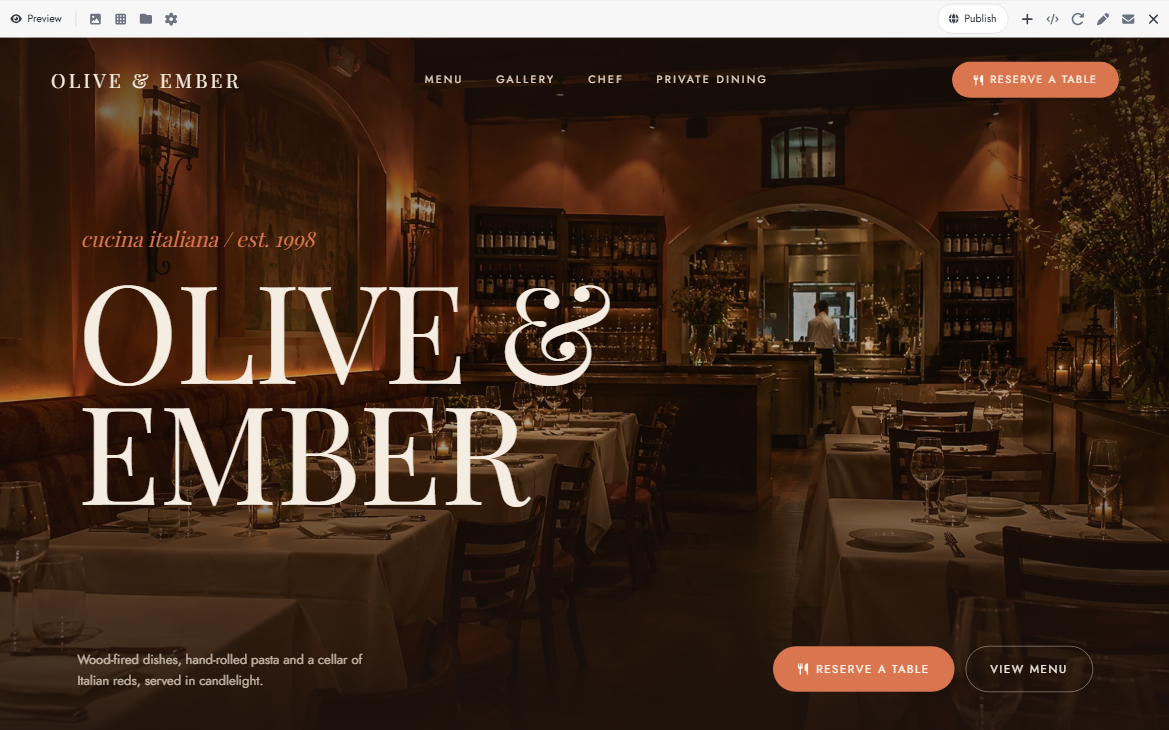
Large food photographs and a menu-focused layout make this design particularly suitable for restaurants. Alongside dishes and dining information, visitors get a reservation form, seating preferences, and available times. The warm visual style keeps the experience closely connected to the restaurant's atmosphere.
How to use
Step 1: Enter your prompt
Provide the restaurant's name, cuisine, dining options, opening hours, and reservation requirements. Specify the details customers need to enter when booking a table.
Prompt:
Step 2: Let AI generate your website
Kimi Build processes the restaurant concept and generates the visual layout, menu sections, food gallery, and reservation form. It structures the page around the dining and booking experience described in your prompt.
Step 3: Review and publish the website
Add your actual menu, food photographs, prices, and restaurant details. Test the reservation form and verify that the displayed opening hours and booking options are accurate before publishing.
Hotel booking page template
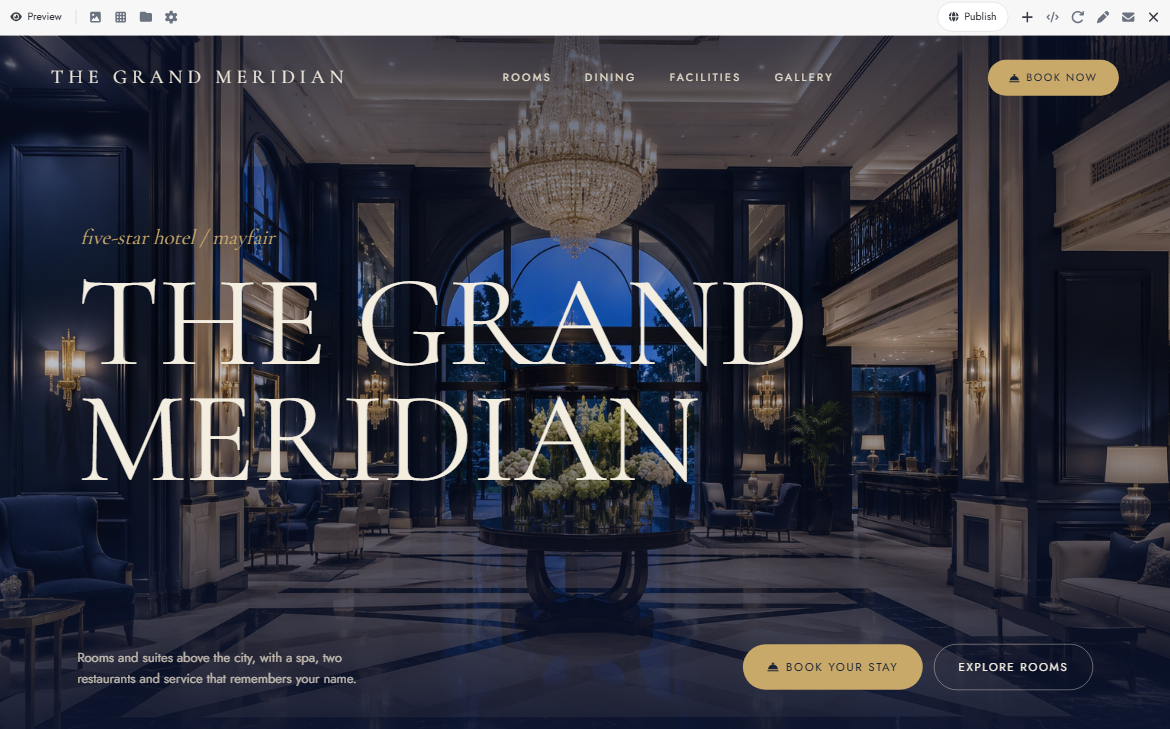
Room galleries and accommodation cards make it easy to compare different stays in this hotel design. Visitors can check room capacity, amenities, and nightly prices before entering their travel dates. The search section of this hotel booking page template also includes guest selection and check-in and check-out fields.
How to use
Step 1: Enter your prompt
Describe your hotel's room categories, facilities, pricing, and reservation requirements. Include the search filters and guest details needed for booking.
Prompt:
Step 2: Let AI generate your website
Kimi Build interprets the accommodation and reservation requirements to generate room listings, hotel information, and booking components. It organizes the content into a responsive hotel website.
Step 3: Review and publish the website
Replace sample room photographs, rates, and amenities with accurate hotel information. Check the date selectors, guest options, and reservation flow before publishing the page.
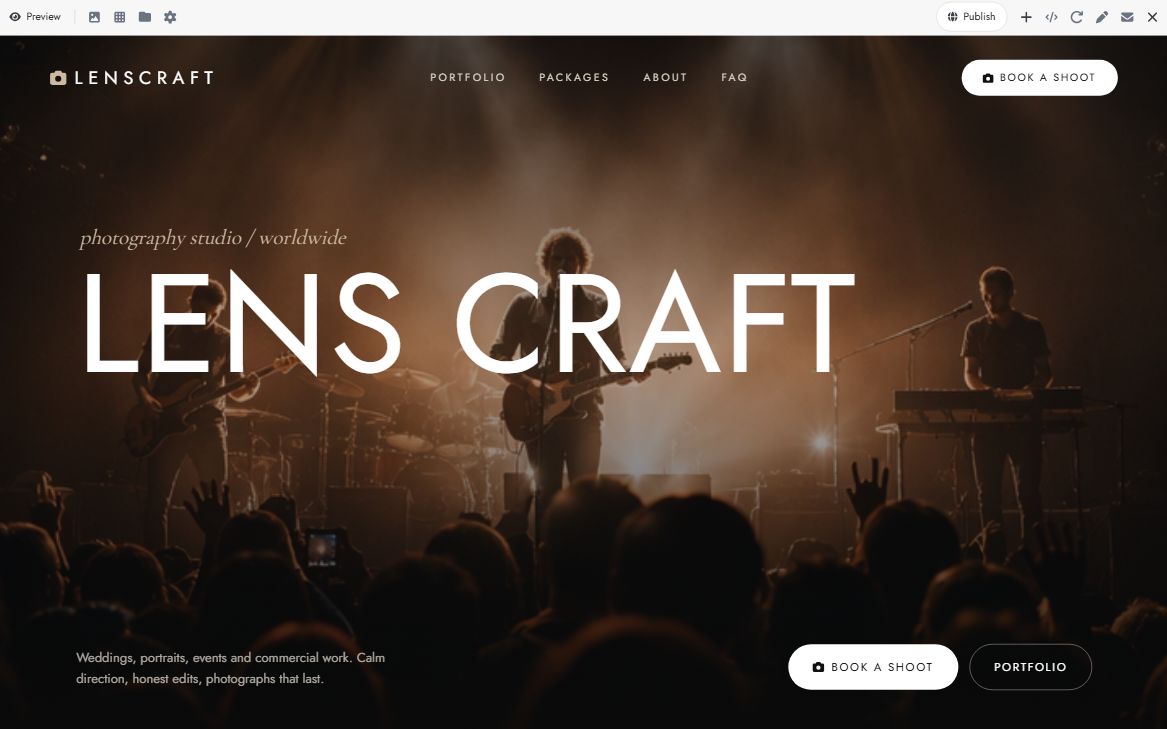
Photography booking page template
Unlike service-focused designs, this template gives most of its visual space to a photographer's portfolio. Separate galleries showcase wedding commercial projects, while package cards explain pricing and deliverables. Clients can submit shoot details through a form without navigating away from the portfolio.
How to use
Step 1: Enter your prompt
Mention your photography services, package prices, portfolio style, and booking requirements. Include the project details you want clients to provide when requesting a session.
Prompt:
Step 2: Let AI generate your website
Kimi Build processes photography services and design instructions to create a portfolio gallery, package listings, and inquiry form. It arranges the visual content and booking sections into a cohesive website.
Step 3: Review and publish the website
Upload your best photographs and update the packages, prices, and contact information. Submit a test inquiry to check the booking form before publishing your portfolio.
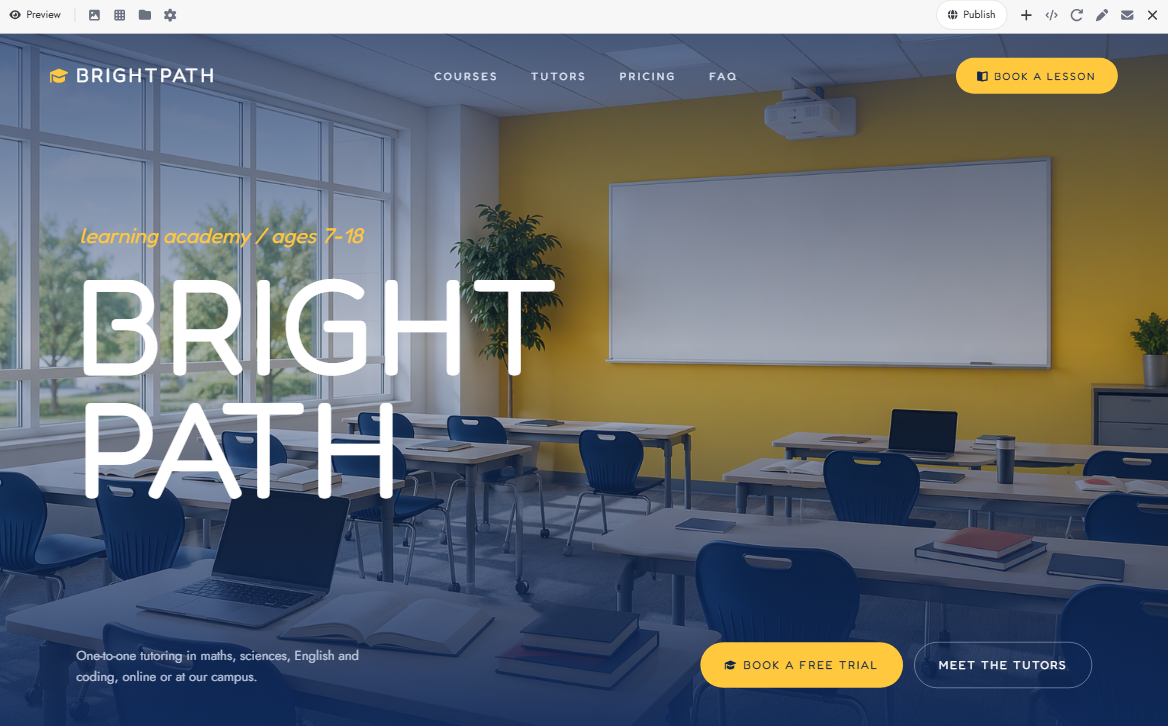
Tutoring and education booking page template
Subject filters and tutor profiles help students find lessons that match their learning needs. This design includes course levels, instructor qualifications, lesson prices, and options for individual or group sessions. Its scheduling section supports online and in-person classes with date and time selection.
How to use
Step 1: Enter your prompt
Specify the subjects, tutor profiles, lesson formats, and scheduling options. Explain whether you offer online classes, in-person sessions, or both.
Prompt:
Step 2: Let AI generate your website
Kimi Build uses the provided information to generate subject listings, tutor profiles, course sections, and lesson scheduling components. It arranges the features into an education-focused website.
Step 3: Review and publish the website
Update tutor qualifications, subject details, lesson prices, and available schedules. Test the lesson booking form and check both online and in-person session options before publishing.
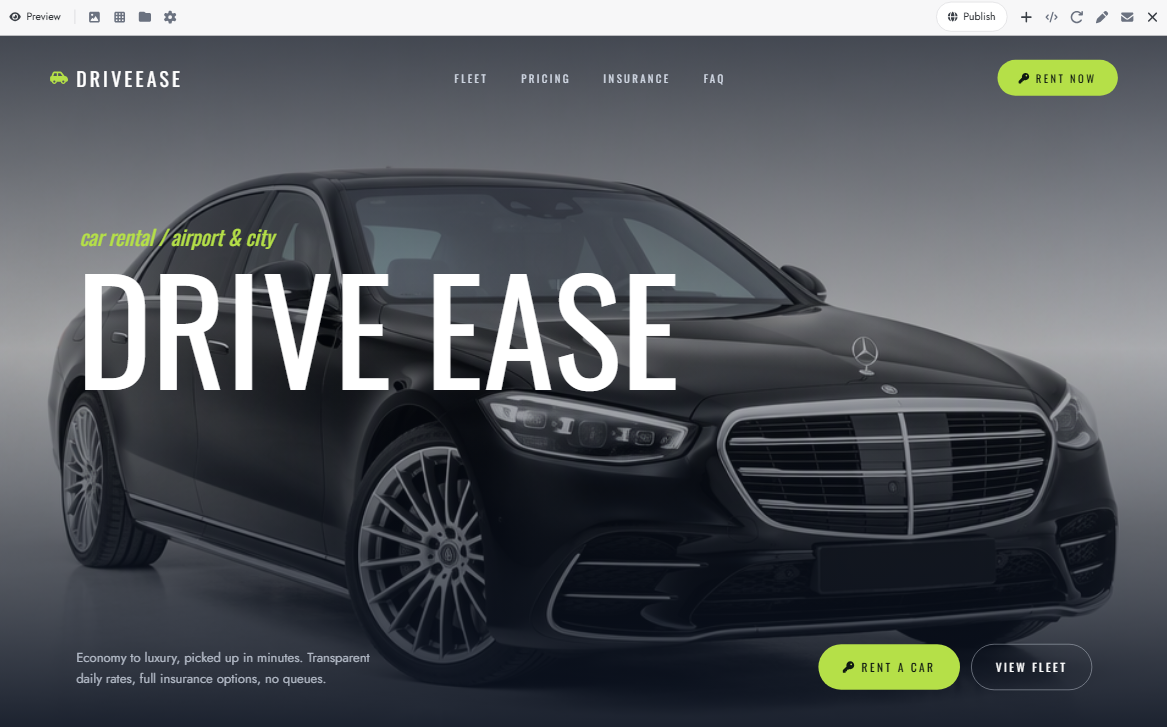
Car rental booking page template
Vehicle comparison is the main focus of this rental design, with separate cards for economy cars and luxury models. Each card displays photographs, specifications, and daily rental costs. This car booking website template lets customers enter pickup and return locations, rental dates, and preferred vehicle categories.
How to use
Step 1: Enter your prompt
Describe your vehicle categories, rental rates, pickup locations, and booking conditions. Specify the date, location, and driver information required for reservations.
Prompt:
Step 2: Let AI generate your website
Kimi Build processes the vehicle categories, rental conditions, and scheduling requirements to generate the website. It creates vehicle listings, search filters, and the rental reservation interface.
Step 3: Review and publish the website
Add your actual vehicle photographs, rental rates, specifications, and pickup locations. Test the date selectors and reservation fields to ensure customers can submit their rental requests correctly.
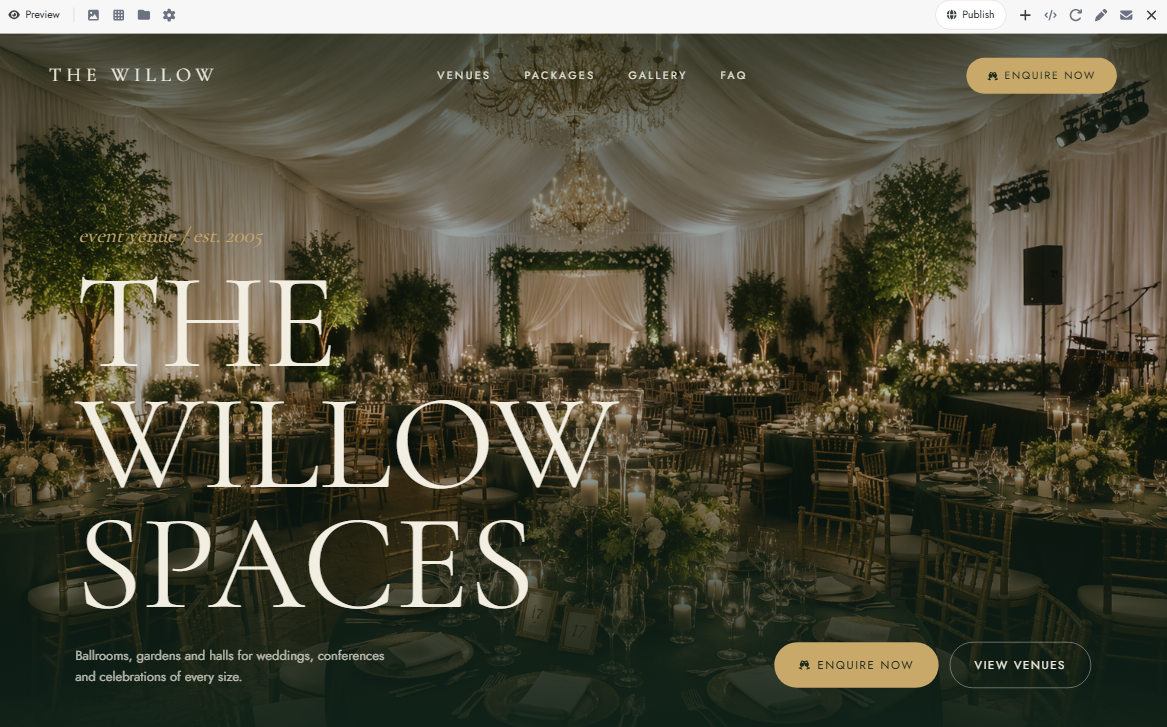
Event venue booking page template
Large venue photographs showcase spaces for weddings, conferences, and private events. Visitors can compare capacities, facilities, and rental prices before choosing a space. An inquiry form collects event dates, guest numbers, and special requirements.
How to use
Step 1: Enter your prompt
Describe the venue types, event facilities, rental packages, and booking requirements. Include the information needed to assess an event and check venue availability.
Prompt:
Step 2: Let AI generate your website
Kimi Build transforms the venue specifications into a website with event categories, venue galleries, package details, and an inquiry form. It structures the page to help visitors explore spaces and submit their event requirements.
Step 3: Review and publish the website
Replace sample venue images, capacities, packages, and rental prices with your actual details. Test the inquiry form and verify that all venue information is accurate before publishing the website.
Why build your booking page with Kimi Build
A good booking page needs more than an attractive design. It should fit your services and make scheduling easy for customers. Kimi Build, an AI website builder, helps you create a customized page with the right layout, booking features, and sections for your business. Here's what makes it a useful choice.
Generate a booking page from ideas and visual references: Describe your booking website concept using natural-language prompts and upload reference images, screenshots, or other visual materials. Kimi Build turns your ideas and references into a functional booking page with a tailored layout and design, without requiring coding skills.
Create visually polished and interactive booking experiences: Build an attractive booking page with cohesive visual elements, refined layouts, and interactive components. Present your services and booking options through engaging page designs, and use version history to revisit previous designs or restore an earlier version.
Customize your booking page through AI-powered editing: Enter prompts in the chat box to adjust layouts, rewrite content, replace images, or add new sections. You can also click Edit to comment on specific elements and request targeted changes, or manually adjust individual design details for greater control.
Preview and publish your responsive booking page: Switch between desktop and mobile previews to check how your booking page adapts to different screen sizes. Once the design is ready, publish it with a shareable link so customers can explore your services and access your booking page online.
Tips for designing effective booking pages
Your booking page is often the first place customers interact with your business, so even small design choices can affect their experience. Focus on making important information easy to find and appointments easy to book. The following tips will help you create a page that works well for both visitors and your business.
Keep the booking process short and simple
Avoid asking customers to fill out lengthy forms or provide unnecessary information. Only request essential details, such as their name, contact information, and preferred service. A shorter booking process makes it easier for visitors to complete their reservations.
Show available dates and times clearly
Use a clear calendar and organized time slots so customers can quickly find an appointment that suits their schedule. Mark unavailable dates and booked slots to prevent confusion. If possible, update availability regularly to avoid showing outdated options.
Add a clear and visible booking button
Place your booking button where visitors can easily find it, such as in the homepage header, service sections, and near pricing details. Use direct labels like "Book Now" or "Reserve Your Spot" instead of vague wording. Make sure the button stands out from the rest of the page.
Display pricing and service details upfront
Show the cost, duration, and important details of each service before customers start booking. For packages or different service levels, explain what each option includes. Clear pricing helps visitors compare options and make decisions without contacting your business first.
Send instant confirmations and reminders
Let customers know when their booking request has been received or their appointment has been confirmed. Include important details such as the date, time, service, and location in the confirmation. Automated reminders can also help reduce missed appointments and last-minute cancellations.
Make the page fast and mobile-friendly
Many customers browse and book services directly from their phones, so your page needs to work smoothly on smaller screens. Use responsive layouts, readable text, and touch-friendly buttons. Optimize images and remove unnecessary elements to keep loading times short.
Conclusion
Your booking page should reflect your business while making it easy for customers to take the next step. The right booking page templates can help you find a layout that works for your services and customers. Explore different designs and adjust them to match your requirements. Give Kimi Build a try to create a booking page that feels right for your business. Turn your idea into a website with Kimi Build.