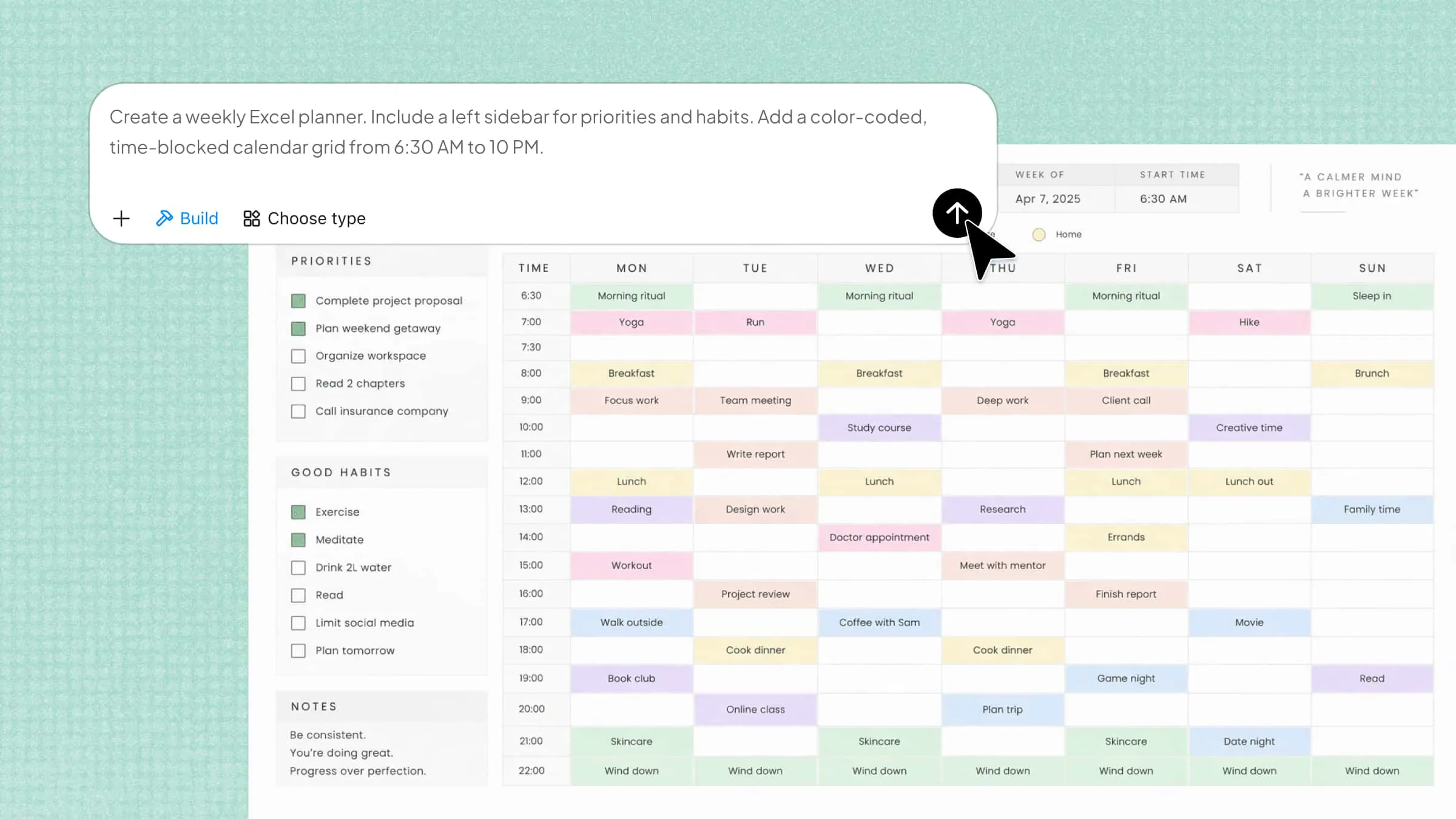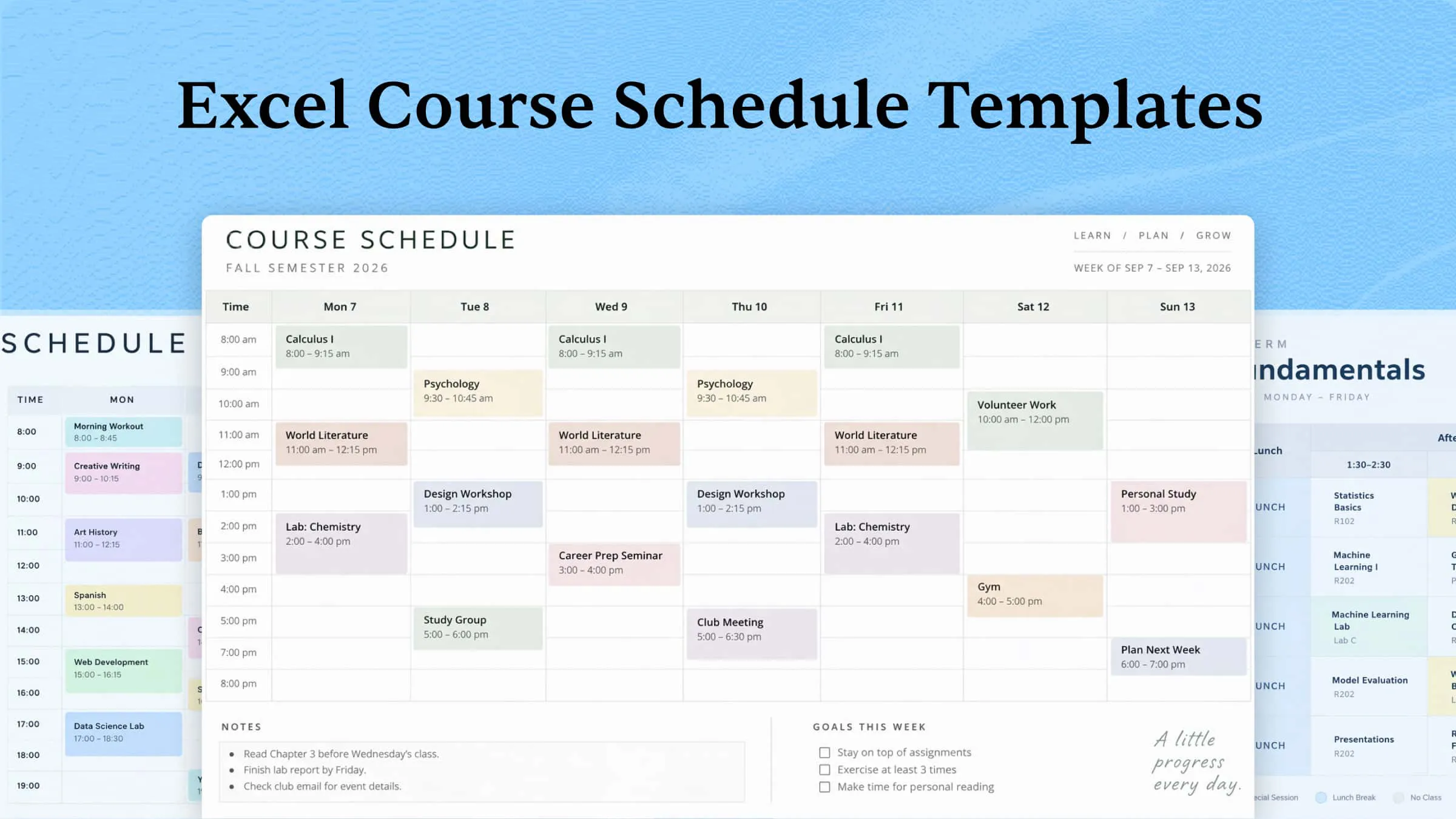
Effective study planning helps students balance different subjects, organize class hours, and complete assignments on time. A clear course schedule makes it easier to set daily goals and keep learning activities on track. Excel course schedule templates provide ready-made formats that simplify this process through editable tables for subjects, lessons, study sessions, and deadlines. This article explores 10 useful course schedule template Excel options to help you create an organized study routine and make better use of your time.
Overview of 10 Excel course schedule templates
Discover the 10 Excel course schedule templates below, each providing a different way to arrange subjects, plan study sessions, and track important dates. Explore their layouts and features to find a suitable option for your learning routine and scheduling needs.
| Excel course schedule templates | Main purpose | Key design elements | Essential features | Suitable for |
|---|---|---|---|---|
| College course schedule template | Organizing college classes and academic activities | Subject names, class timings, instructor details, weekly layout | Course details, room numbers, class hours, notes section | College students, teachers, academic coordinators |
| High school course schedule template | Planning daily classes and school subjects | Color-coded subjects, time slots, days of the week | Subject lists, class periods, teacher names, break times | High school students, teachers, school administrators |
| University semester schedule template | Managing courses and activities throughout a semester | Semester sections, course blocks, credit hours, weekly calendar | Course codes, lecture timings, assignment dates, exam details | University students, lecturers, academic advisors |
| Homeschool course schedule template | Structuring home-based learning activities | Daily lesson sections, subject categories, flexible time blocks | Lesson plans, learning goals, activity tracking, progress notes | Homeschooling parents, students, home educators |
| Daily course schedule template | Arranging lessons and study tasks for each day | Hourly timetable, task lists, subject sections | Time slots, lesson details, task priorities, completion status | Students, tutors, teachers |
| Weekly course schedule template | Planning classes and study sessions for an entire week | Seven-day calendar, subject columns, time-based rows | Weekly tasks, class timings, study hours, reminders | Students, teachers, working learners |
| Rotating class schedule template | Managing classes that follow changing daily or weekly patterns | Rotating day labels, alternating periods, color-coded sections | Rotation cycles, class times, subject details, schedule notes | Schools, colleges, students, teachers |
| Summer course schedule template | Organizing short-term summer classes and learning activities | Course dates, weekly sections, daily time blocks | Start and end dates, lesson timings, course details, progress tracking | Summer school students, teachers, training centers |
| Professional training schedule template | Planning workplace training sessions and development programs | Training modules, session blocks, trainer details, date sections | Session topics, trainer names, timings, attendance records | Employees, trainers, HR teams, organizations |
| Exam preparation schedule template | Organizing revision sessions and exam-related tasks | Subject-wise sections, study calendars, revision blocks | Exam dates, topic lists, study goals, progress tracking | Students, exam candidates, tutors |
Explore 10 course schedule Excel templates for 2026
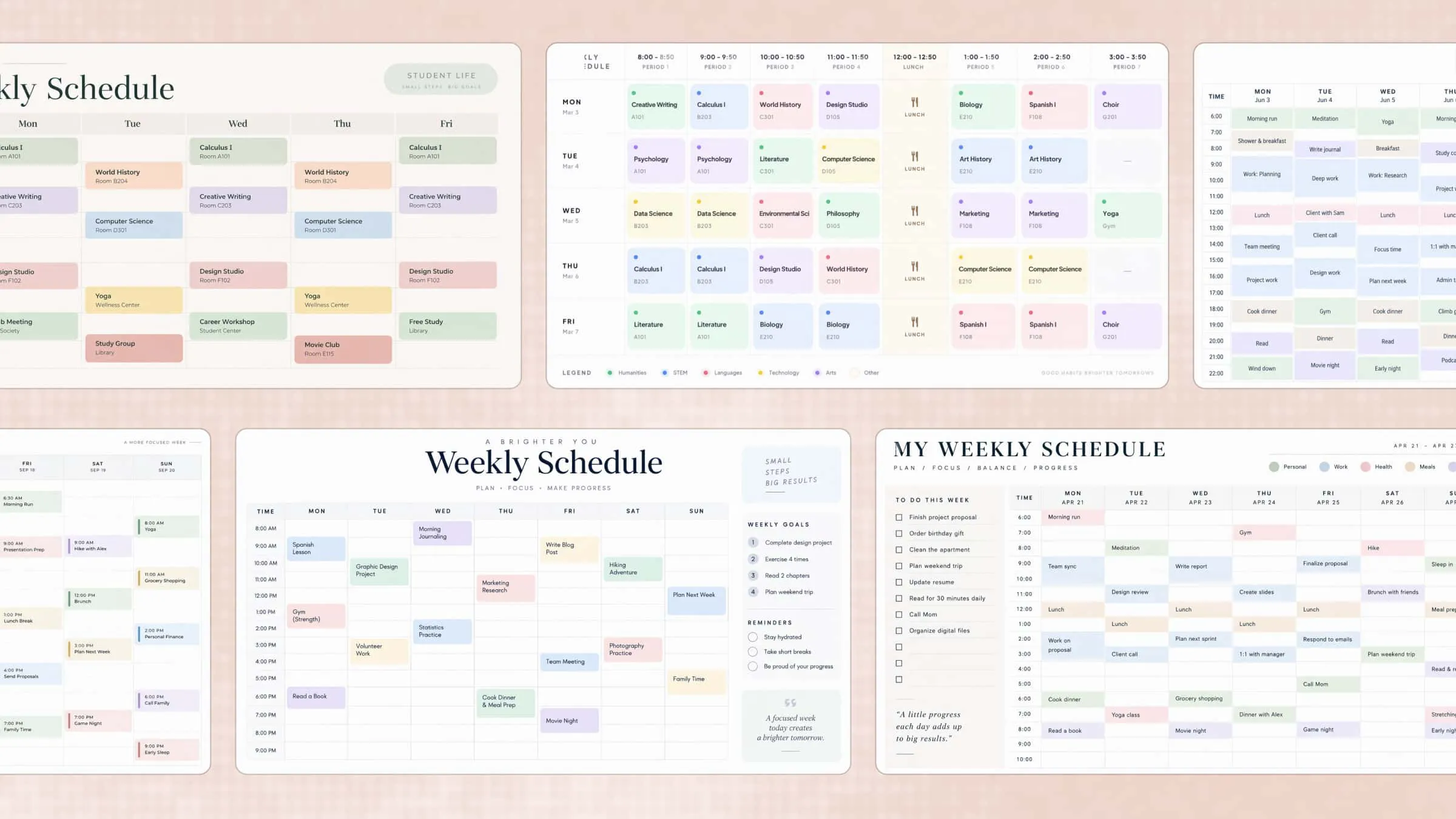
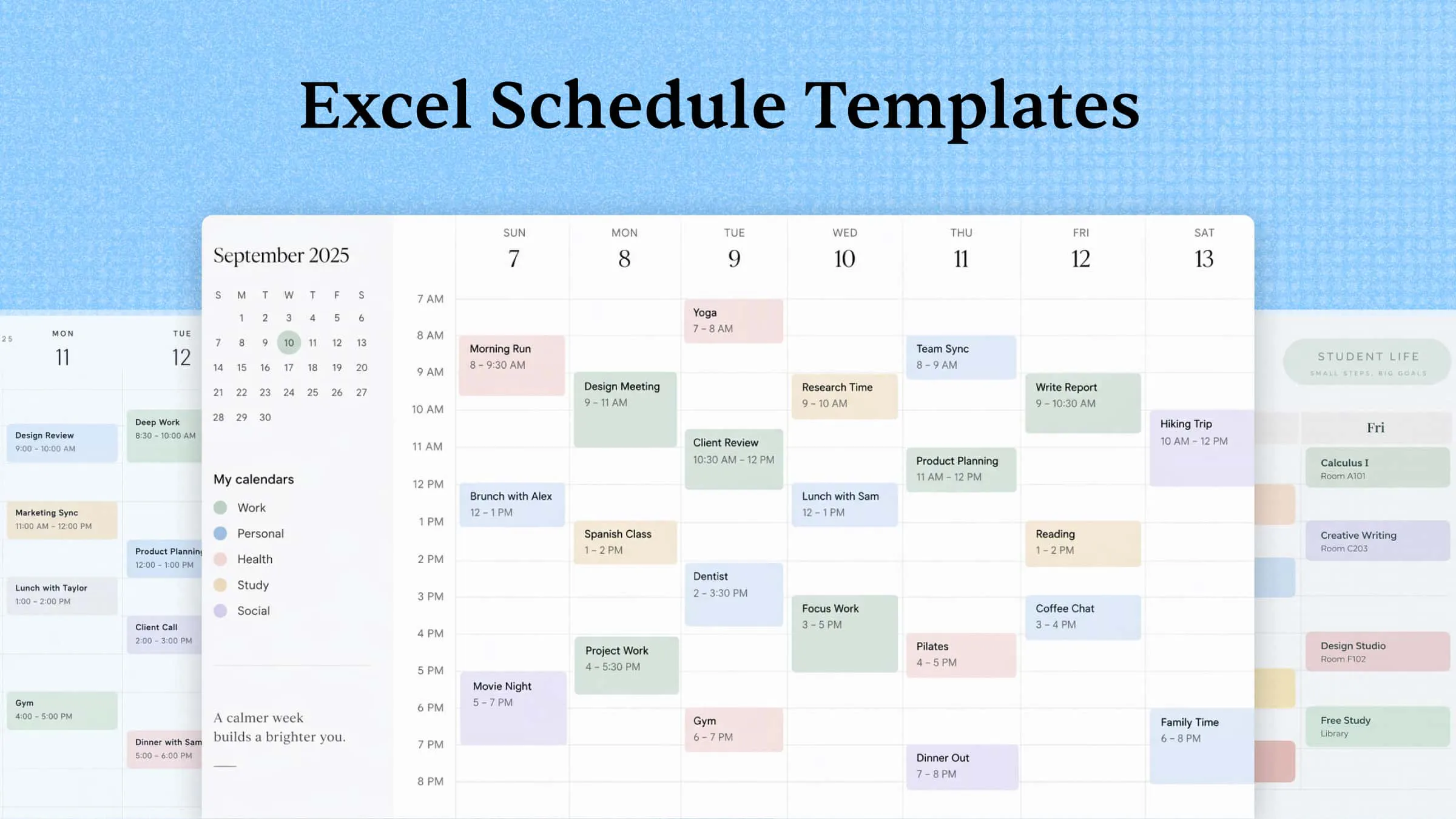
Excel course schedule templates provide different formats for managing classes, planning study hours, and organizing academic tasks. These 10 examples highlight practical uses and design options, giving you a better idea of how Excel can support course management throughout the year.
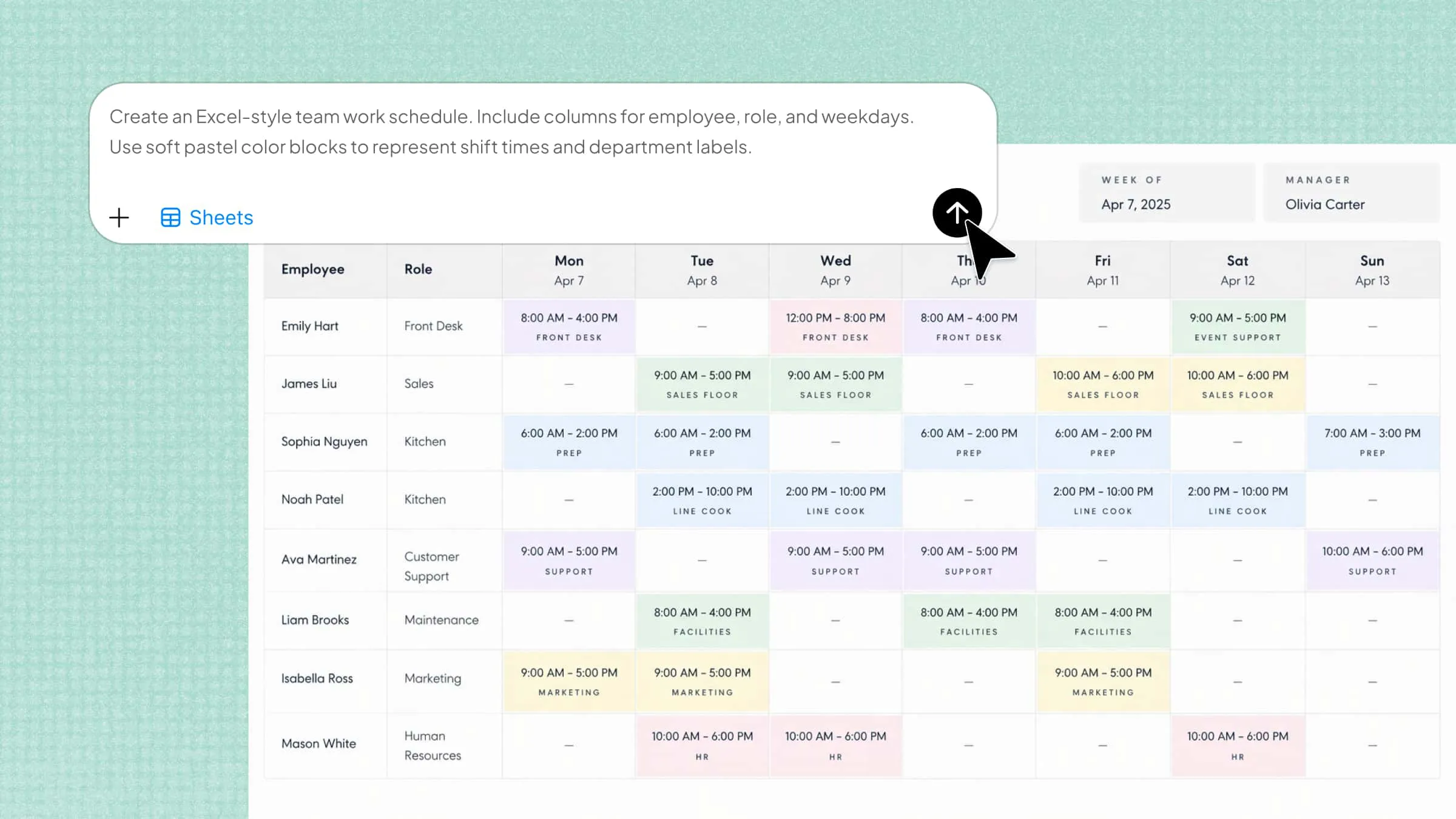
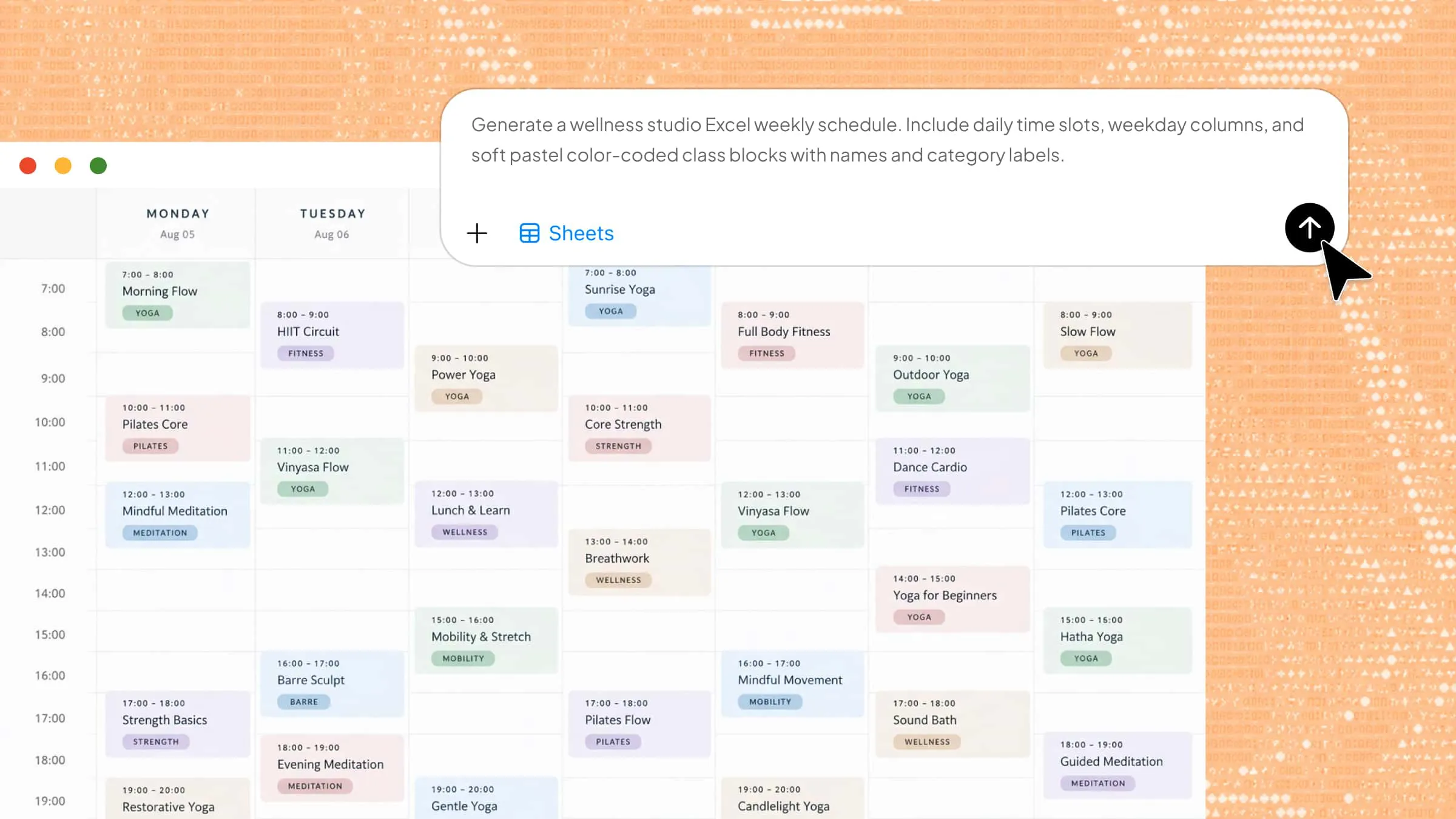
With Kimi Sheets, an AI Excel agent, you can create organized course schedules and study planners using simple text prompts. It helps you arrange subjects, class timings, study sessions, and important deadlines in a clear spreadsheet format. You can customize the layout, adjust schedule details, and organize information according to your academic needs. This makes it easier to plan courses, manage study time, and keep track of learning activities.
College course schedule template
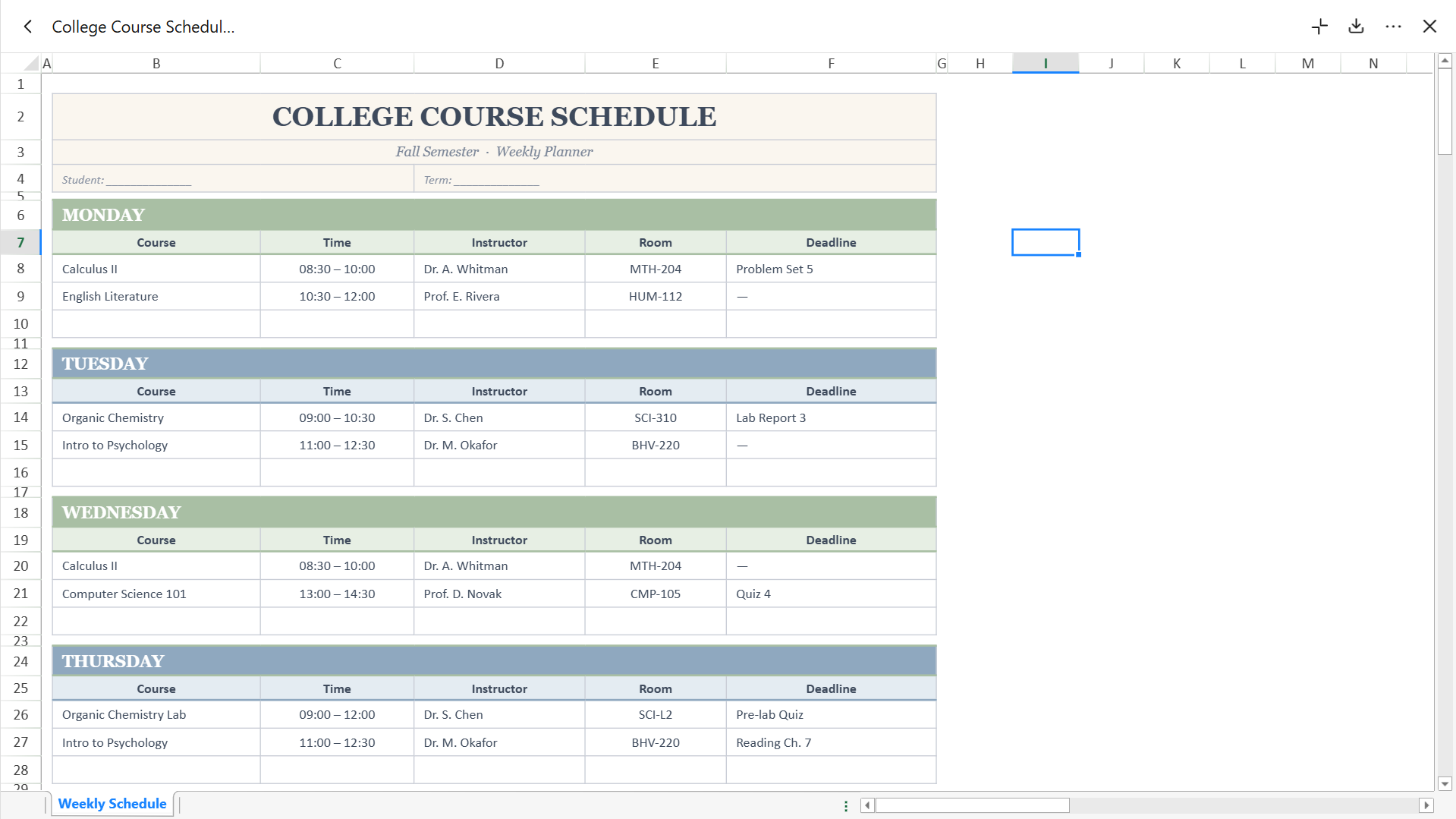
A course schedule template in Excel gives college students a clear view of their classes and activities throughout the semester. The layout can include course names, lecture times, instructor details, and classroom numbers. Assignment deadlines and exam dates can also be added to keep all relevant information in one place. College students can use the timetable to balance different subjects and manage their academic workload.
How to use
Step 1: Enter your prompt
Enter your prompt into Kimi Sheets to describe the course schedule template you want to create.
Prompt:
Step 2: Let AI generate your template
Kimi Sheets will create a template with courses, lecture times, instructors, and deadlines.
Step 3: Review and export the template
Review the schedule, make small edits if needed, and export the template in your preferred format.
High school course schedule template
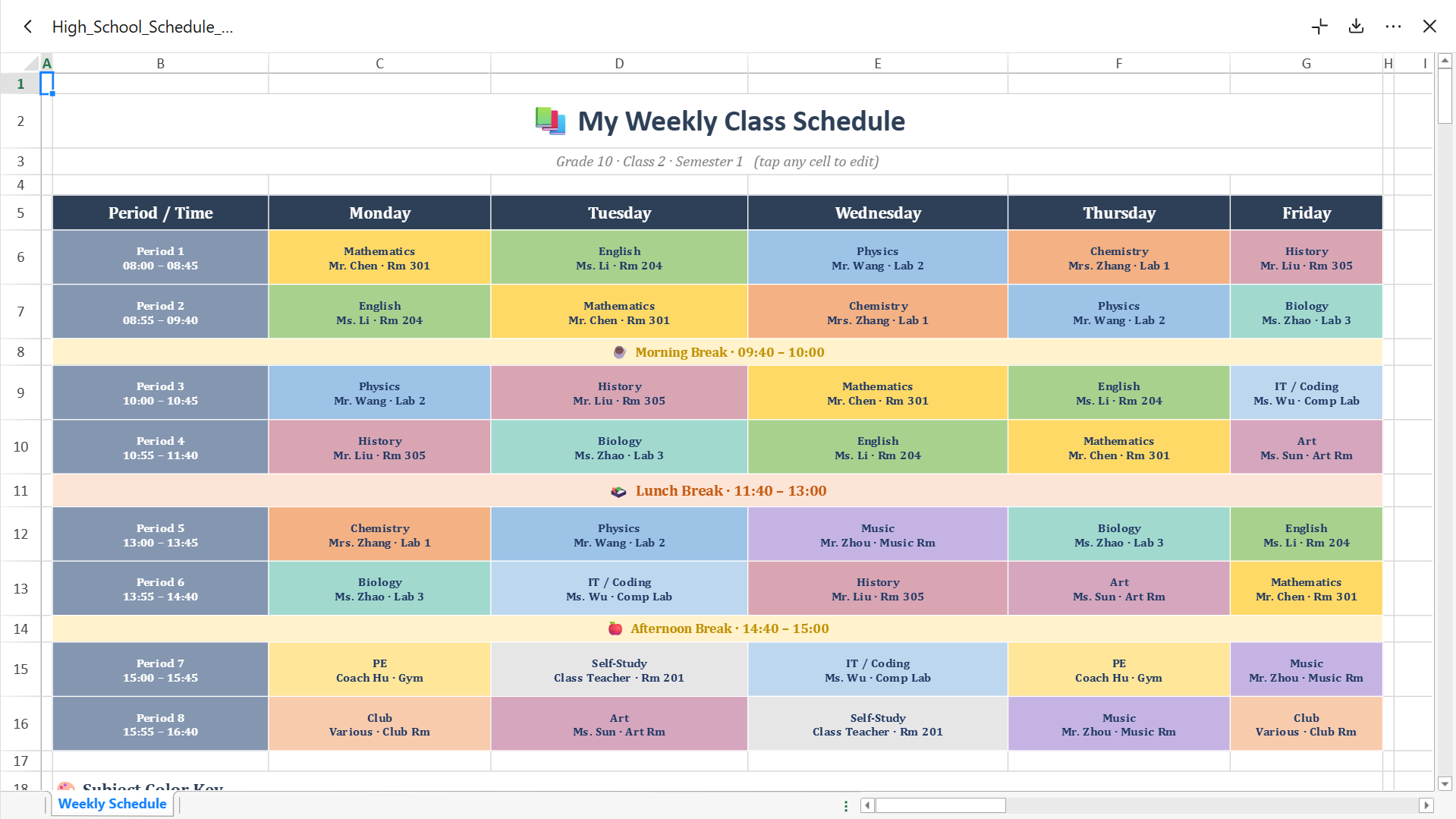
Keeping track of different subjects and class periods becomes easier with a class schedule template for Excel designed for high school use. Common sections include teacher names, classroom numbers, subject details, and daily timings. Color-coded rows can make each lesson easier to identify at a glance. Teachers and school learners can follow the same timetable to stay aware of their daily classes.
How to use
Step 1: Enter your prompt
Enter the prompt into Kimi Sheets to describe the high school course schedule you need.
Prompt:
Step 2: Let AI generate your template
Kimi Sheets will create a template with subjects, teachers, and class timings.
Step 3: Review and export the template
Check the template, make small edits if needed, and export in your preferred format.
University semester schedule template
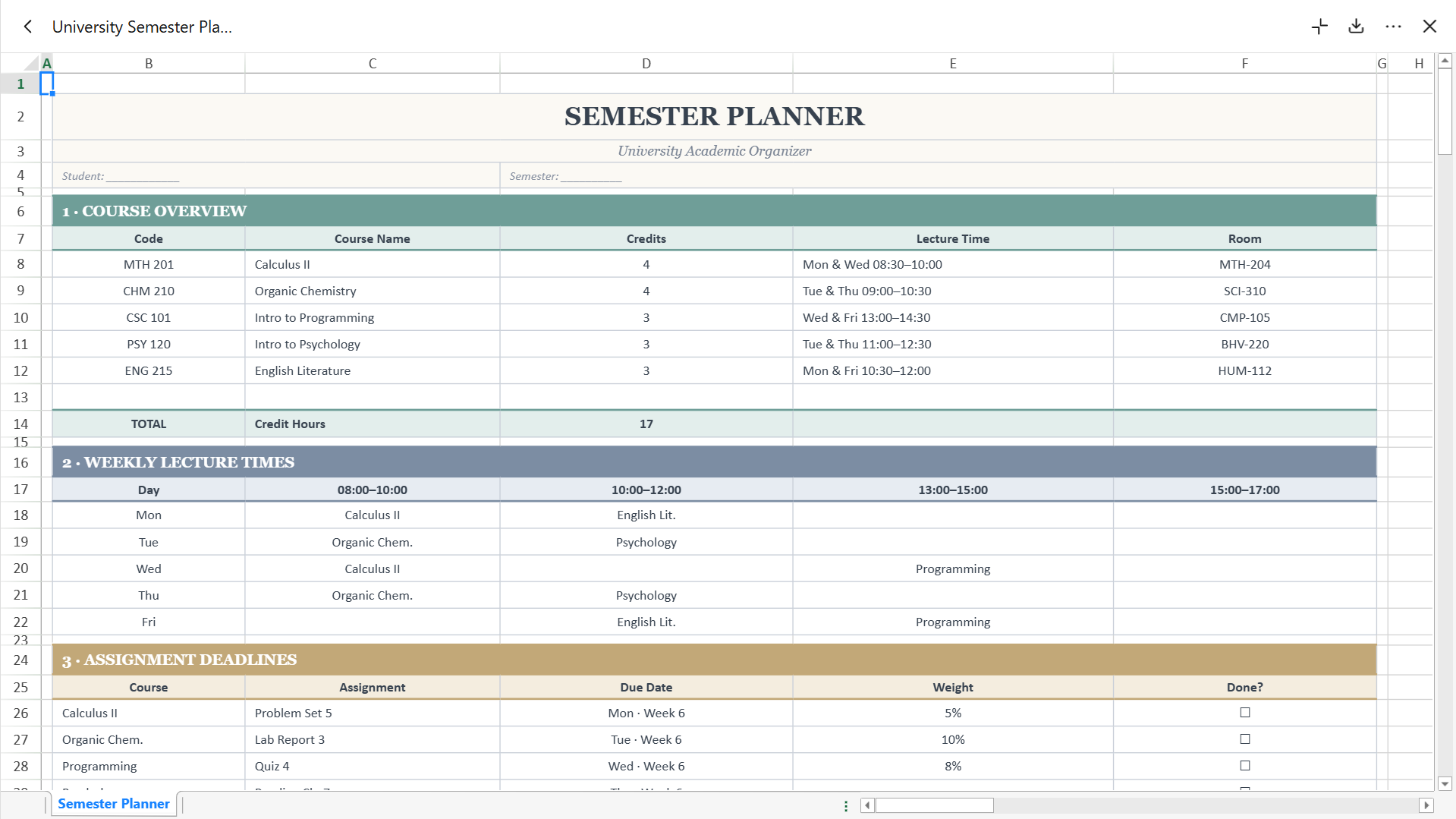
A university semester schedule template brings course details and important academic dates together in one spreadsheet. Course codes, credit hours, lecture times, and exam dates can be arranged in separate sections. Assignment deadlines and project dates are also easy to add as the semester progresses. University learners can use the format to manage multiple courses and avoid overlapping commitments.
How to use
Step 1: Enter your prompt
Enter the prompt into Kimi Sheets to describe the university semester schedule you need.
Prompt:
Step 2: Let AI generate your template
Kimi Sheets will create a template with course codes, credit hours, lecture schedules, and exam dates.
Step 3: Review and export the template
Check the template, make small edits if needed, and export in your preferred format.
Homeschool course schedule template
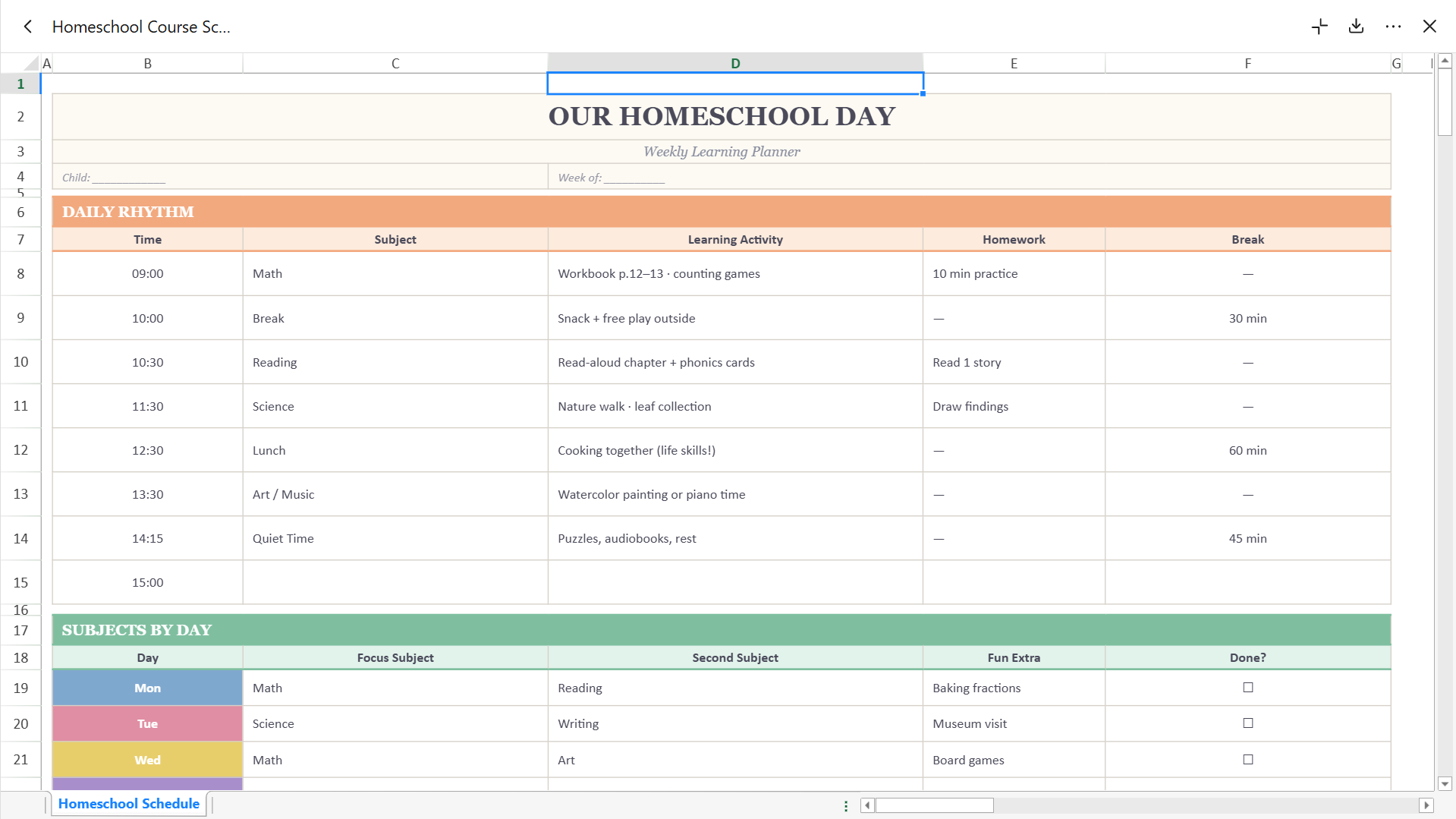
Parents can use a class schedule template for Excel to create a homeschool learning routine that suits their children's needs. Space for core subjects, electives, lesson hours, and daily breaks makes the layout easy to adjust. Independent study and creative activities can also become part of the weekly plan. Such flexibility helps families balance academic lessons with other learning activities at home.
How to use
Step 1: Enter your prompt
Enter the prompt into Kimi Sheets to describe the homeschool course schedule.
Prompt:
Step 2: Let AI generate your template
The AI will create a colorful template with subjects, lesson timings, learning activities, and daily breaks.
Step 3: Review and export the template
Review the schedule, make small edits if needed, and download the template.
Daily course schedule template
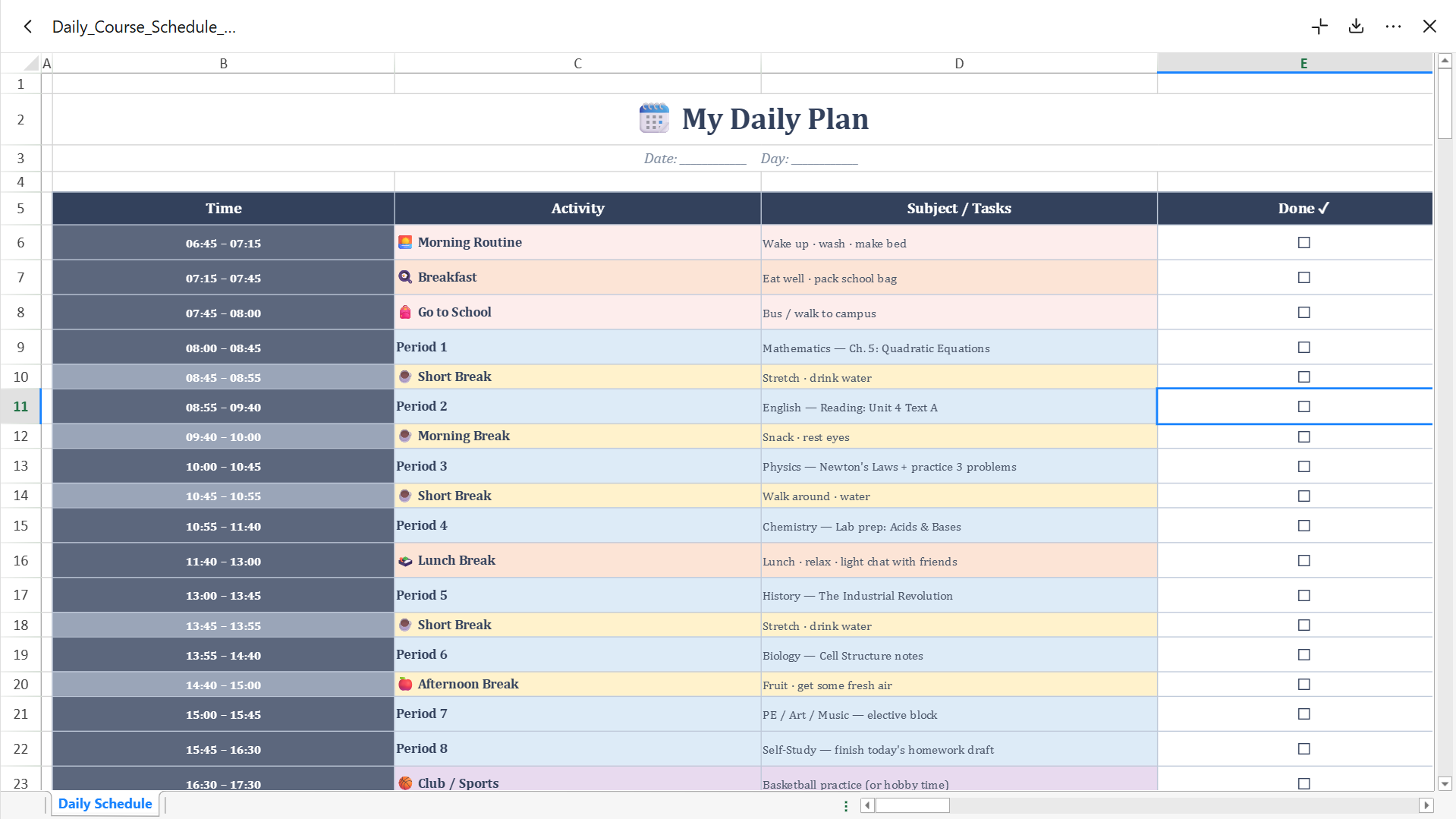
An Excel template for daily class scheduling helps organize a study routine into clear time slots. Subject names, lesson timings, homework assignments, and short breaks can be arranged throughout the day. Separate sections for different activities also help students identify upcoming tasks and prioritize their workload. With daily responsibilities clearly organized, students can manage their study time more effectively.
How to use
Step 1: Enter your prompt
Enter the prompt into Kimi Sheets to describe the daily course schedule you need.
Prompt:
Step 2: Let AI generate your template
Kimi Sheets will generate a template with hourly slots, subject details, study tasks, and break times.
Step 3: Review and export the template
Check the template, make small edits if needed, and export in your preferred format.
Weekly course schedule template
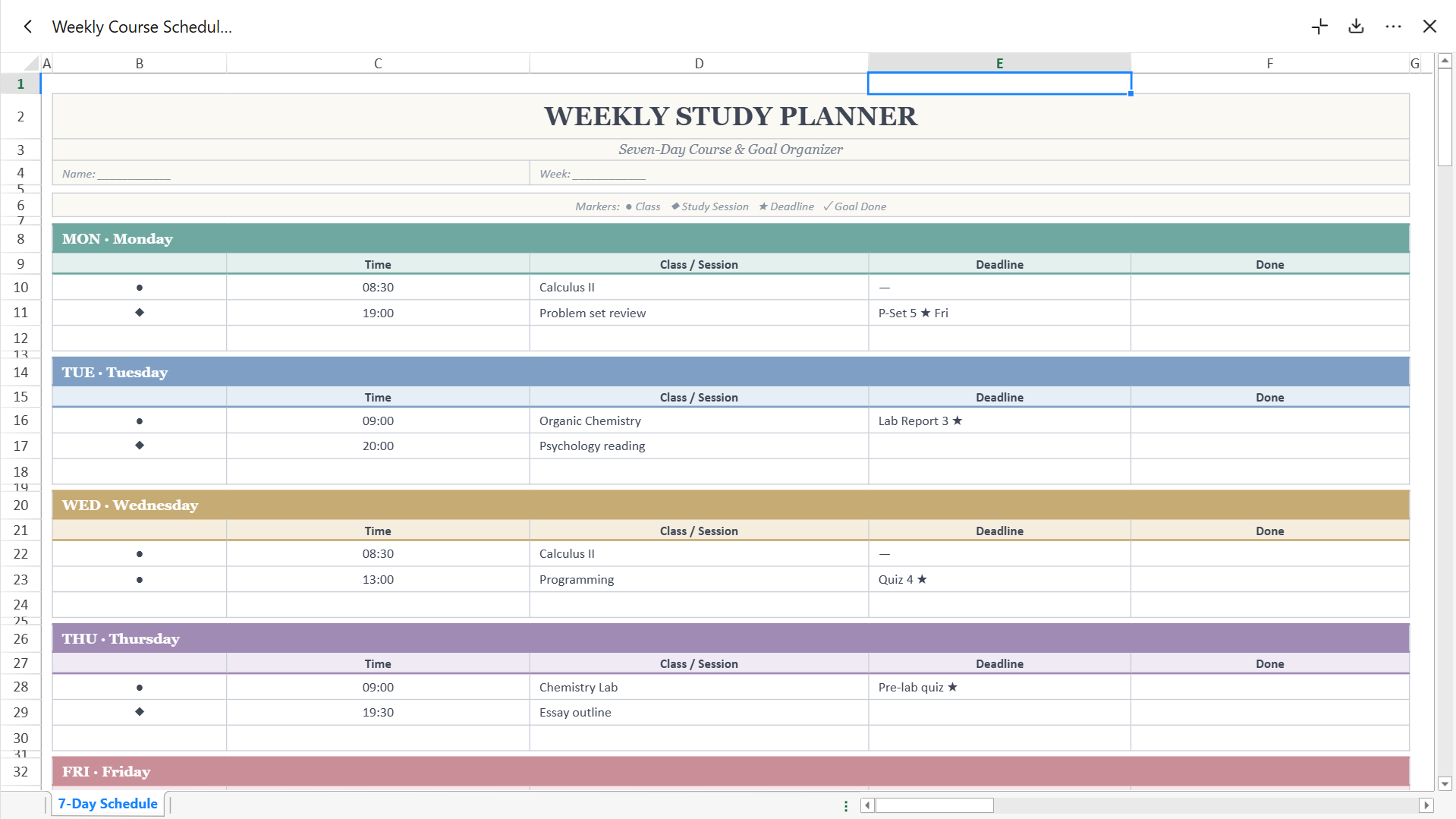
Planning several days at once becomes simpler with an Excel weekly class schedule template. A five-day or seven-day layout provides enough space to add classes, revision sessions, and assignment deadlines. Students can review upcoming activities and make changes whenever their plans shift. The weekly view also helps them maintain a balanced routine without overlooking important academic tasks.
How to use
Step 1: Enter your prompt
Add the weekly course schedule prompt into Kimi Sheets and tap the "Send" icon.
Prompt:
Step 2: Let AI generate your template
Kimi Sheets will generate a template with weekly classes, study hours, and assignment dates.
Step 3: Review and export the template
Check the schedule, make updates if needed, and export the final template.
Rotating class schedule template
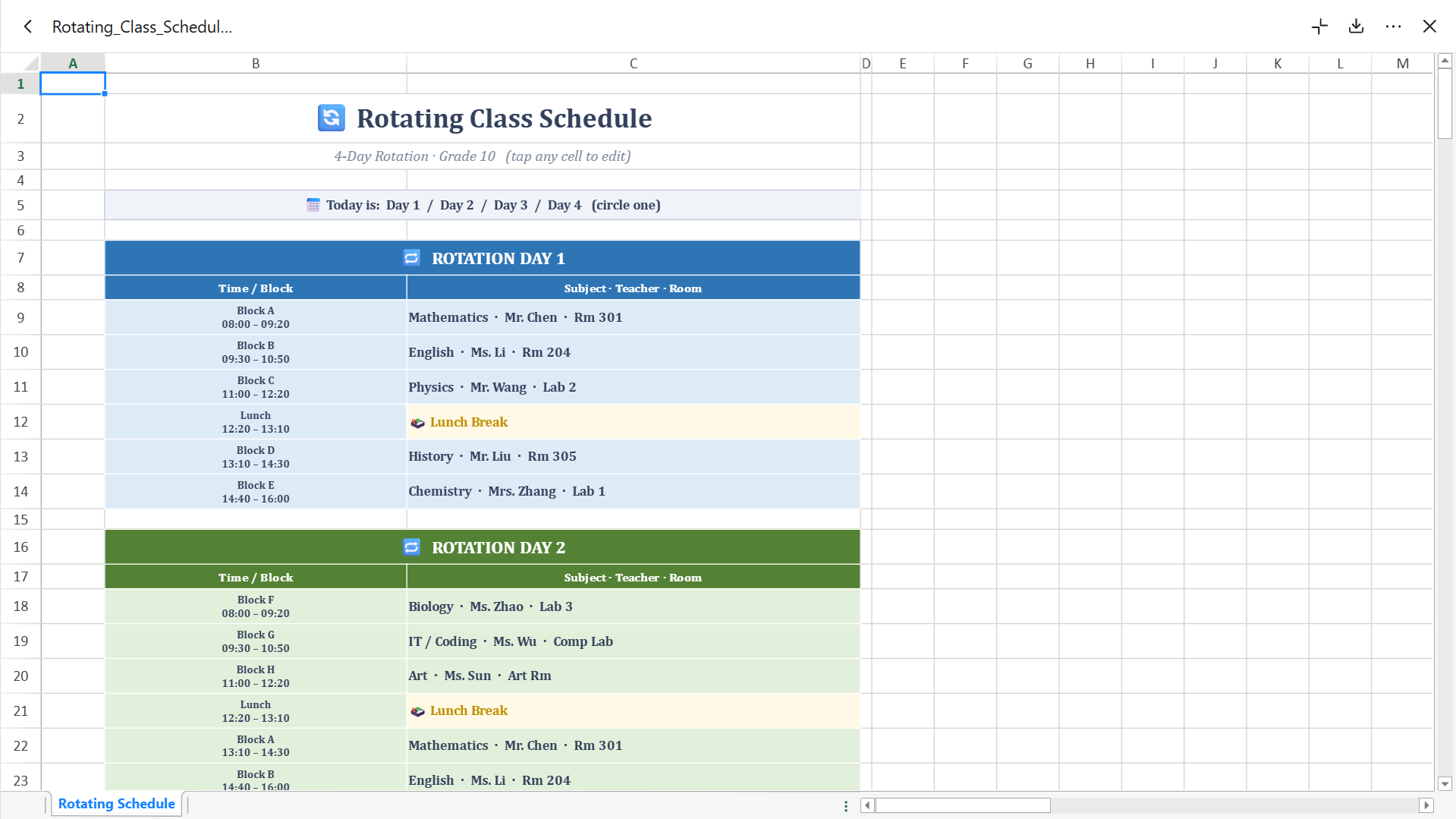
Schools with alternating class periods can benefit from an Excel class schedule template designed for rotating lessons. Different sections can display rotation days, subject names, lesson times, and classroom details. Teachers can update the timetable whenever class patterns change. Clearly presented rotation details help prevent confusion and keep daily lessons running according to plan.
How to use
Step 1: Enter your prompt
Enter the rotating class schedule prompt into Kimi Sheets to describe the template you need.
Prompt:
Step 2: Let AI generate your template
The AI tool will create a template with rotation days, subjects, and class periods.
Step 3: Review and export the template
Review the template, make small edits if needed, and export in your preferred format.
Summer course schedule template
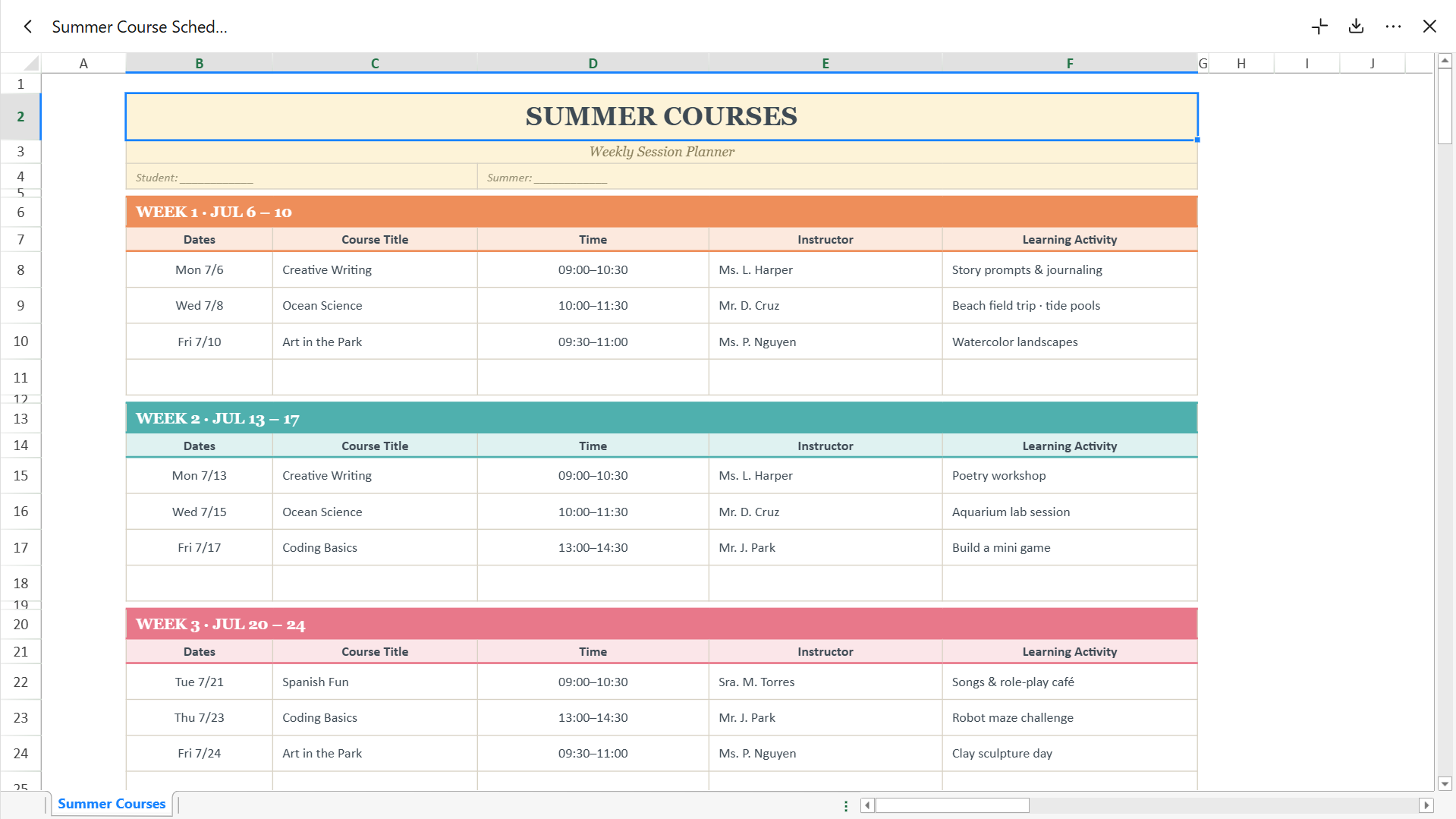
Short-term academic programs often require a summer course schedule template to manage their limited teaching period. Course names, session dates, instructor details, and class hours can be arranged in a simple spreadsheet. Additional rows enable organizers to include assessment dates and learning activities. A clear timeline helps teachers and learners stay prepared throughout the summer term.
How to use
Step 1: Enter your prompt
Enter the prompt into Kimi Sheets to describe the summer course schedule you need.
Prompt:
Step 2: Let AI generate your template
Kimi Sheets will create a template with summer courses, session dates, and class timings.
Step 3: Review and export the template
Review the template, make small edits if needed, and export in your preferred format.
Professional training schedule template
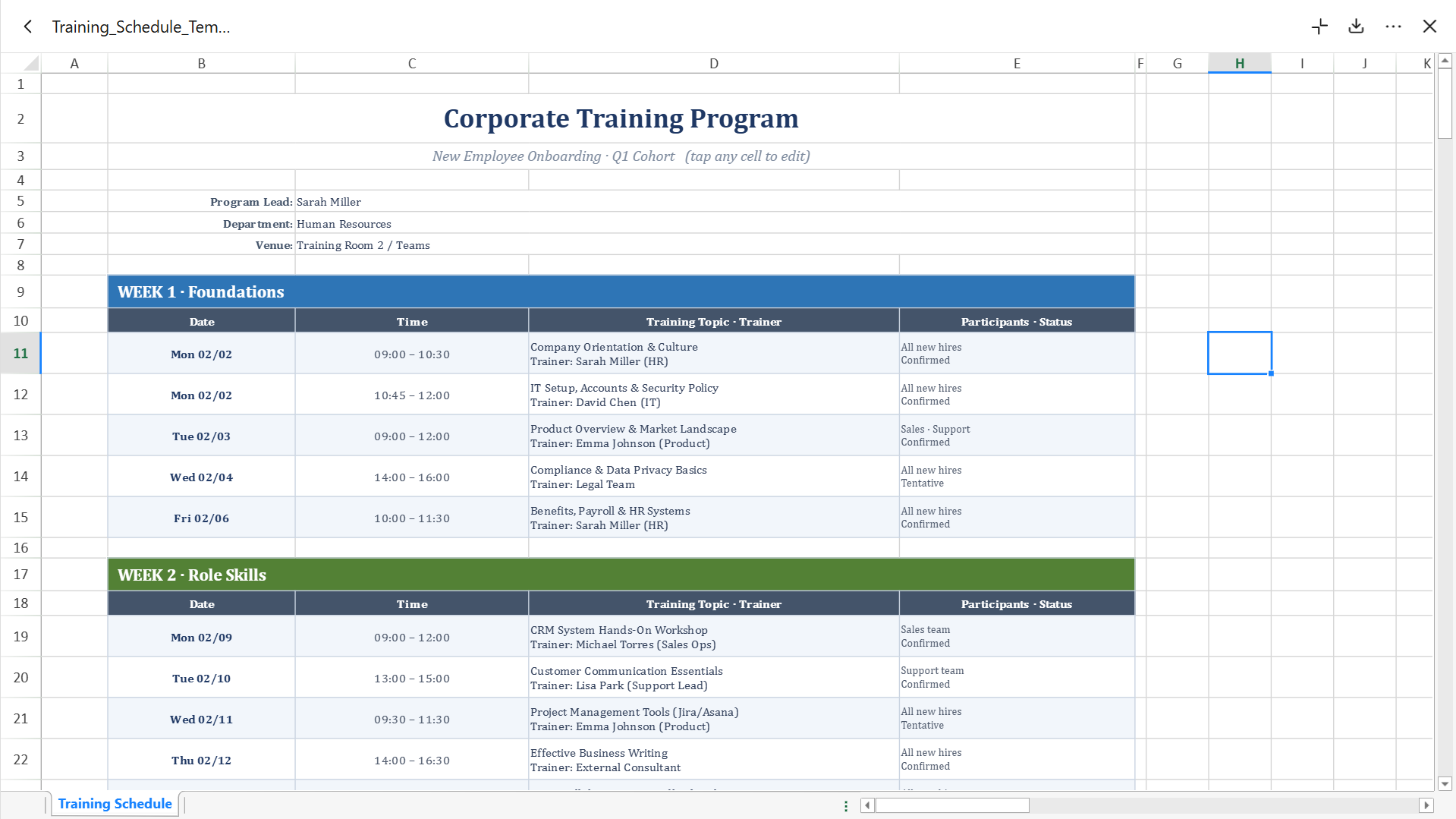
Workplace learning programs need planning, and a professional training schedule template provides a way to arrange them. Training topics, session timings, dates, and trainer names can be recorded in separate columns. Managers may also include participant details and attendance records for tracking. Businesses can use the schedule to coordinate employee development activities and keep training sessions on time.
How to use
Step 1: Enter your prompt
Paste the professional training schedule prompt into Kimi Sheets.
Prompt:
Step 2: Let AI generate your template
Kimi Sheets will create a template with training topics, session dates, and trainer details.
Step 3: Review and export the template
Review the template, make changes if necessary, and export the template.
Exam preparation schedule template
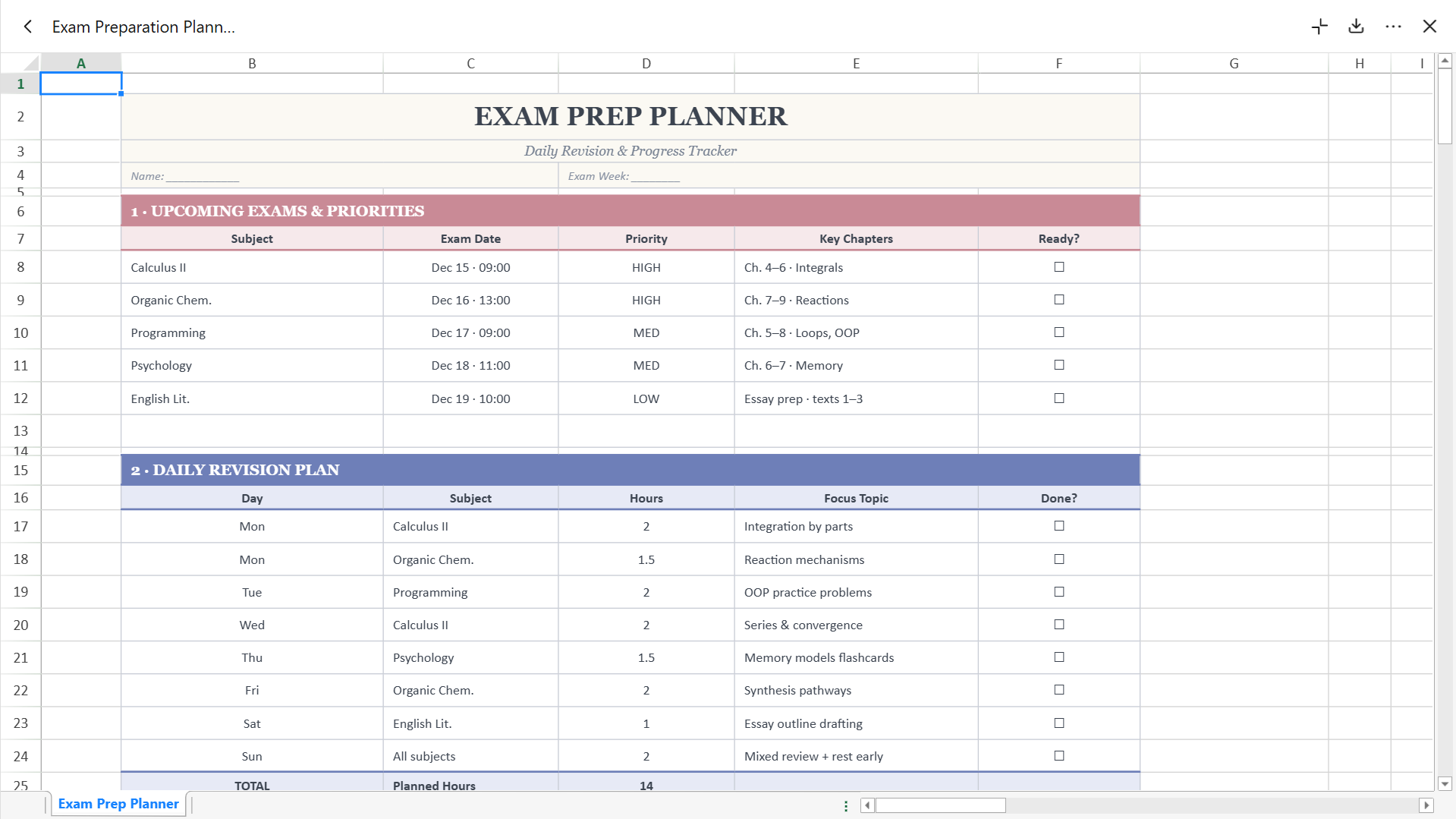
Preparing for exams requires a clear plan, especially when several subjects need attention. An exam preparation schedule template enables learners to divide the syllabus into manageable topics and revision sessions. Practice tests, exam dates, and daily study goals can be recorded alongside each subject. Progress notes help identify unfinished topics and areas that need extra revision before the exams.
How to use
Step 1: Enter your prompt
Enter the exam preparation schedule prompt into Kimi Sheets.
Prompt:
Step 2: Let AI generate your template
Kimi Sheets will generate a template with subjects, revision topics, exam dates, and study goals.
Step 3: Review and export the template
Review the template, make changes if required, and export the final template.
Why choose Kimi Sheets to create course schedule templates
Whether you need to plan daily classes or organize a complete semester schedule, Kimi Sheets can make creating an Excel course schedule template easier and more organized. Here are some key benefits of using Kimi Sheets to create, manage, and customize course schedules for different academic needs.
Build course schedules from simple instructions
Creating a course schedule doesn't have to start with a blank spreadsheet. Describe your requirements, such as course names, class times, instructors, classrooms, and study periods. Kimi Sheets can turn your instructions into a structured Excel spreadsheet, helping you organize academic schedules without manually building every row and column.
Simplify scheduling calculations and spreadsheet formatting
Managing multiple courses often involves calculating class hours, tracking study time, and arranging different time slots. Kimi Sheets can generate Excel formulas based on your instructions and help organize spreadsheet layouts, making course schedules easier to read and update.
Organize multiple courses and update existing schedules
Whether you're planning a semester, arranging weekly classes, or coordinating training sessions, Kimi Sheets can help manage course information across multiple worksheets. You can also upload an existing Excel schedule and ask it to clean data, reorganize course details, or make adjustments when class times and assignments change.
Visualize course workloads and export editable schedules
A visual summary can help you understand how your study time is distributed across different subjects. Kimi Sheets can generate charts from spreadsheet data to show course hours and workload patterns. Once your course plan is ready, you can export it as an editable Excel file and continue adjusting classes, dates, and study sessions.
Tips for creating effective course schedules
Creating a course schedule template in Excel requires planning and a clear arrangement of academic activities. A well-organized timetable helps students manage class hours, study sessions, and important deadlines without confusion. Below are some practical tips for creating balanced, clear, and easy-to-follow course schedules.
List all courses and class requirements first
Start by writing down every subject you need to study during the term. Add course details, credit hours, lecture times, and important requirements to avoid missing anything. Having all the information ready makes schedule planning easier.
Check for time conflicts between classes
Review the timing of each class before adding it to your timetable. Make sure two lectures or academic activities do not overlap. Leave enough time between sessions to move between classrooms or prepare for the next lesson.
Balance challenging and lighter subjects
Arrange difficult subjects alongside lighter ones to create a manageable routine. Avoid placing several demanding classes together if you have other timing options. A balanced timetable can help you stay focused throughout the day.
Include dedicated study and revision periods
Set aside specific hours for reviewing lessons and completing assignments. Divide larger topics into smaller study sessions to make learning easier. Regular revision also helps you prepare for tests without last-minute pressure.
Leave room for breaks and extracurricular activities
Add short breaks between classes to rest and refresh your mind. Keep some free time for sports, hobbies, or other activities outside the classroom. A flexible schedule makes it easier to balance academic work with personal interests.
Use clear labels and consistent formatting
Give each subject, time slot, and activity a clear heading. Use simple colors or separate sections to make important details easier to find and understand. Consistent formatting keeps the timetable neat and easy to read.
Review and update your course schedule regularly
Check your timetable whenever class timings, deadlines, or course requirements change. Update any new information to keep the schedule accurate. Reviewing the plan each week also helps you adjust study hours when needed.
Conclusion
Excel course schedule templates make academic planning easier with ready-made layouts for organizing classes, study sessions, and important deadlines. Exploring different options helps you find a suitable format based on your courses, daily routine, and study needs. These templates also save planning time and give a flexible way to manage academic activities throughout the term. With Kimi Sheets, you can create customized course schedules, organize study plans, and build well-structured Excel templates with less effort.
FAQ
SUM function to add all class hours and calculate the total weekly teaching time.