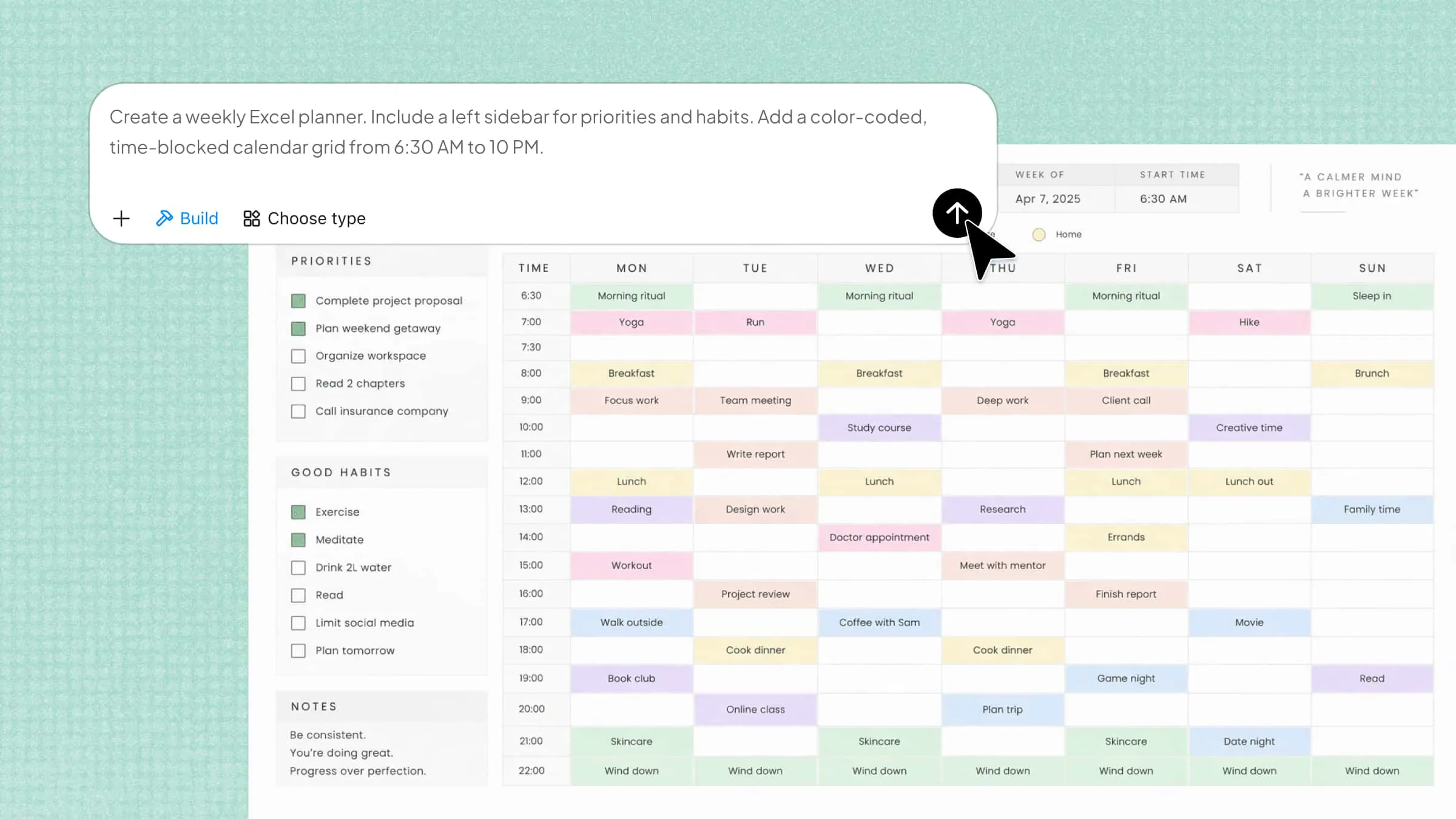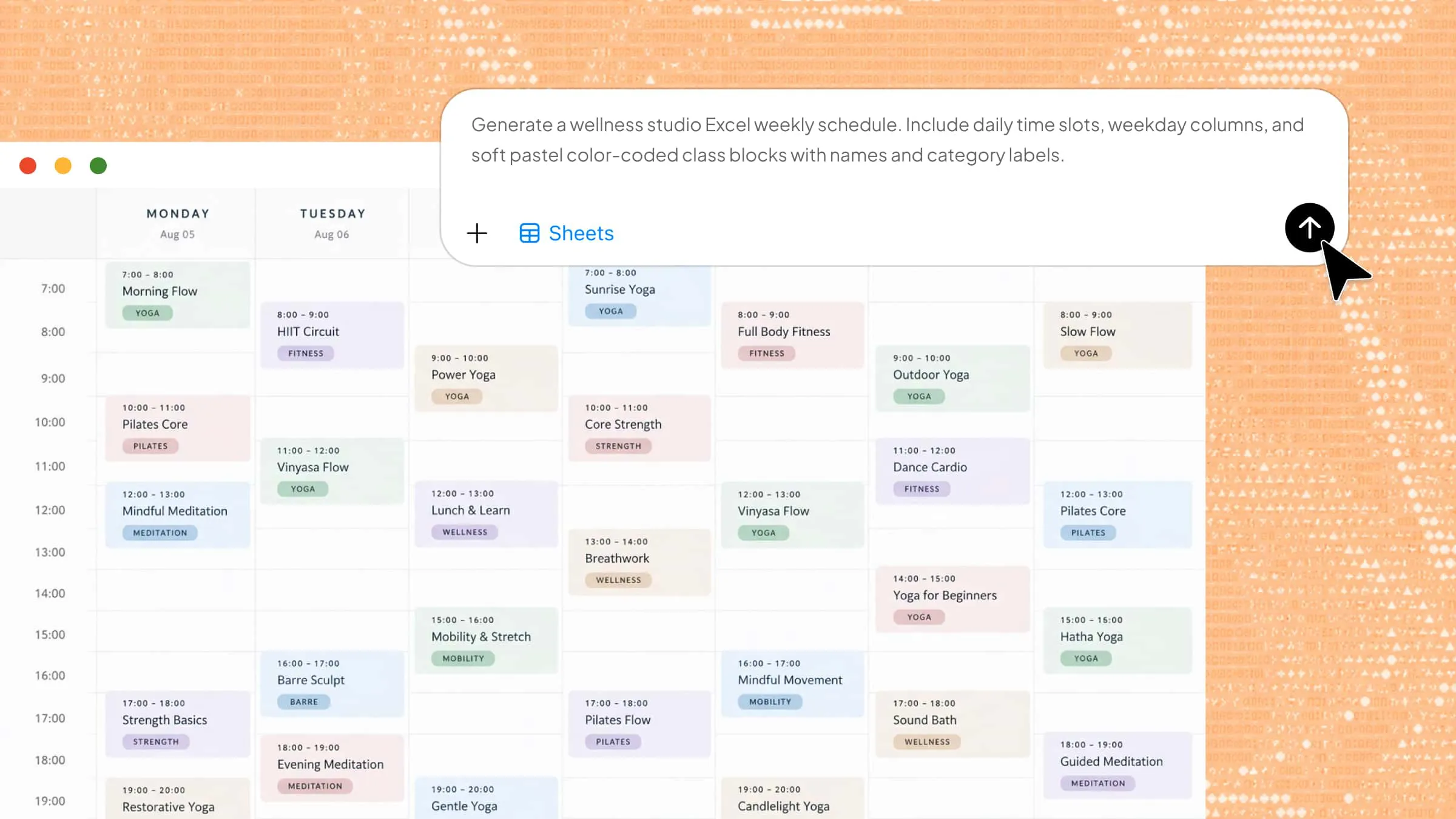
Managing work, personal commitments, and daily responsibilities can become overwhelming without a clear weekly plan. Missed deadlines and overlapping tasks often make it difficult to stay organized and use your time effectively. A well-structured weekly schedule helps you prioritize activities, balance responsibilities, and track important commitments. This guide explains how to make a weekly schedule with easy steps, practical tips, and useful tools to help you plan your week more efficiently.
When should you use a weekly schedule
A weekly schedule is useful whenever you need a clear overview of your responsibilities and upcoming activities. Understanding when to create a weekly schedule can help you manage your time, stay organized, and maintain a better balance between different commitments.
When managing multiple deadlines and tasks: A weekly schedule helps you organize assignments, meetings, and project deadlines across different days. You can prioritize important tasks and allocate enough time to complete each responsibility without feeling overwhelmed.
When balancing work and personal commitments: Use a weekly schedule to plan professional responsibilities alongside personal activities, family time, and appointments. This makes it easier to maintain a balanced routine and avoid overlapping commitments.
When planning recurring activities: If you have regular meetings, workouts, household tasks, or appointments, a weekly schedule keeps everything organized. You can assign fixed time slots to recurring activities and follow a consistent routine.
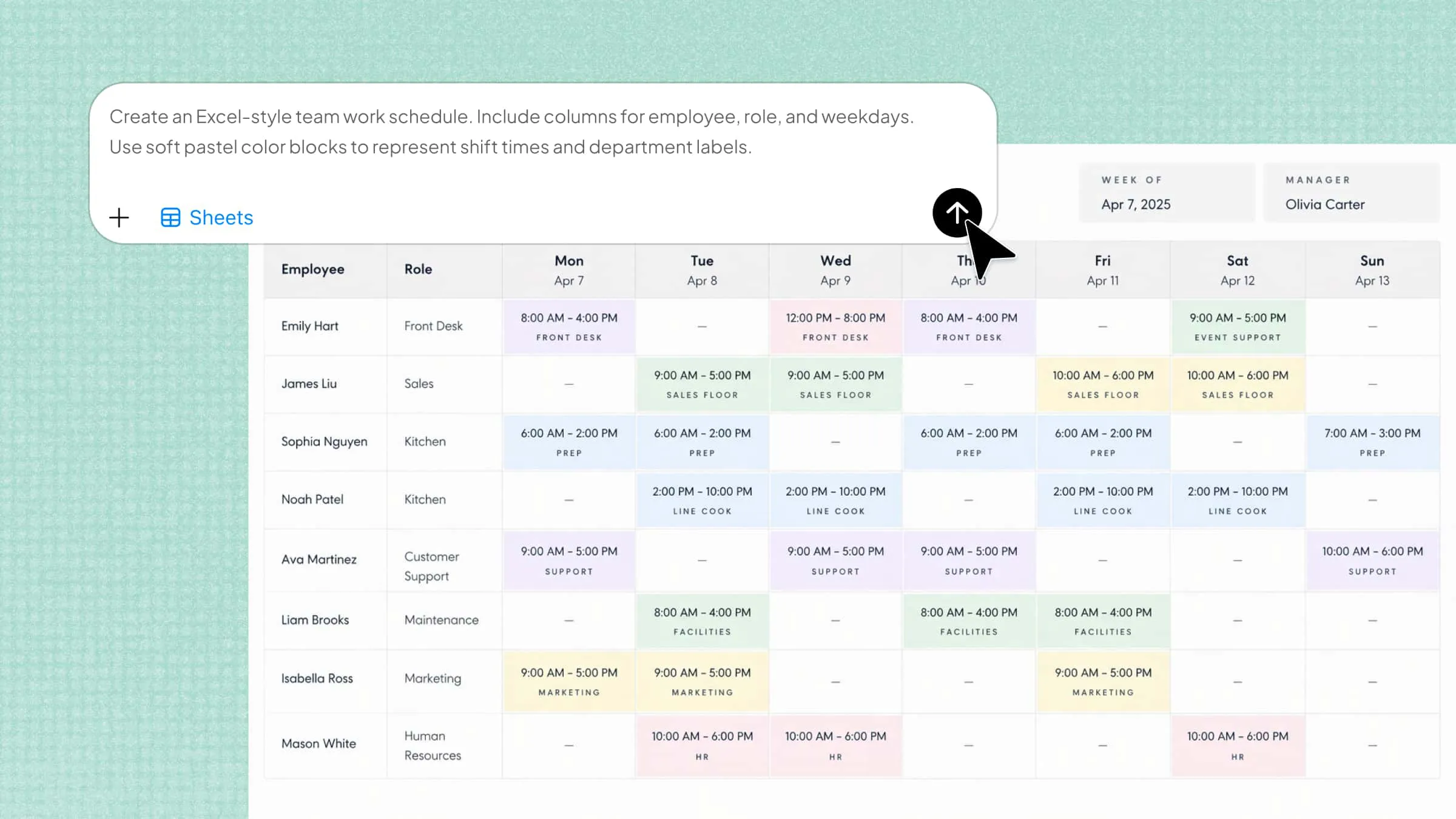
When coordinating team shifts and responsibilities: Managers can build a weekly schedule to assign employee shifts, distribute workloads, and track team availability. It also helps everyone understand their responsibilities and upcoming work commitments.
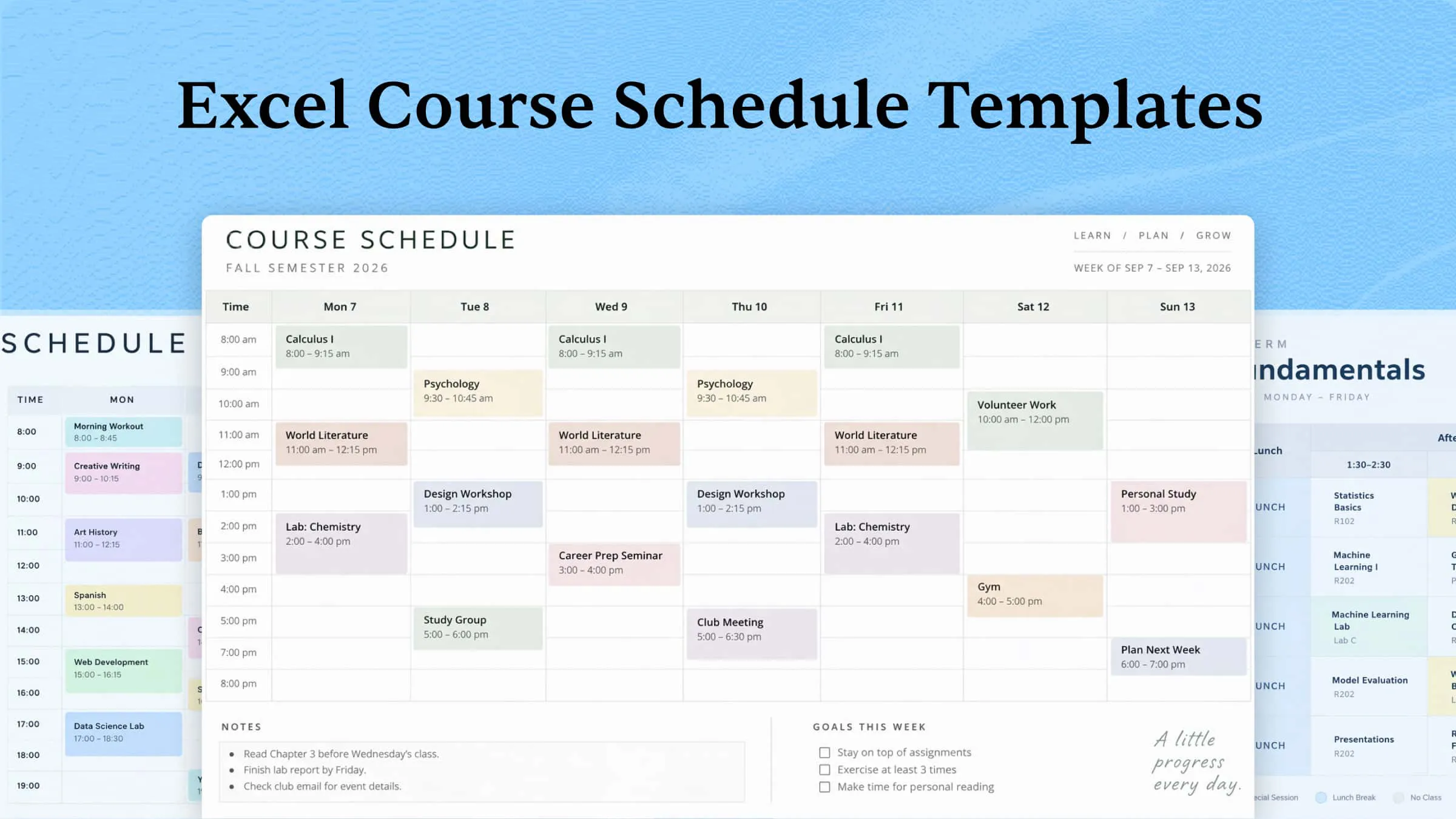
When organizing study plans and learning goals: Students can use a weekly schedule to divide study sessions, classes, revision periods, and assignments across the week. This creates a structured learning routine and helps them stay consistent with academic goals.
When tracking progress toward weekly goals: A weekly schedule allows you to break larger goals into smaller, manageable activities. You can review completed tasks at the end of each week, identify unfinished work, and plan improvements for the following week.
How to create a weekly schedule with AI
Kimi Sheets, an AI Excel agent, simplifies weekly planning by turning your instructions into structured, editable spreadsheets. Instead of manually creating tables and arranging time slots, you can describe your requirements through a simple prompt. It helps organize tasks, set up weekly layouts, and format scheduling information according to your needs. You can also refine the generated spreadsheet and customize it to match your routine.
Step 1: Upload your file and enter a prompt
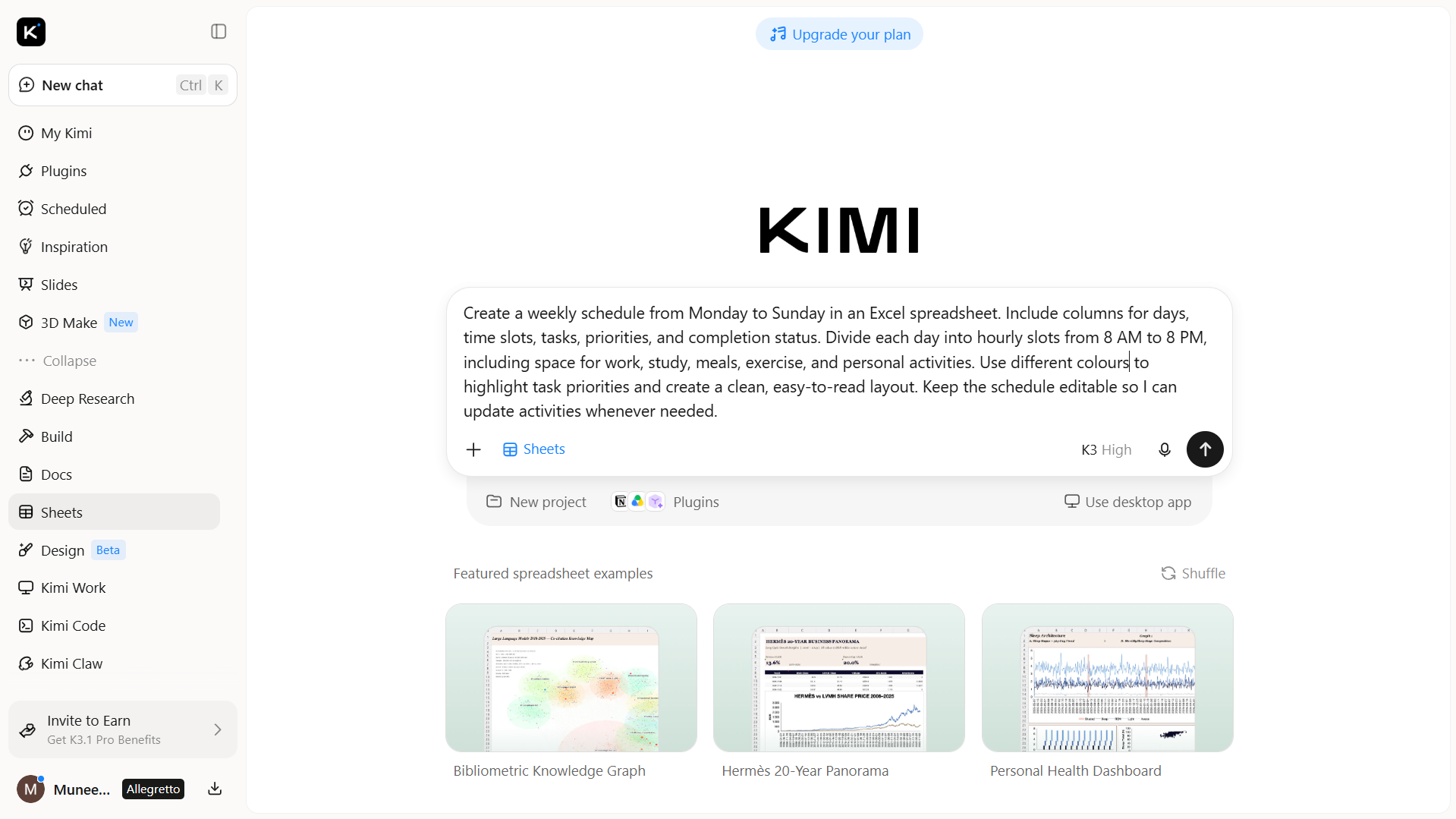
Open Kimi Sheets and upload an existing spreadsheet or start with a blank file. Enter a detailed prompt describing your weekly activities, preferred layout, time slots, and formatting requirements.
Step 2: Edit and refine your weekly schedule
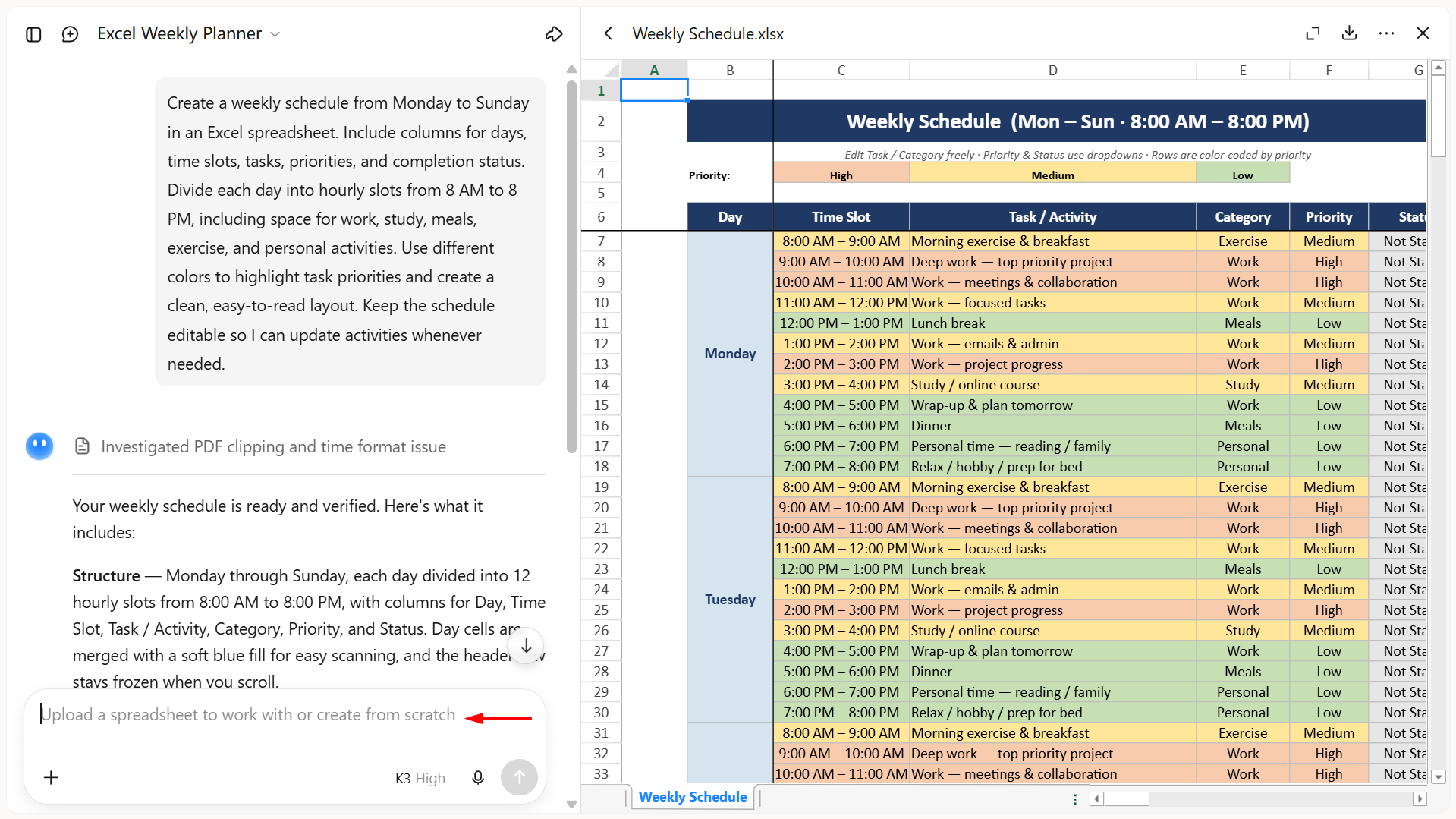
Review the schedule generated by Kimi Sheets and check whether all activities are organized correctly. Adjust time slots, add missing tasks, change colors, and modify the layout to match your routine and priorities.
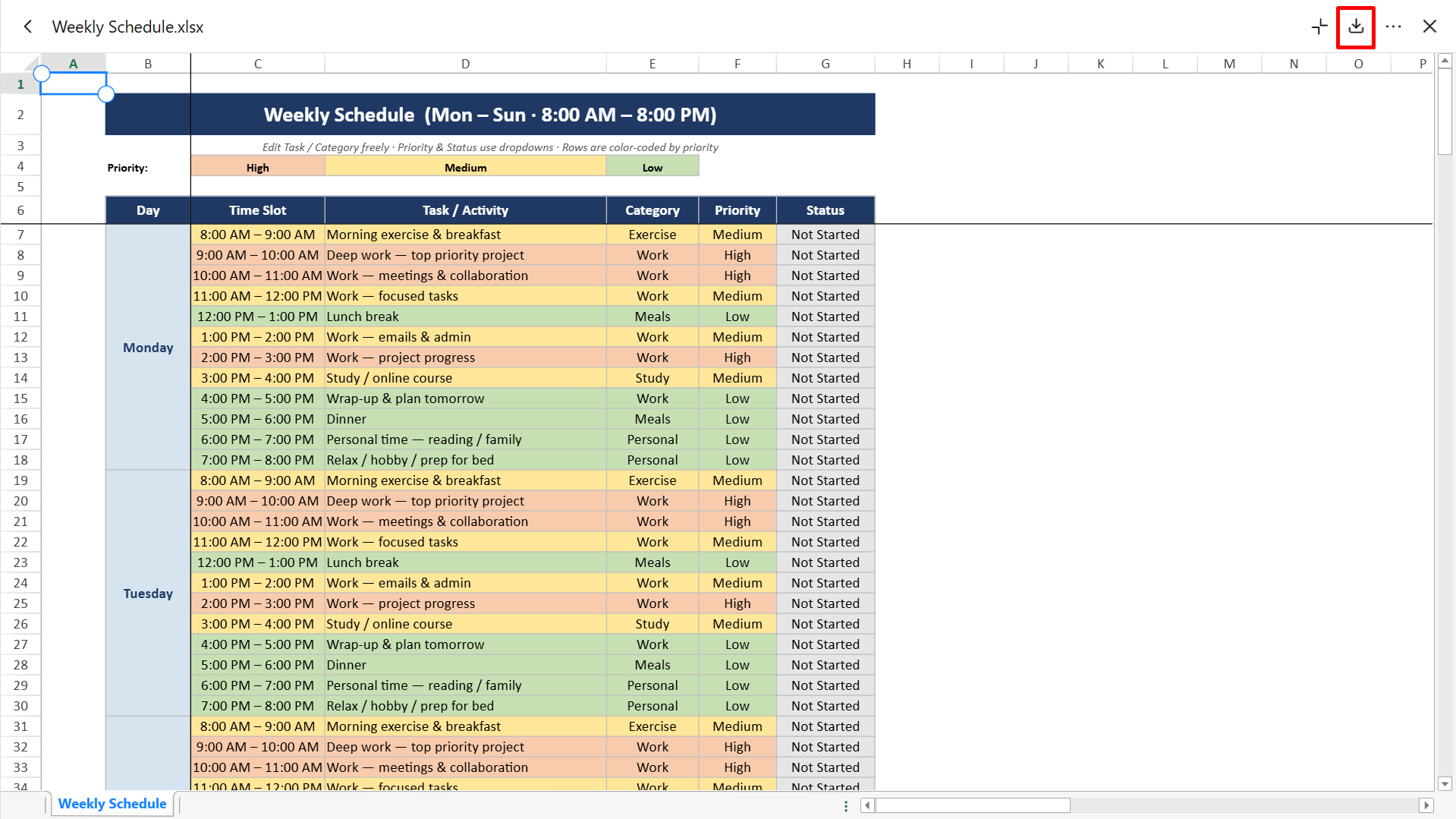
Step 3: Preview and download the file
Preview your completed schedule to check its structure, formatting, and readability. Once everything looks right, download the spreadsheet in a supported format, such as XLSX, so you can open and update it in Excel.
Why choose Kimi Sheets to create a weekly schedule
Once your weekly schedule is ready, the right tool can make managing and updating it much easier. Kimi Sheets offers several AI-powered features that simplify spreadsheet creation and help you organize your weekly plans more efficiently.
Create weekly schedules from natural-language instructions: You don't need to build a spreadsheet layout from scratch. Describe your weekly planning needs, including days, time slots, activities, and task categories. Kimi Sheets can turn your instructions into a structured Excel spreadsheet, giving you a practical starting point for organizing your week.
Simplify calculations and schedule formatting: Calculating working hours, tracking task durations, and organizing time slots can involve repetitive spreadsheet operations. Kimi Sheets can generate formulas based on your requirements and help organize spreadsheet layouts with consistent formatting, making your weekly schedule easier to read and maintain.
Manage and update multiple schedules efficiently: Whether you're organizing personal routines, employee shifts, or project tasks, Kimi Sheets can help clean existing data, reorganize spreadsheet content, and work across multiple worksheets. You can upload an existing Excel file and describe the changes you need instead of rebuilding your schedule from the beginning.
Visualize weekly workloads and export editable files: Turn schedule data into charts to review working hours, task distribution, and workload patterns. Once your weekly schedule is ready, you can export it as an editable Excel file and continue adjusting activities, dates, and assignments as your plans change.
Examples of weekly schedule templates
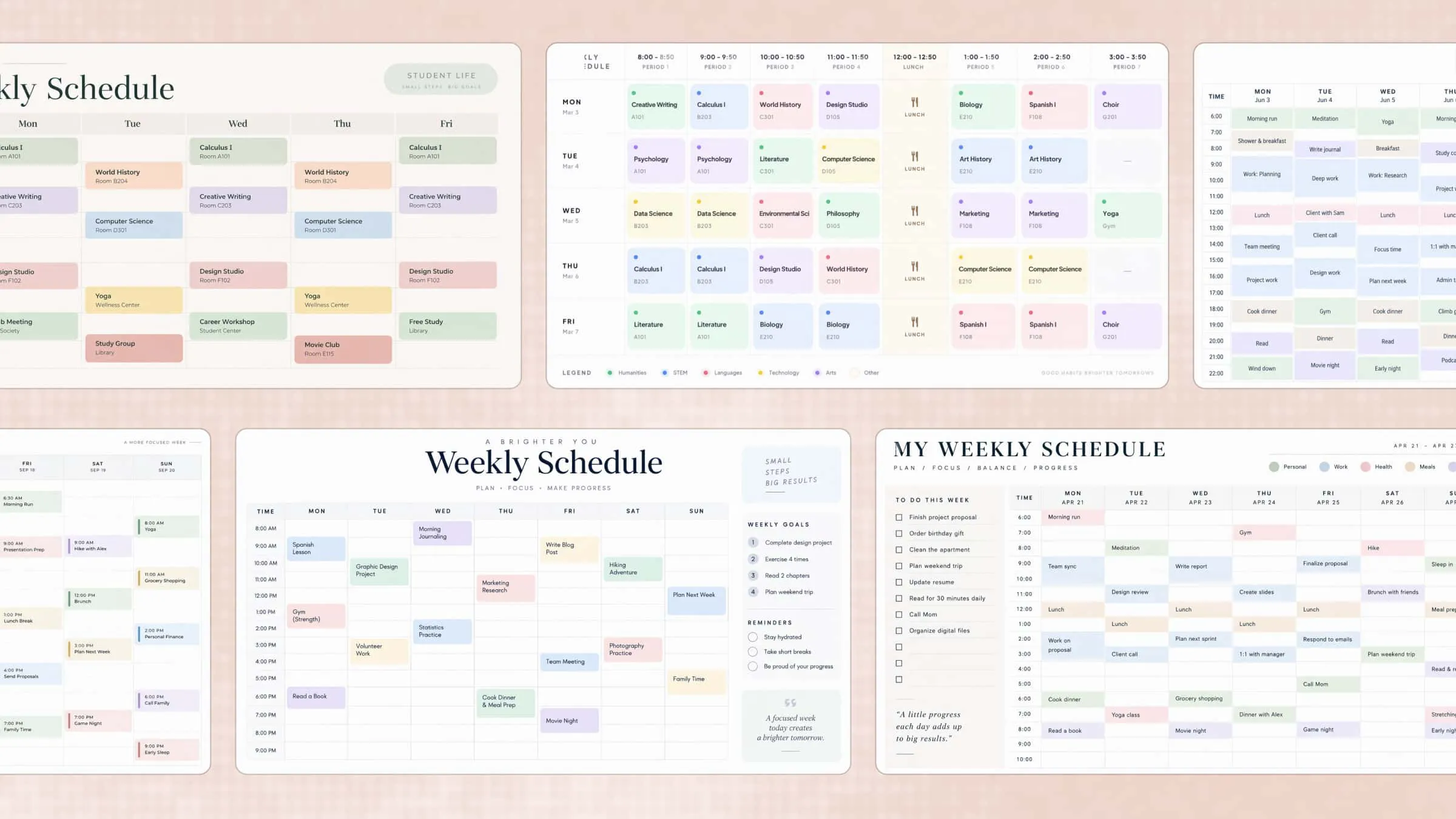
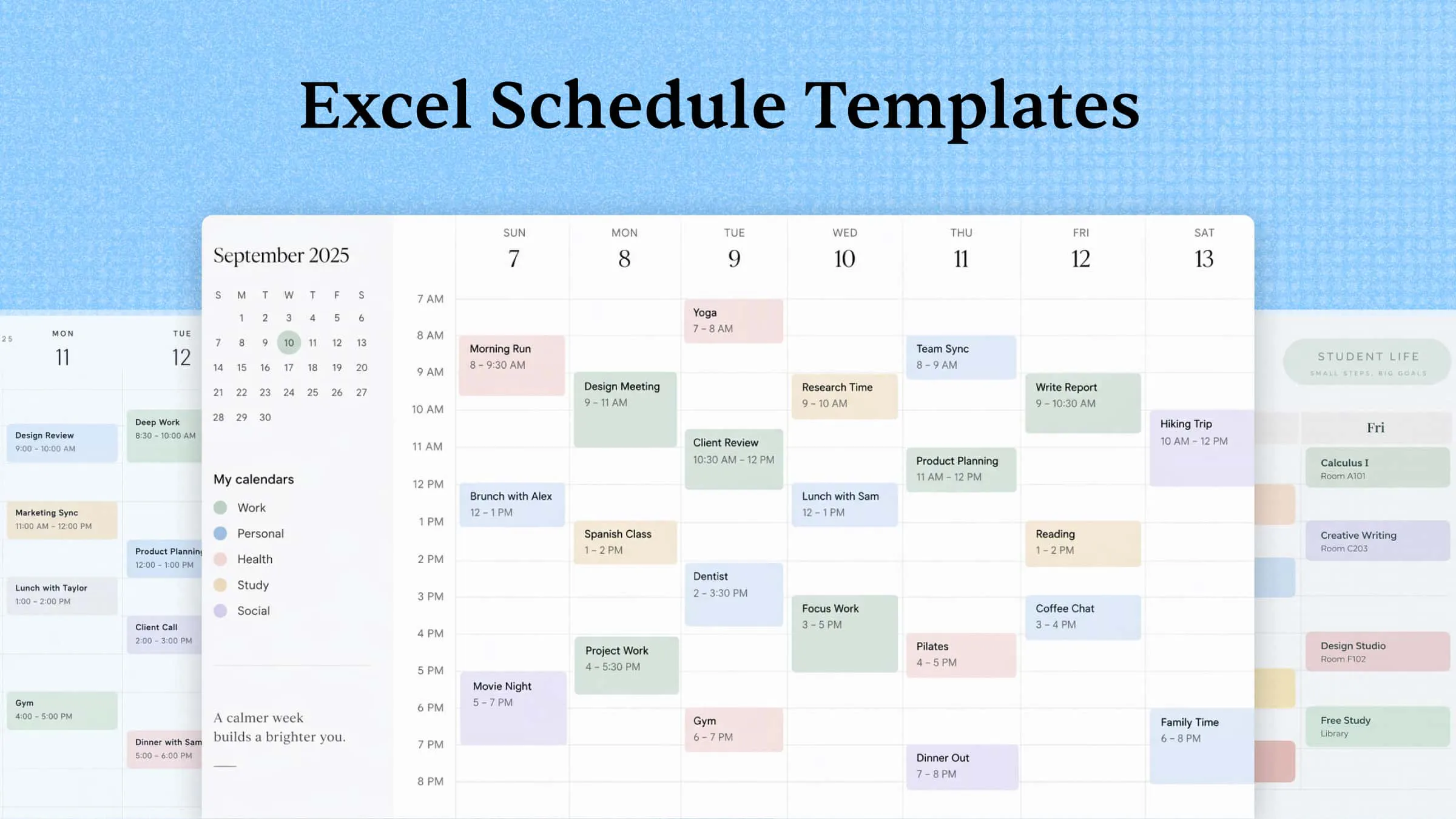
A suitable template makes weekly planning easier by providing a ready-made structure for organizing tasks and activities. Here are three useful weekly schedule template examples for different planning needs, along with prompts you can use to generate similar layouts with AI.
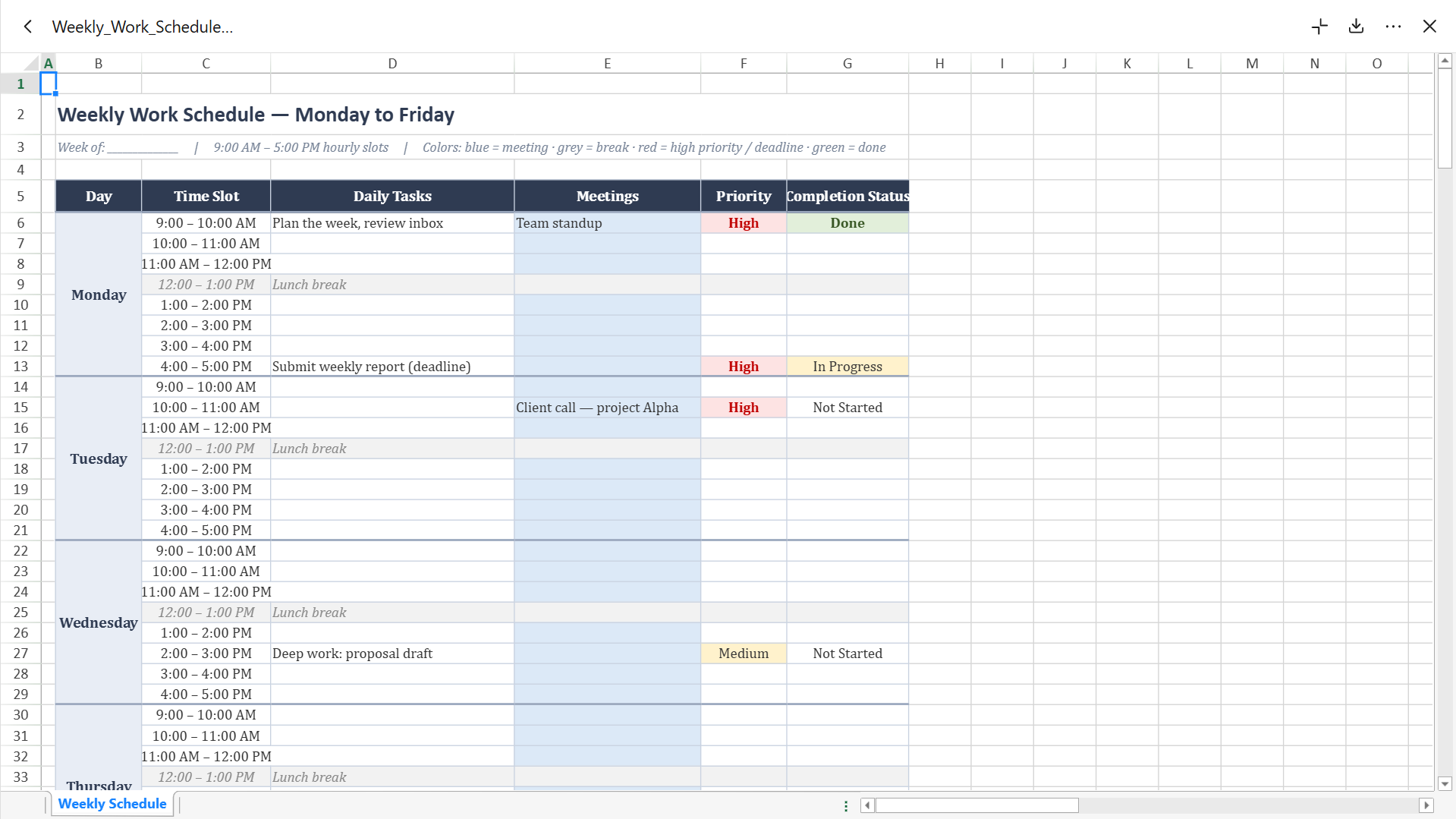
Workweek schedule template
A workweek schedule helps organize professional responsibilities from Monday to Friday. It provides space to track working hours, meetings, daily tasks, and deadlines while keeping your work routine organized.
Prompt:
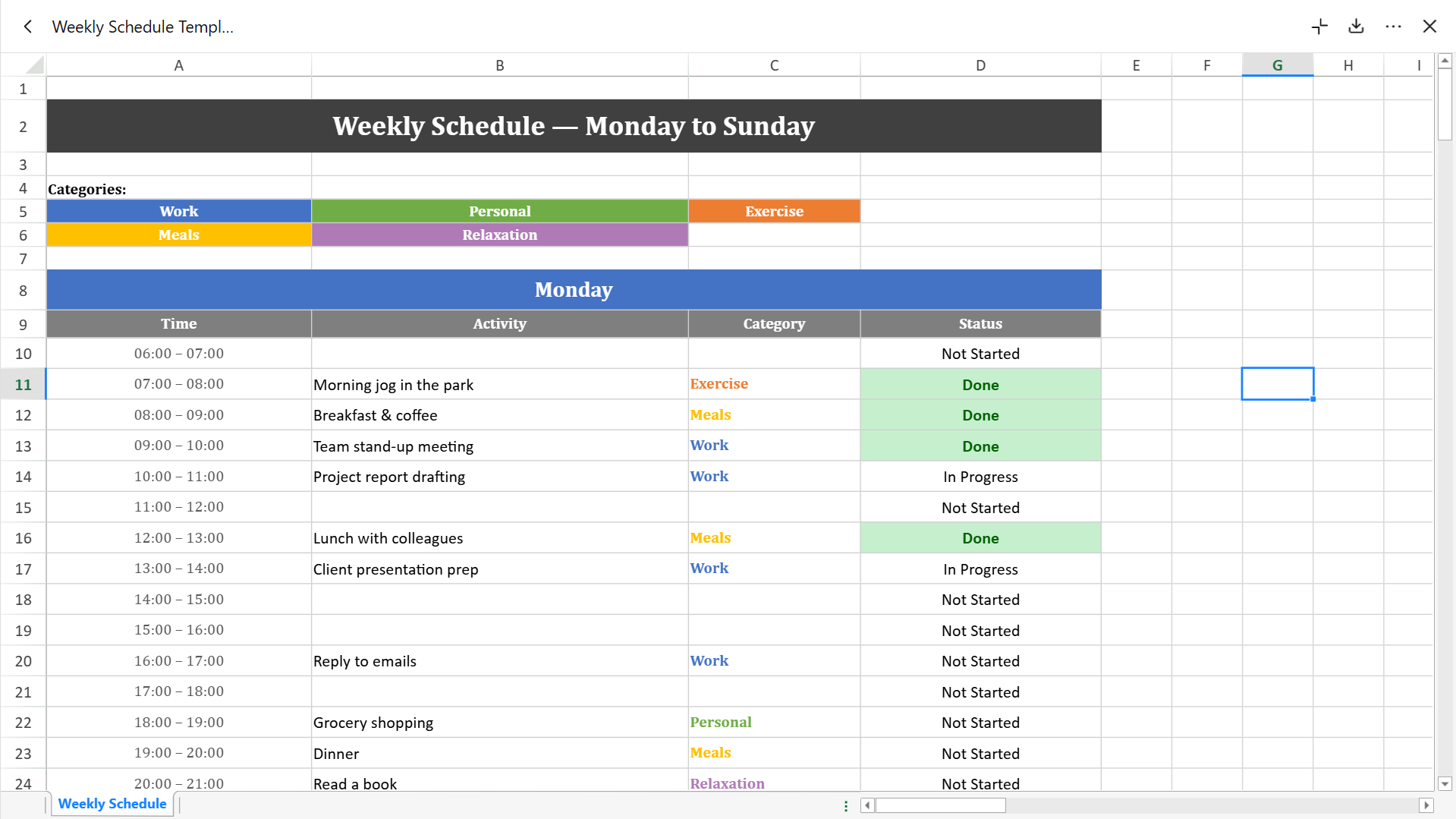
Seven-day weekly schedule template
A seven-day schedule provides a complete overview of your activities from Monday to Sunday. It is useful for balancing work, personal commitments, exercise, household responsibilities, and leisure time in one organized layout.
Prompt:
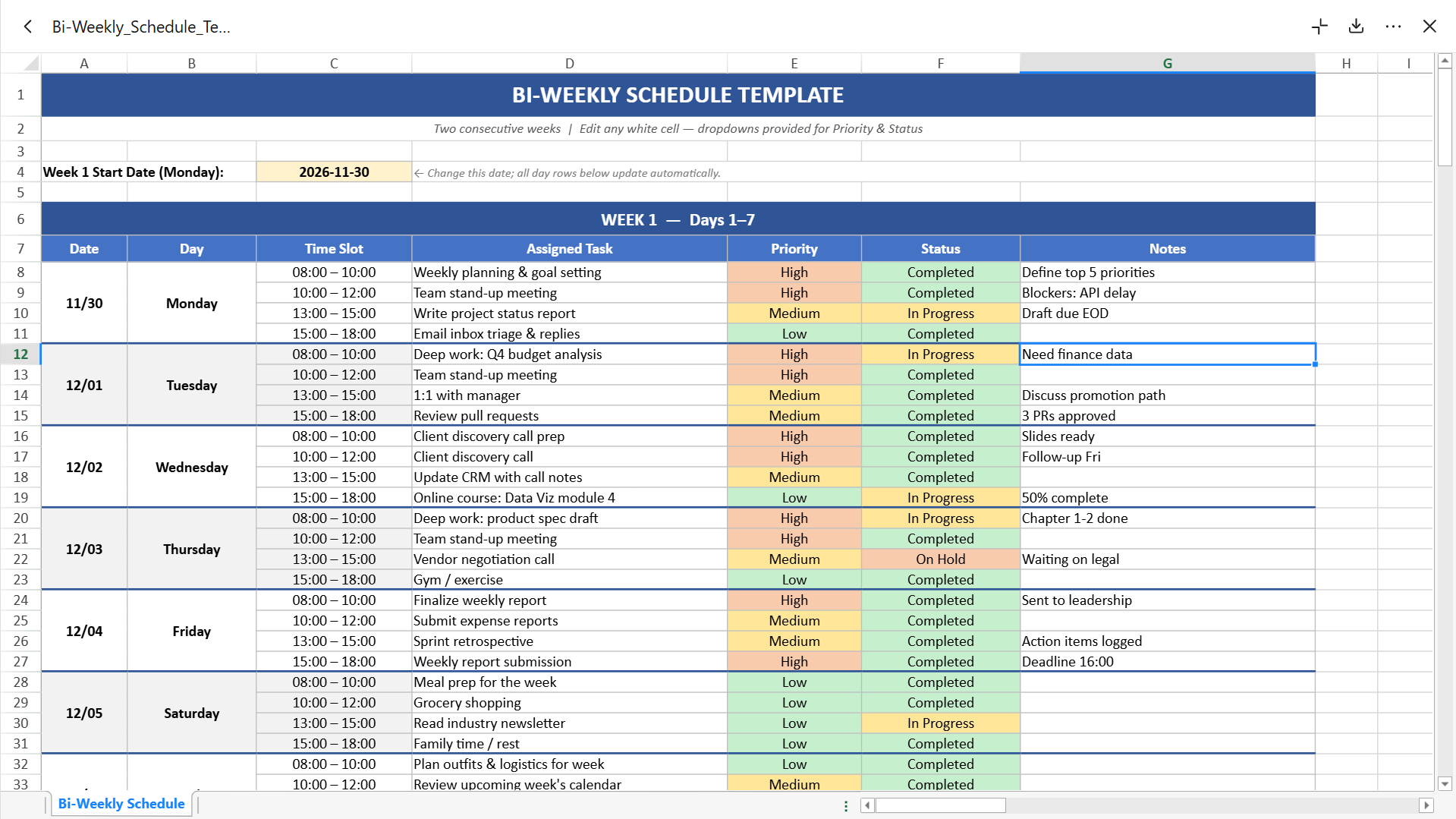
Bi-weekly schedule template
A bi-weekly schedule helps you plan activities for two consecutive weeks. It is particularly useful for tracking employee shifts, alternating responsibilities, project deadlines, and recurring appointments over a 14-day period.
Prompt:
Tips for creating an effective weekly schedule
A well-planned schedule helps you stay focused, manage responsibilities, and make better use of your time. Whether you make a weekly schedule for work, study, or personal activities, these tips can help you build a realistic and productive routine.
Set clear goals for the week: Start by identifying what you want to accomplish by the end of the week. List your main objectives and break larger goals into smaller tasks so you can plan your activities more effectively.
Prioritize tasks based on importance: Identify urgent and important responsibilities before adding less critical activities to your schedule. Assign higher priorities to tasks with approaching deadlines to ensure you complete essential work on time.
Assign realistic time slots: Estimate how long each activity will take and assign a suitable time slot. Avoid filling every hour with tasks, as realistic time allocations make your weekly schedule easier to follow.
Group similar activities together: Organize similar tasks into dedicated time blocks, such as meetings, administrative work, study sessions, or household activities. This reduces unnecessary switching between activities and helps maintain focus throughout the week.
Include breaks and flexible time: Add short breaks between demanding tasks and leave some open slots for unexpected responsibilities. A flexible schedule helps you manage changes without disrupting your entire weekly plan.
Review your schedule at the end of each week: Take a few minutes to review completed tasks, missed deadlines, and unfinished activities. Use these insights to adjust your priorities and create a weekly schedule that better supports your goals for the following week.
Choose a format that suits your routine: Select a layout that matches your planning needs, such as a calendar, time-blocking table, or task-based template. You can also create a weekly schedule template in Excel to organize activities and update your plans whenever necessary.
Conclusion
A well-organized weekly schedule helps you manage responsibilities, prioritize important tasks, and maintain a balanced routine. By choosing a suitable template and following simple planning strategies, you can make better use of your time and stay focused on your goals. Whether you use Excel or AI tools like Kimi Sheets, you can create a weekly schedule that fits your needs and makes your everyday planning easier. Start planning your week with a clear structure and adjust it as your priorities change.