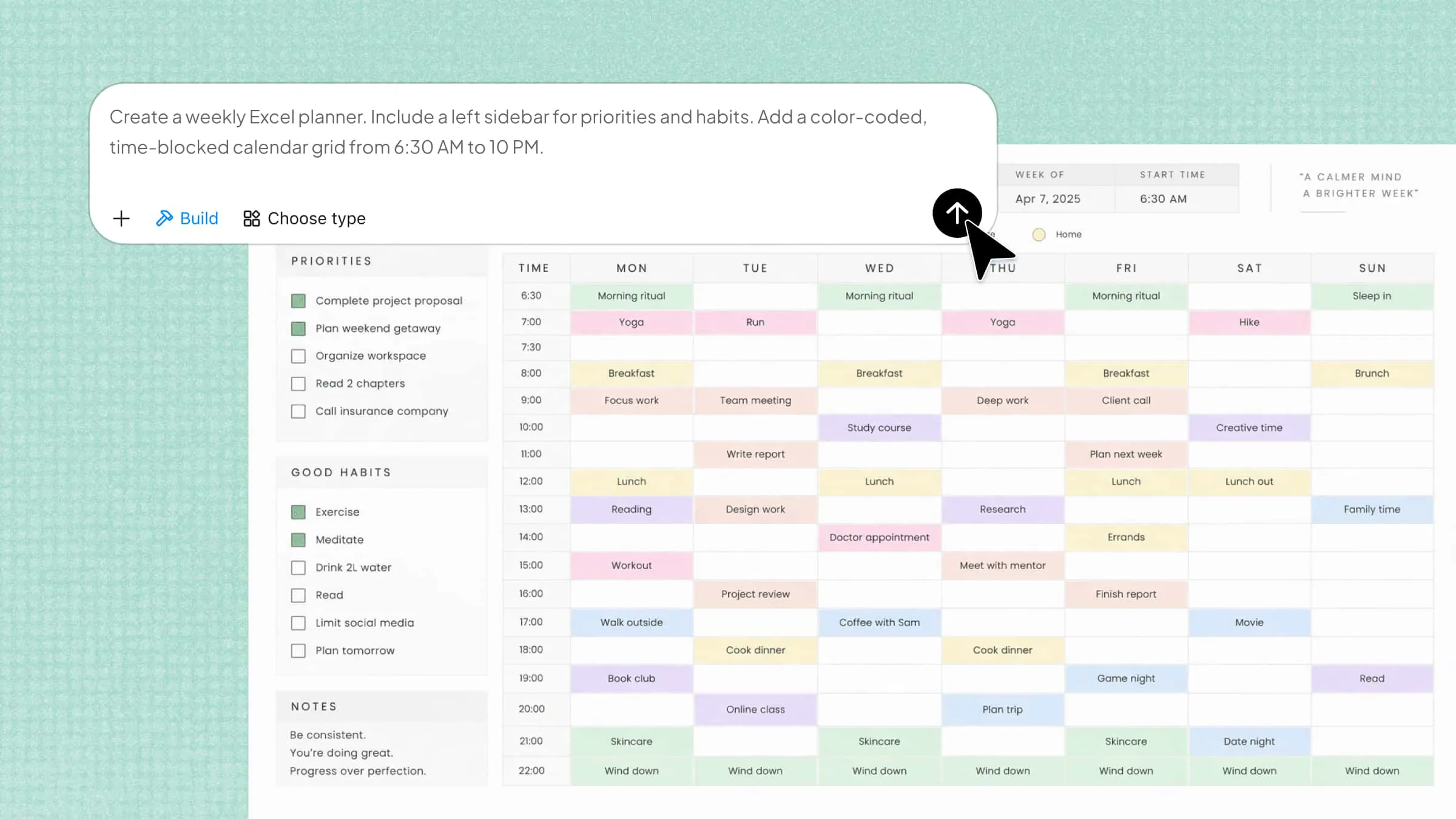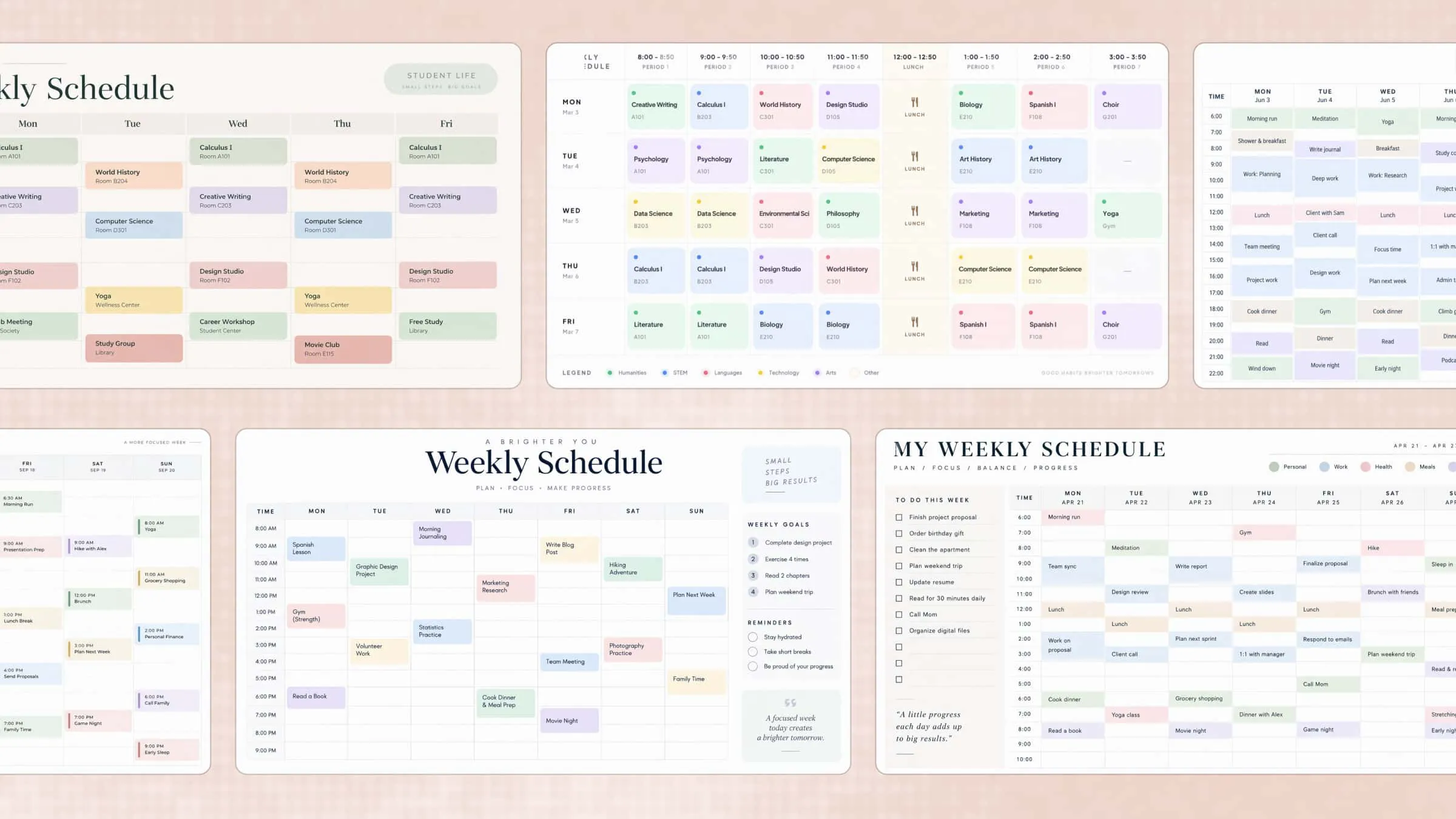
A well-structured week starts with a clear view of what needs to be done and when. Excel offers a flexible way to arrange daily tasks, track important activities, and manage time throughout the week. In this article, we explore weekly schedule templates for Excel designed for different routines and planning needs, helping you find a layout that fits your lifestyle and makes weekly organization simpler.
Overview of 10 Excel weekly schedule templates
The following table highlights the primary purpose, essential components, and practical benefits of each template to help readers identify the most suitable scheduling format.
| Template | Primary purpose | Essential components | Key benefit | Suitable for |
|---|---|---|---|---|
| Weekly work schedule template | Organizing professional responsibilities | Working hours, daily tasks, meetings, deadlines, priorities | Improves workplace productivity and task management | Employees and professionals |
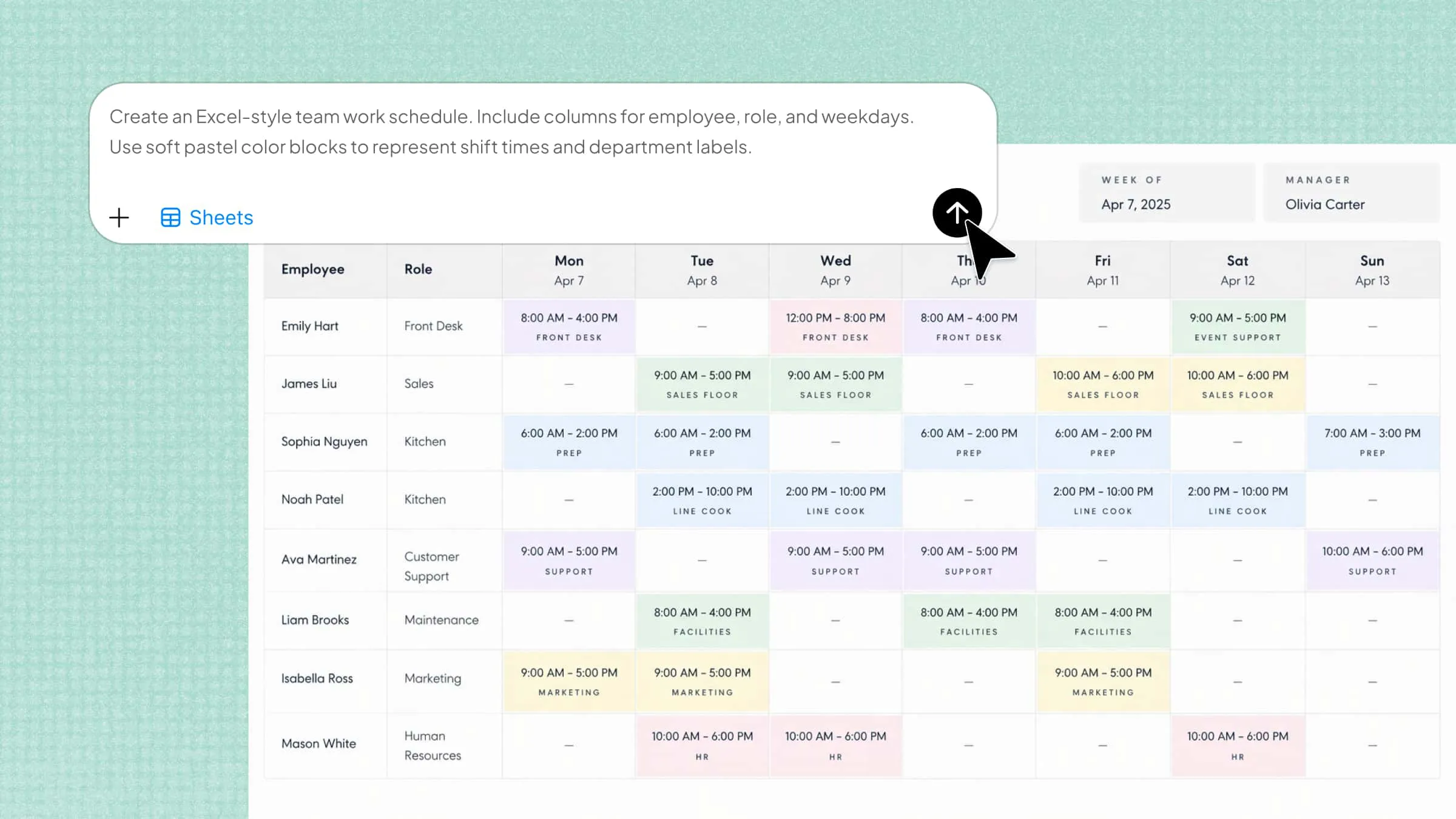
| Weekly employee shift schedule template | Coordinating workforce rotations | Employee names, shift timings, breaks, availability, overtime | Simplifies staff allocation and shift coordination | Managers and HR teams |
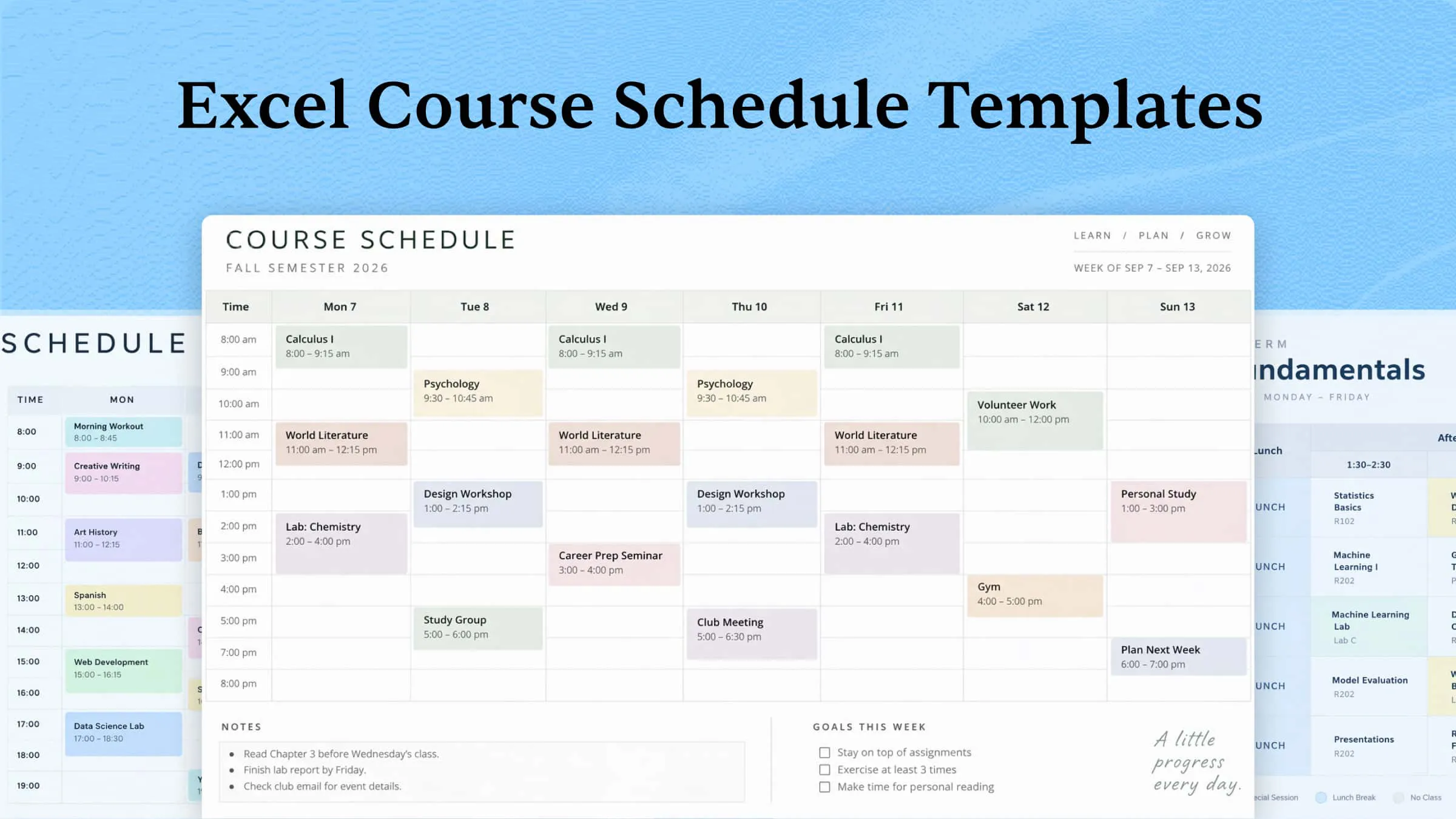
| Weekly class schedule template | Managing academic commitments | Subjects, lecture timings, instructors, classrooms, study periods | Prevents timetable conflicts and organizes study time | Students and educational institutions |
| Weekly personal planner template | Structuring everyday activities | Personal goals, appointments, errands, reminders, fitness activities | Encourages balanced routines and consistent goal tracking | Individuals and busy professionals |
| Weekly meal planning template | Organizing meals and grocery requirements | Breakfast, lunch, dinner, recipes, ingredients, shopping lists | Simplifies meal preparation and grocery budgeting | Families and individuals |
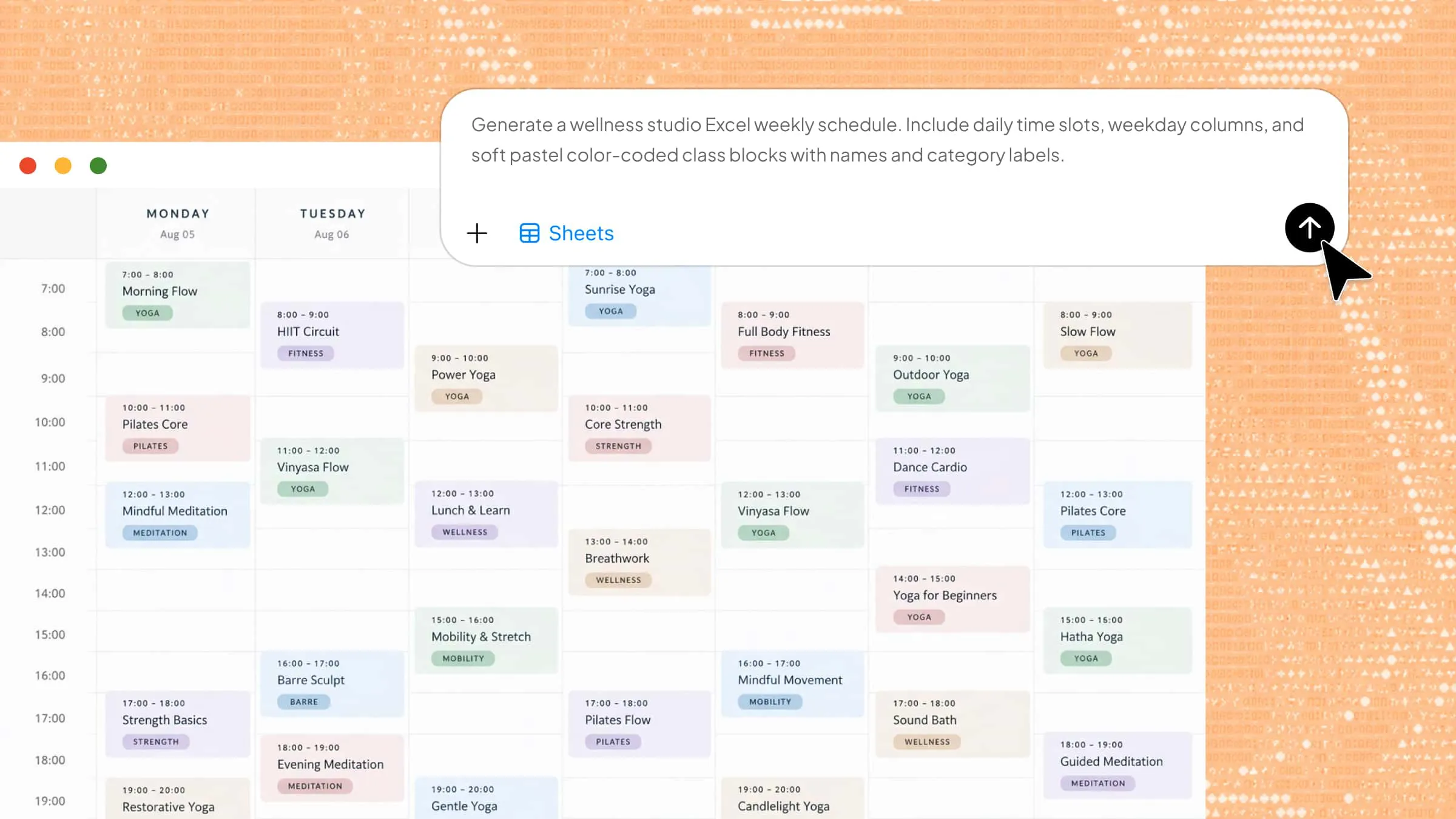
| Weekly workout schedule template | Structuring exercise and recovery routines | Exercise names, sets, repetitions, duration, muscle groups, rest days | Supports consistent training and progress monitoring | Fitness enthusiasts and gym-goers |
| Weekly project schedule template | Monitoring project activities and deadlines | Project phases, task owners, milestones, dependencies, progress | Strengthens accountability and deadline management | Project managers and teams |
| Weekly household cleaning schedule template | Distributing domestic responsibilities | Cleaning tasks, household areas, assigned members, frequency, checklists | Maintains cleanliness through organized task distribution | Families and shared households |
| Weekly content calendar schedule | Planning and coordinating publications | Content titles, publishing dates, platforms, keywords, approval status | Maintains consistent content production and publishing | Marketers, bloggers, and content teams |
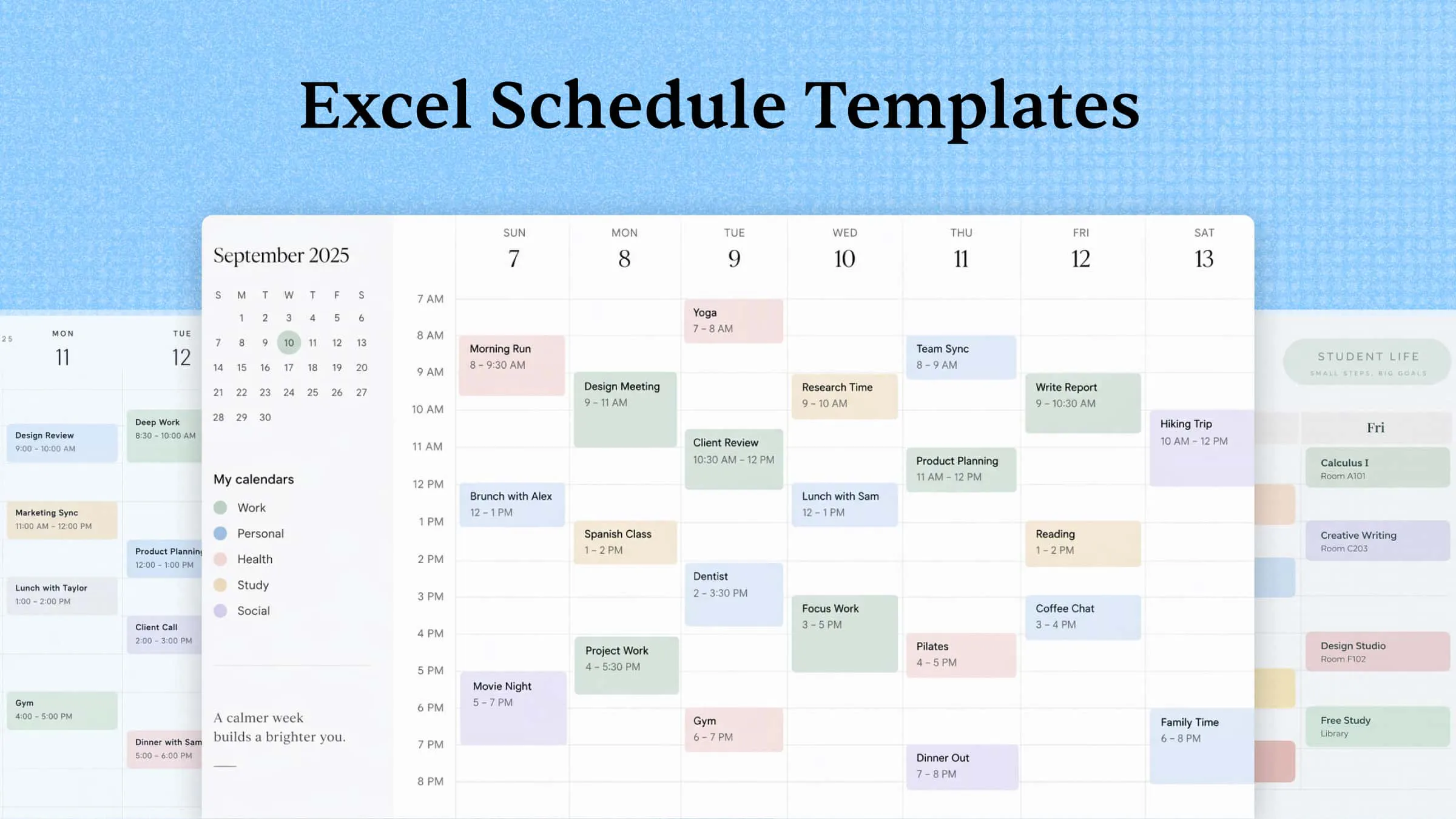
| Weekly time-blocking template | Allocating time to specific activities | Hourly intervals, focused work, meetings, breaks, priorities | Improves time utilization and minimizes distractions | Professionals, students, and freelancers |
10 types of weekly schedule templates for Excel
Kimi Sheets makes it easy to create weekly schedule templates for different planning needs, from organizing workplace responsibilities and academic commitments to managing personal activities. You can generate customized Excel schedules based on your requirements, with layouts and details tailored to your routine. Here are 10 practical examples to help you plan your week more efficiently.
Weekly work schedule template
A weekly work schedule template helps you organize daily tasks, meetings, deadlines, and professional commitments in one convenient place. Using an Excel sheet for scheduling, you can prioritize responsibilities, monitor progress, and maintain a more balanced workflow throughout the week.
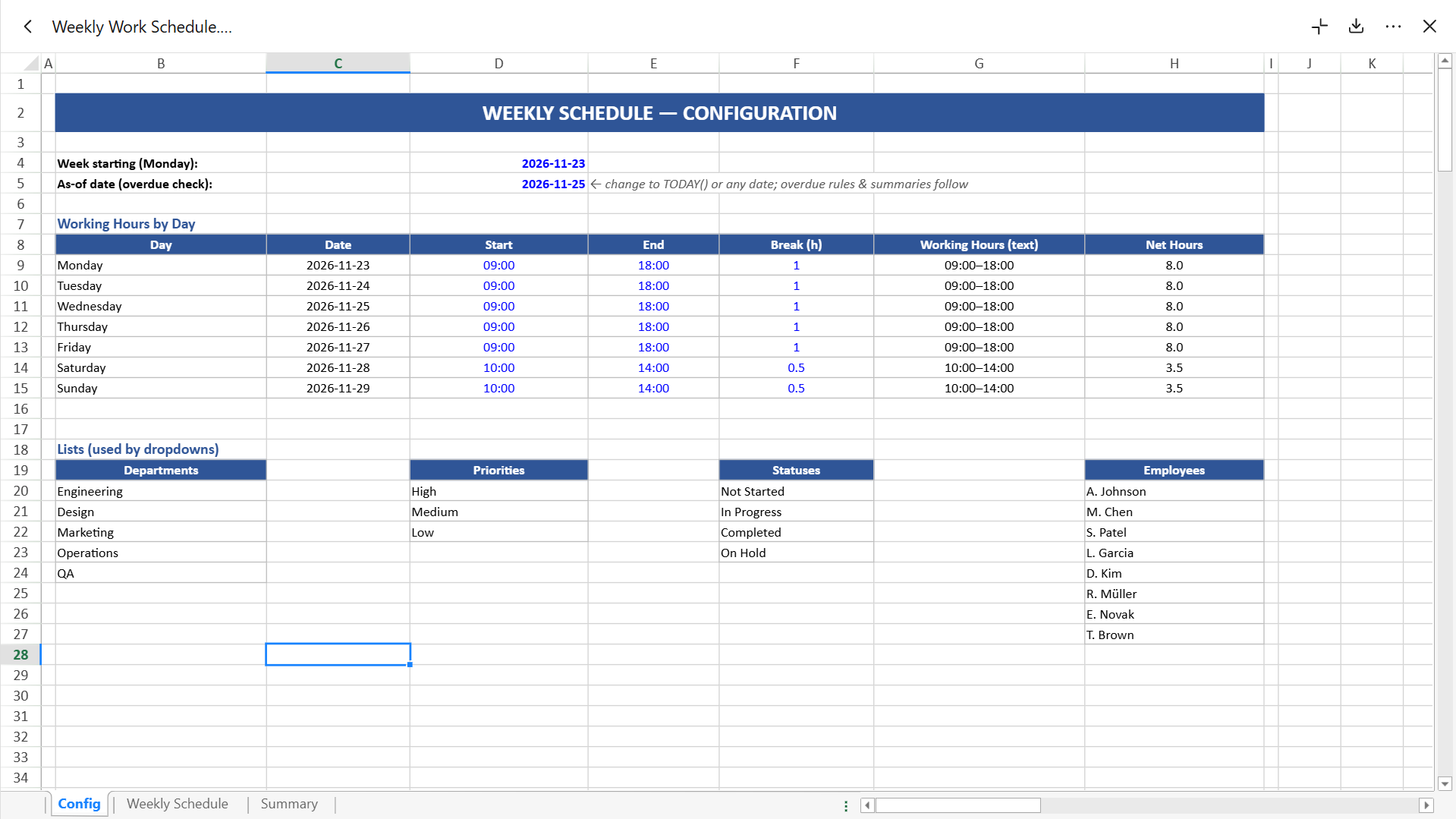
How to use
Step 1: Enter your prompt
Describe your working hours, daily responsibilities, meetings, and important deadlines to help AI understand your scheduling requirements.
Prompt:
Step 2: Let AI generate your template
Submit your prompt to the AI tool and allow it to create a structured spreadsheet with dedicated sections for daily assignments and professional commitments.
Step 3: Review and export the template
Check whether all working days, time slots, and task categories are properly arranged. Make any necessary adjustments before exporting the completed template as an Excel file.
Weekly employee shift schedule template
Managing employee shifts becomes considerably easier when working hours, shift rotations, and staff availability are clearly organized. This Excel weekly schedule template with hours helps managers allocate shifts efficiently, avoid scheduling conflicts, and maintain consistent workforce coverage.
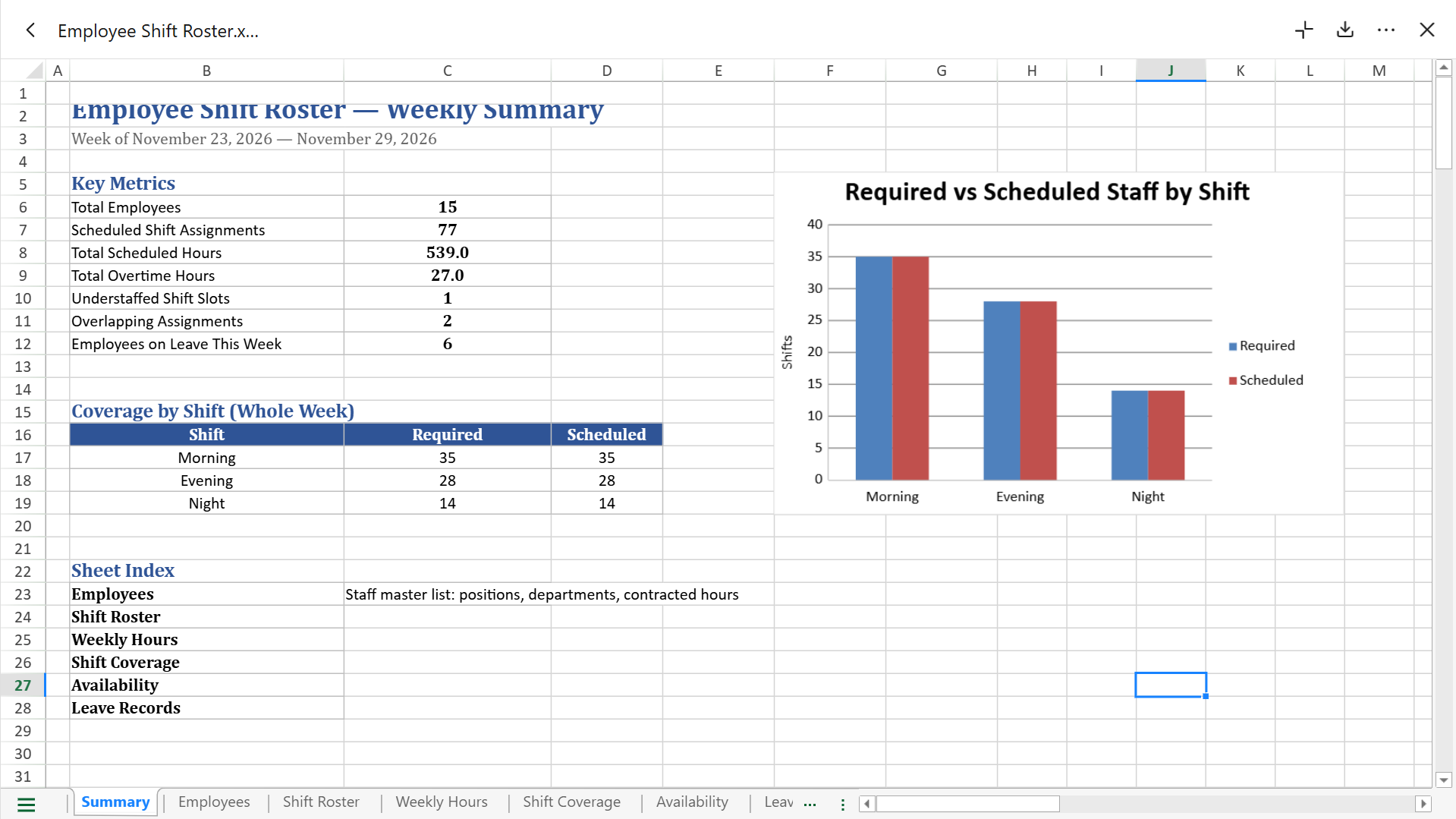
How to use
Step 1: Enter your prompt
Specify the number of employees, shift timings, weekly rotations, and staff availability so AI can structure an effective workforce schedule.
Prompt:
Step 2: Let AI generate your template
Let AI transform your workforce requirements into an organized shift roster, distributing employee assignments across the selected days.
Step 3: Review and export the template
Verify employee names, shift allocations, break intervals, and coverage requirements. Once everything looks accurate, export the roster for easy sharing with your team.
Weekly class schedule template
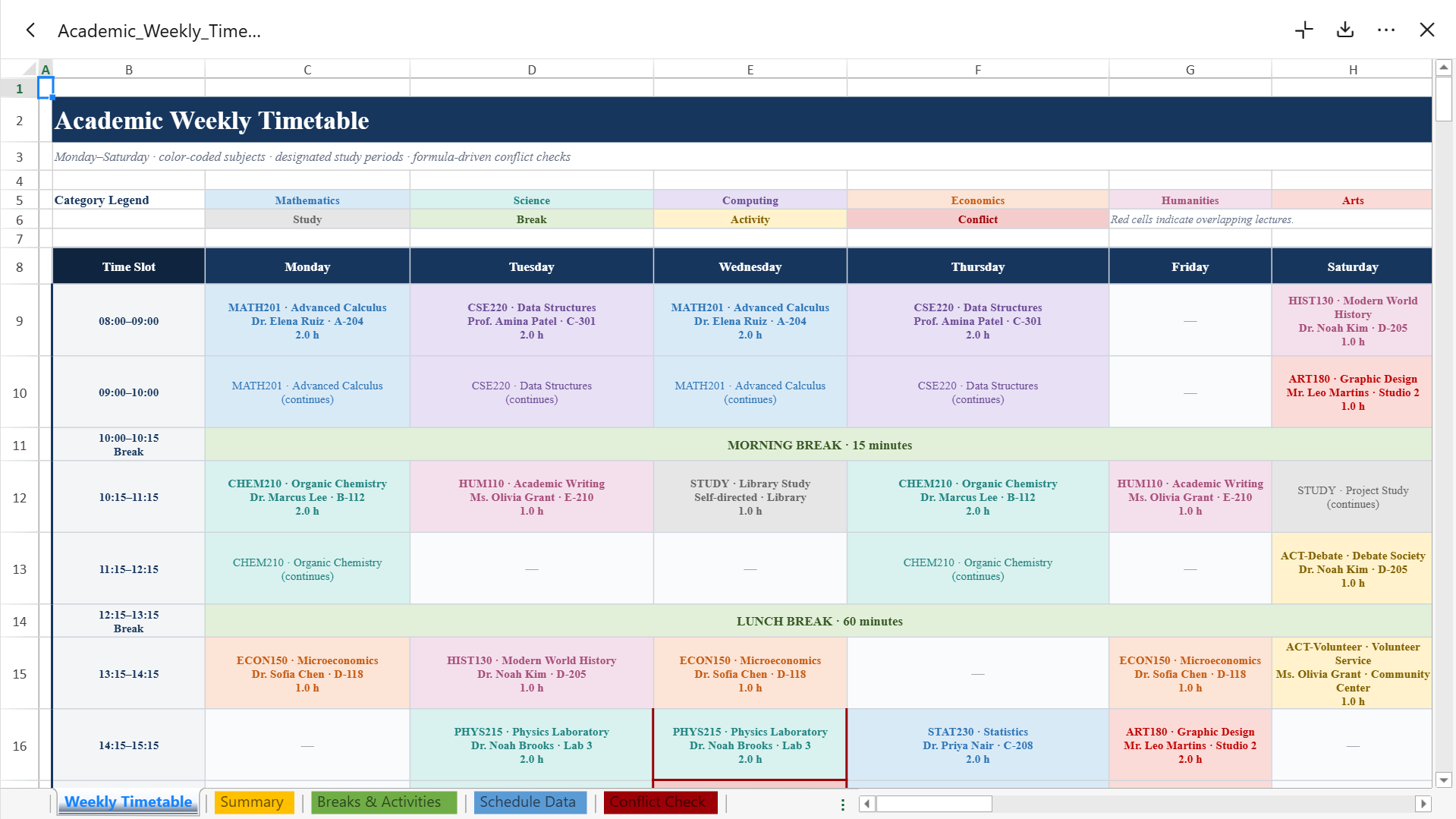
Keep academic commitments organized by arranging lectures, study sessions, assignments, and extracurricular activities in a structured weekly layout. A weekly schedule template for Excel makes it easier for students to track their classes, manage study time, and stay ahead of important academic deadlines.
How to use
Step 1: Enter your prompt
Provide your subjects, lecture timings, classroom details, instructor names, and study periods to establish the academic structure.
Prompt:
Step 2: Let AI generate your template
Allow AI to arrange your academic commitments into a timetable that separates individual subjects, lecture periods, and independent study sessions.
Step 3: Review and export the template
Cross-check lecture timings, subject placements, and classroom information to eliminate timetable conflicts. Save the finalized version in Excel for convenient access throughout the semester.
Weekly personal planner template
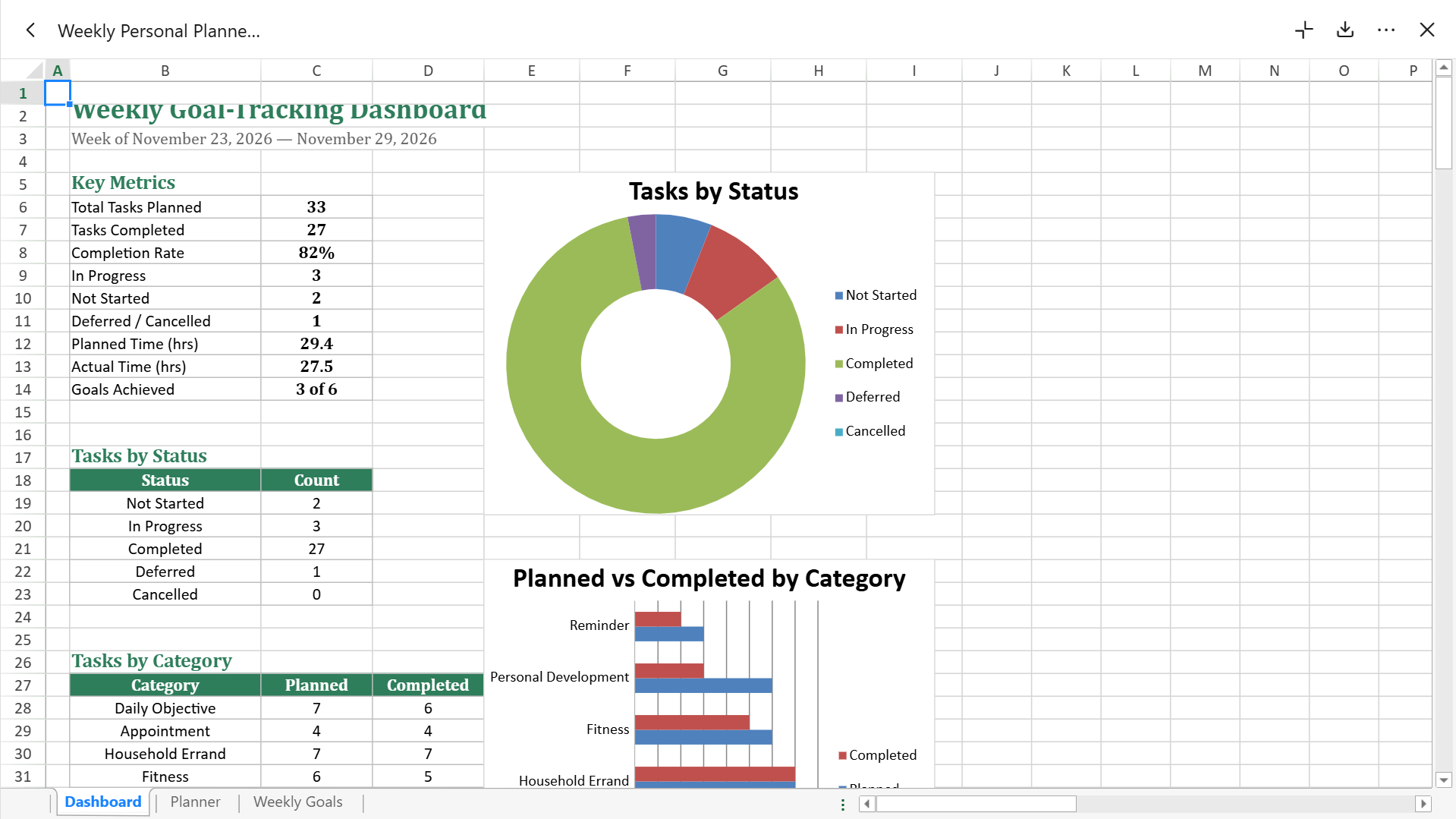
A weekly personal planner provides a practical space to coordinate appointments, household responsibilities, fitness goals, and everyday priorities. Using a 7-day Excel schedule template, you can visualize your entire week, set realistic goals, and build a routine that supports better time management.
How to use
Step 1: Enter your prompt
Outline your personal goals, appointments, fitness activities, household errands, and other commitments you want to accomplish during the week.
Prompt:
Step 2: Let AI generate your template
Give AI a moment to convert your personal priorities into a practical planning sheet with dedicated spaces for goals, reminders, and everyday activities.
Step 3: Review and export the template
Ensure your priorities are clearly distinguished from routine activities and that the planner offers enough room for personal notes. Export the finished spreadsheet to start organizing your week.
Weekly meal planning template
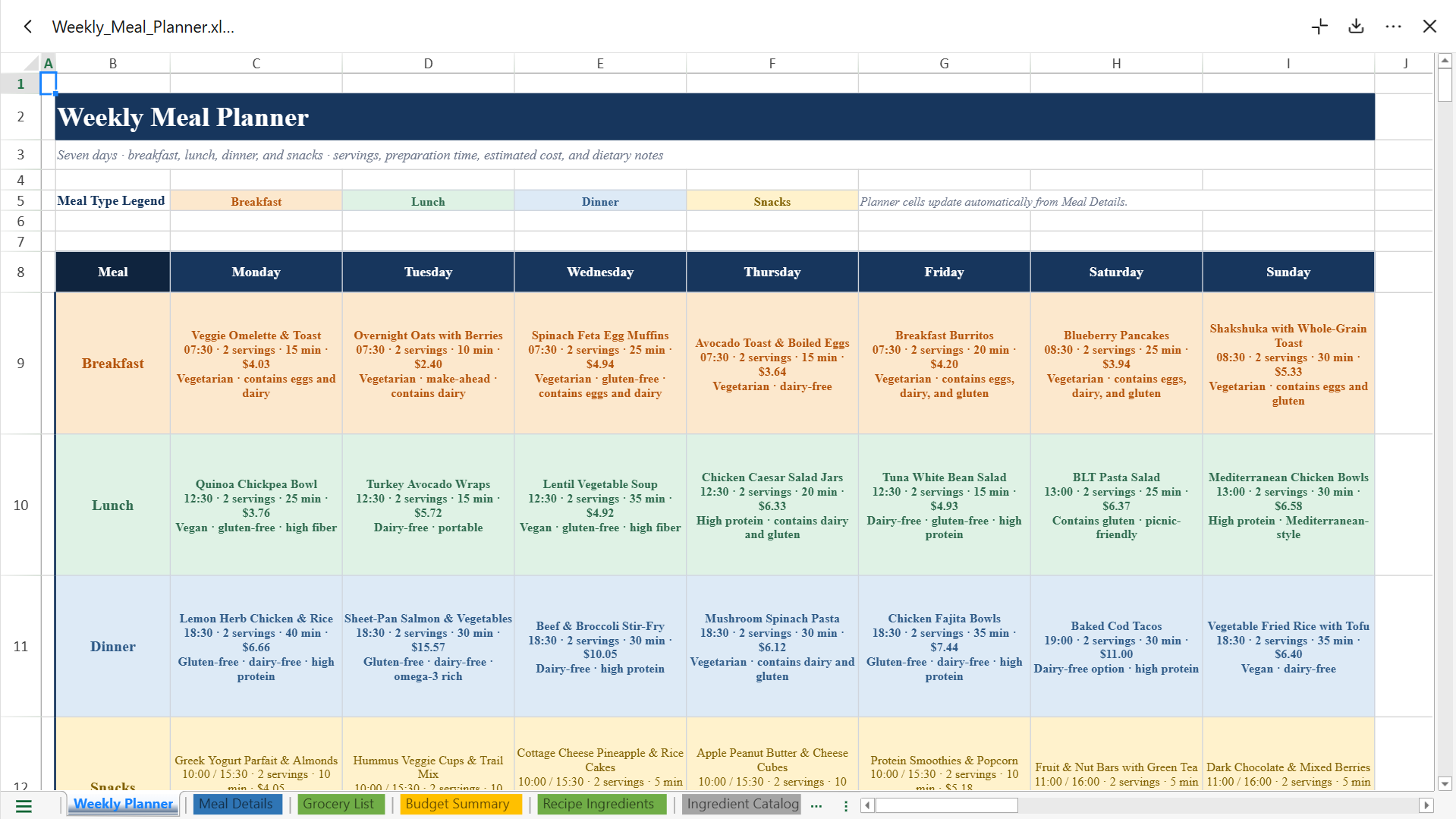
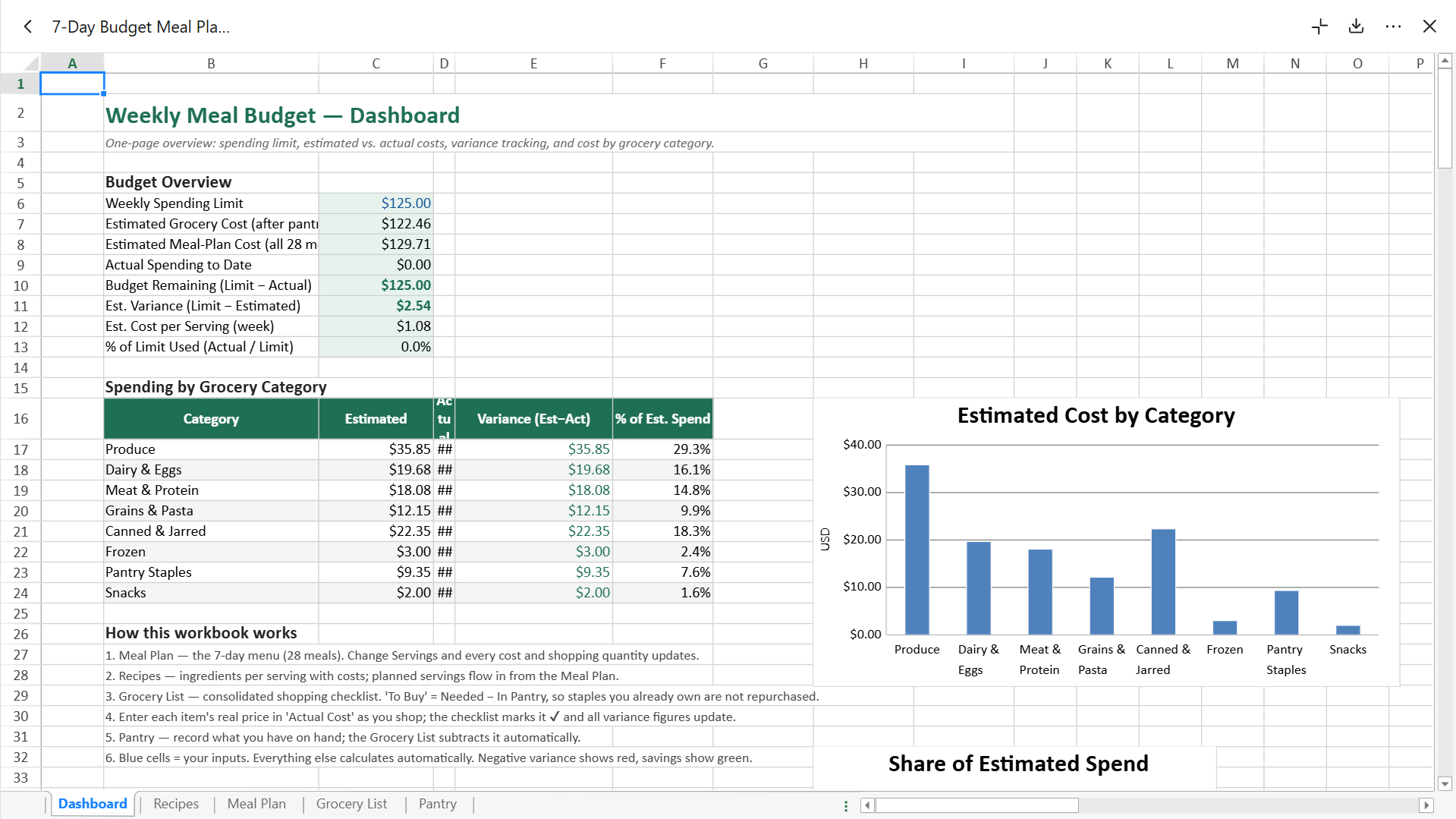
Planning meals in advance helps you make healthier food choices, reduce grocery expenses, and avoid the daily hassle of deciding what to cook. A weekly meal schedule template for Excel can help you organize meal preparation tasks, grocery lists, and cooking plans, keeping your weekly food routine organized and convenient.
How to use
Step 1: Enter your prompt
Mention your preferred meals, dietary preferences, grocery requirements, and the number of people you are planning food for.
Prompt:
Step 2: Let AI generate your template
AI will organize your meal preferences into a weekly food planner, making it easier to coordinate recipes, ingredients, and preparation activities.
Step 3: Review and export the template
Inspect the meal selections, ingredient lists, and grocery requirements to ensure nothing essential is missing. Export the spreadsheet and use it as your reference when shopping and preparing meals.
Weekly workout schedule template
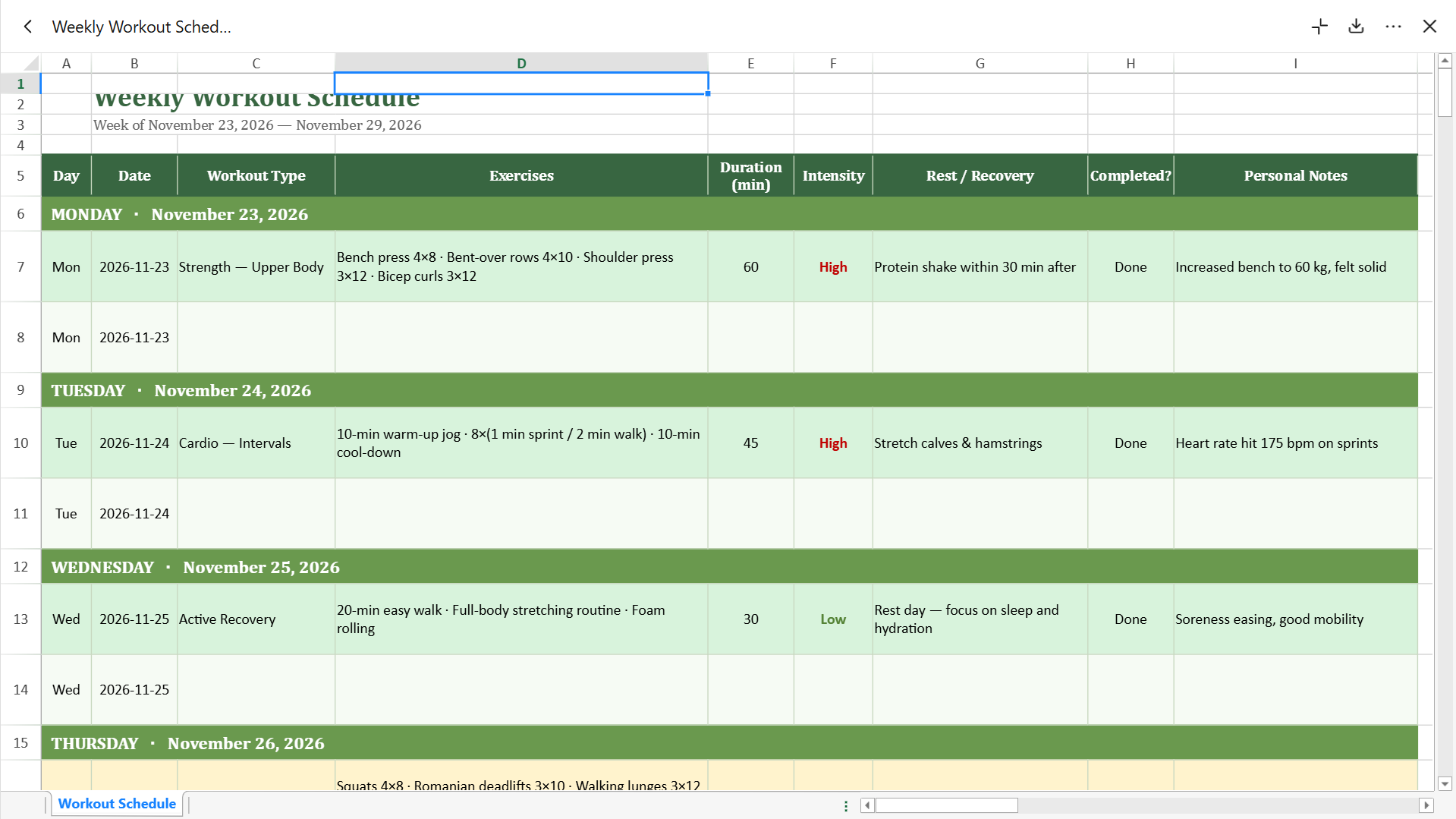
A weekly workout schedule template helps you plan exercise routines, training sessions, and rest days for each day of the week. It allows you to organize different fitness activities, set workout durations, and monitor your progress. You can also use it to balance training intensity and recovery while maintaining a consistent exercise routine.
How to use
Step 1: Enter your prompt
Specify your fitness goals, preferred workout days, exercise types, training duration, and recovery requirements to help AI create a structured fitness timetable.
Prompt:
Step 2: Let AI generate your template
AI organizes your details into a weekly workout plan with exercise types, training durations, and recovery days.
Step 3: Review and export the template
Check the schedule, adjust workout details if needed, and export the finalized template for regular use.
Weekly project schedule template
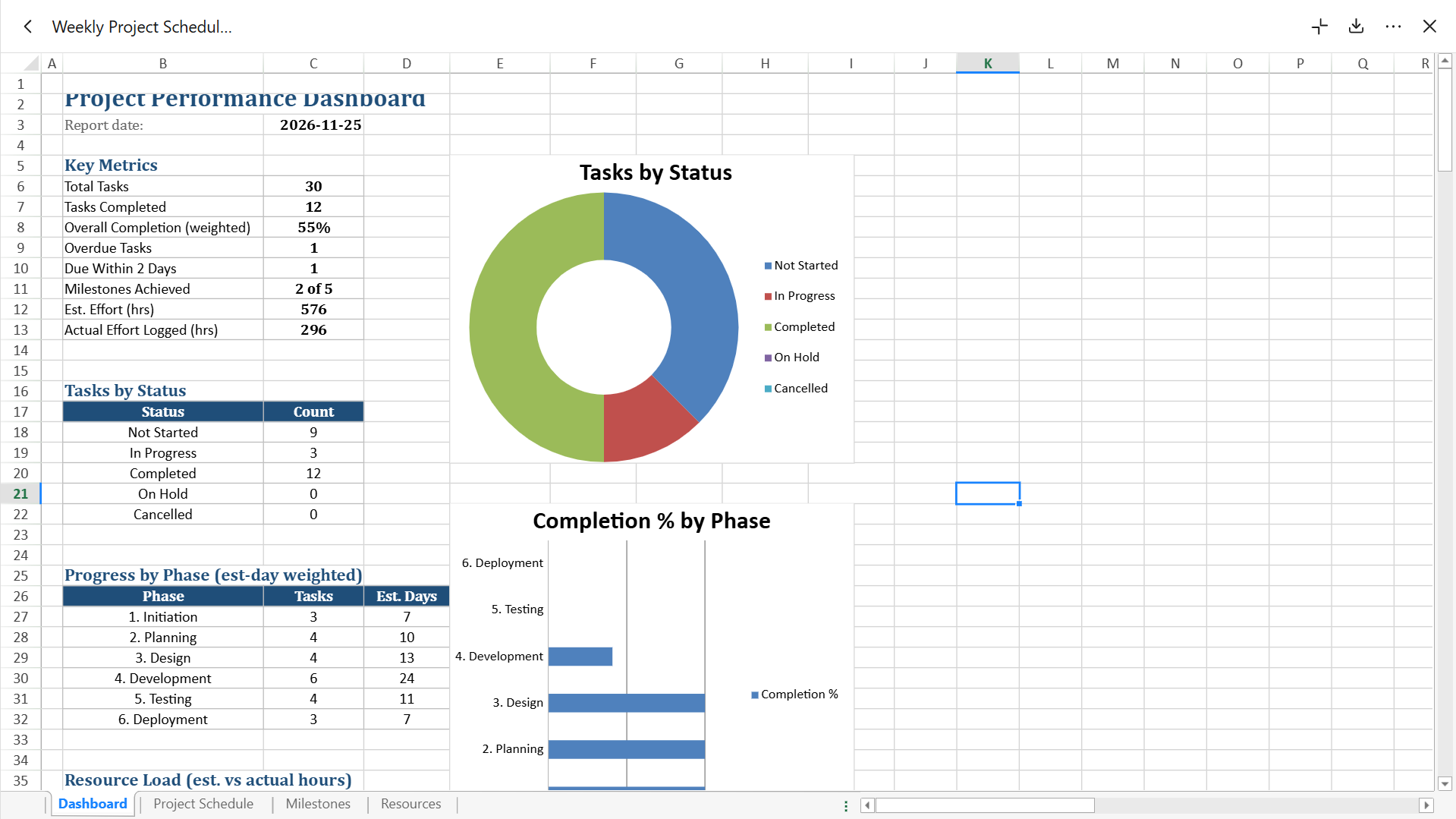
A weekly project schedule template helps you break down larger projects into manageable tasks, assign responsibilities, and establish realistic deadlines. By using a weekly schedule template in Excel, you can monitor milestones, evaluate progress, and keep every project activity aligned with your overall objectives.
How to use
Step 1: Enter your prompt
Identify your project objectives, individual tasks, team members, delivery milestones, and expected completion dates before generating the schedule.
Prompt:
Step 2: Let AI generate your template
Allow AI to structure your project information into a task-oriented spreadsheet that connects individual assignments with milestones and delivery targets.
Step 3: Review and export the template
Examine task dependencies, milestone dates, assigned ownership, and progress indicators to confirm that the project timeline is realistic. Export the approved schedule for team coordination.
Weekly household cleaning schedule template
Keeping your home clean and organized becomes less overwhelming when household chores are distributed across the week. This template helps you assign specific cleaning tasks to different days, coordinate family responsibilities, and maintain a consistently tidy living environment without unnecessary last-minute effort.
How to use
Step 1: Enter your prompt
List the household areas, recurring cleaning duties, preferred cleaning days, and family members responsible for completing each chore.
Prompt:
Step 2: Let AI generate your template
AI will distribute cleaning activities across the week, creating a manageable household routine with clearly defined responsibilities and completion fields.
Step 3: Review and export the template
Confirm that every room has appropriate cleaning tasks and that responsibilities are distributed fairly. Export the spreadsheet so household members can follow and update the cleaning routine.
Weekly content calendar template
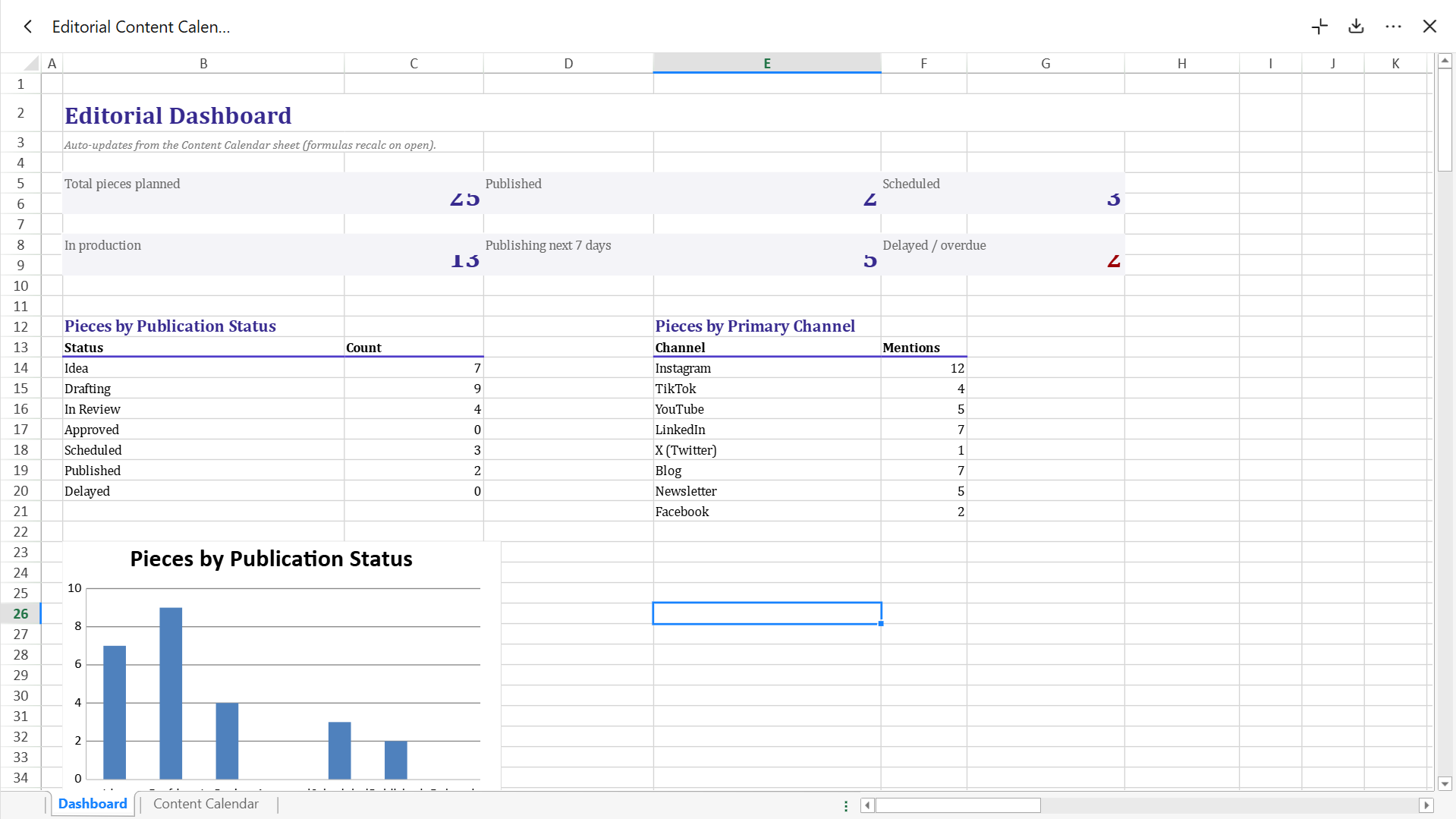
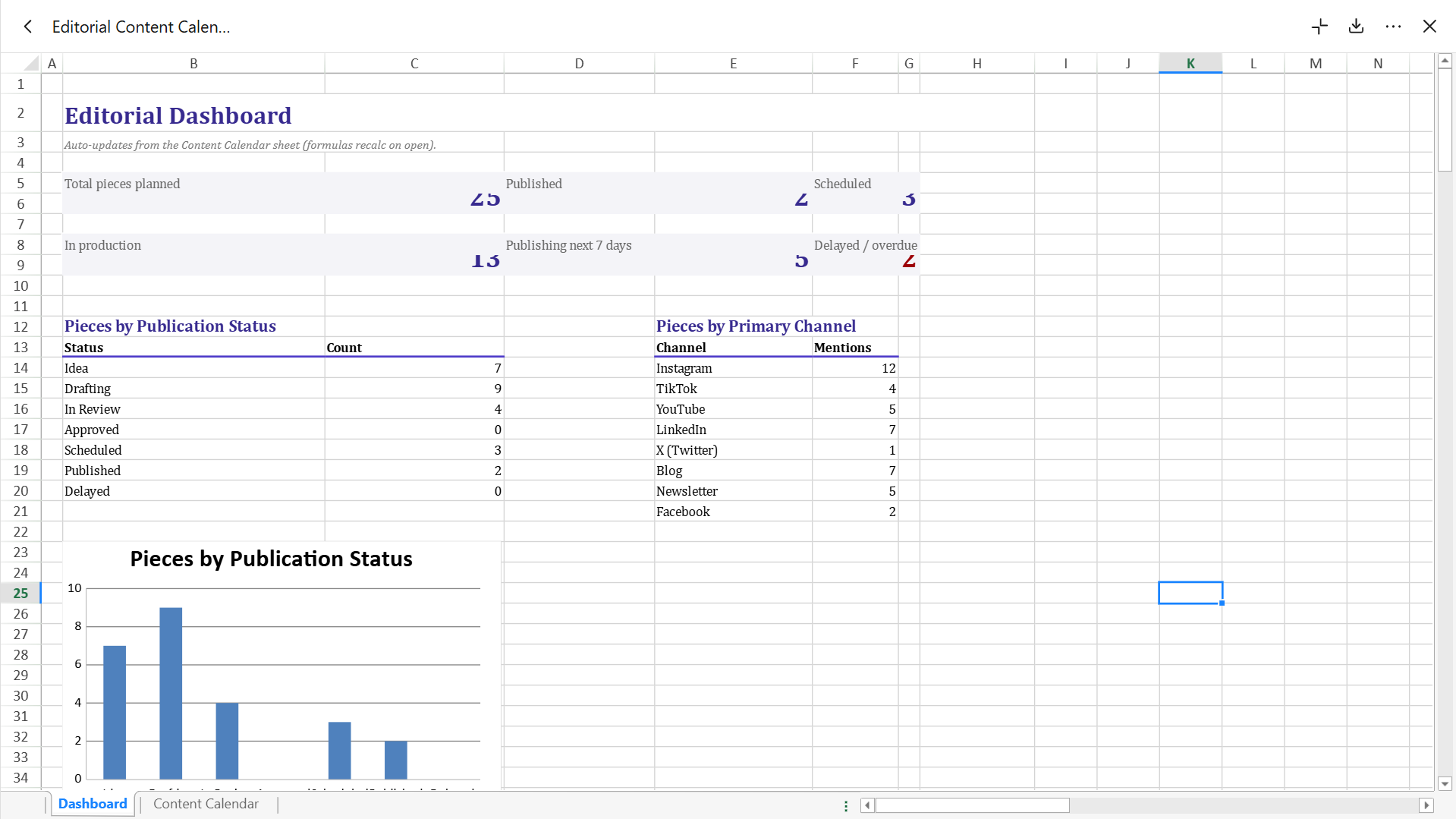
A weekly content calendar makes it easier to coordinate upcoming publications, social media posts, campaign deadlines, and creative assignments. With a work schedule template for Excel, you can organize publishing dates, track content progress, and maintain a consistent posting strategy across multiple platforms.
How to use
Step 1: Enter your prompt
Define your content channels, publication frequency, post formats, campaign themes, and planned publishing dates to establish your editorial requirements.
Prompt:
Step 2: Let AI generate your template
AI will convert your editorial requirements into a publishing calendar that helps coordinate content production, review schedules, and distribution activities.
Step 3: Review and export the template
Review the publishing sequence, platform assignments, content descriptions, and scheduled dates for consistency. Export the completed calendar to coordinate upcoming posts with your content team.
Weekly time-blocking template
A weekly time-blocking template allows you to divide each day into dedicated periods for focused work, meetings, personal commitments, and essential breaks. An hourly weekly schedule template for Excel provides a clear overview of how your time is allocated, helping you minimize distractions, stay focused, and manage daily priorities more effectively.
How to use
Step 1: Enter your prompt
Specify your daily availability, working hours, recurring appointments, focus sessions, and break preferences to define your ideal time allocation.
Prompt:
Step 2: Let AI generate your template
Let AI organize your availability into designated hourly blocks, giving each activity a specific time window and reducing unnecessary overlaps.
Step 3: Review and export the template
Assess whether each time block is practical, sufficient breaks are included, and high-priority activities receive adequate attention. Save the spreadsheet to monitor how effectively you use your time.
Why create Excel weekly schedules with Kimi Sheets
Creating a well-structured weekly schedule doesn't have to involve endless formatting or complicated spreadsheet formulas. Kimi Sheets, an AI Excel agent, simplifies the entire process by transforming everyday instructions into organized, editable Excel schedules with intelligent features that make planning more efficient.
Generate weekly schedules from simple prompts: Turn your scheduling requirements into a structured Excel workbook without spending time building tables manually. Simply describe your preferred days, time intervals, activities, and task categories, and Kimi Sheets can translate your instructions into a customized weekly schedule.
Automate time calculations with Excel formulas: Eliminate repetitive calculations by incorporating automated formulas into your scheduling spreadsheet. Kimi Sheets can help calculate total working hours, measure task durations, and summarize weekly commitments, allowing you to concentrate on managing your activities rather than updating figures manually.
Organize schedules with intelligent formatting: Give your weekly planner a polished appearance through intelligently arranged rows, columns, headings, and data sections. Kimi Sheets can structure spreadsheet content with consistent alignment, readable labels, and appropriate formatting, making even detailed schedules easier to navigate.
Connect multiple worksheets for better planning: Bring different scheduling requirements together within a single Excel workbook without overcrowding individual sheets. You can maintain separate worksheets for employee shifts, project assignments, and personal commitments while using linked formulas to reference related information across tabs.
Visualize weekly workloads with charts: Gain a clearer understanding of how your time and responsibilities are distributed by converting spreadsheet data into meaningful visual summaries. Kimi Sheets can generate charts that illustrate working hours, task allocation, and weekly workload patterns, helping you identify scheduling imbalances more easily.
Clean and update existing schedule data: Give an outdated or disorganized spreadsheet a more functional structure by uploading it and specifying the improvements you need. Kimi Sheets can assist with standardizing entries, identifying duplicate records, correcting inconsistent formatting, and rearranging information into a more manageable weekly layout.
Export editable Excel schedules: Once your schedule is generated, review its structure and make any final adjustments before exporting the workbook. The editable Excel format allows you to revise activities, modify time slots, update formulas, and accommodate changing commitments without recreating the entire schedule.
Tips for designing organized weekly schedules
A thoughtfully designed weekly schedule should do more than list activities against specific days; it should provide a realistic framework for managing your time. A few practical design considerations can improve readability and make your planner easier to maintain throughout the week.
Set clear priorities for each day: Identify the most important responsibilities before filling your schedule with smaller activities. Assign priority levels to urgent deadlines, essential appointments, and significant tasks so your attention remains focused on what matters most.
Divide each day into manageable time blocks: Break your daily routine into realistic intervals instead of assigning multiple activities to an undefined period. Allocate dedicated slots for focused work, meetings, personal commitments, and routine responsibilities to create a more structured timetable.
Use consistent categories and labels: Establish standardized headings for recurring activities such as work, appointments, household duties, and personal goals. Consistent terminology makes information easier to locate, reduces confusion, and maintains uniformity across multiple worksheets.
Allow time for breaks and unexpected tasks: Avoid filling every available hour with scheduled responsibilities, as unexpected commitments can quickly disrupt an overly restrictive timetable. Reserve flexible periods for short breaks, urgent requests, and unfinished activities to maintain a more sustainable routine.
Choose colors to distinguish different activities: Introduce a simple color-coding system to differentiate task categories, deadlines, appointments, and completed activities. Use a consistent palette throughout your workbook so important information stands out without making the spreadsheet visually overwhelming.
Review and update your schedule regularly: Revisit your weekly planner to evaluate completed tasks, revise upcoming commitments, and identify activities that require additional attention. Regular updates keep your spreadsheet relevant, reflect changing priorities, and help you make more informed scheduling decisions.
Conclusion
Managing daily responsibilities and weekly priorities becomes easier with a well-structured schedule. These weekly schedule templates for Excel help organize work, studies, household tasks, fitness goals, and personal projects. Choose a layout that suits your needs to manage time more effectively and track progress. With Kimi Sheets, you can also turn natural-language prompts into customized, editable Excel schedules without building spreadsheets manually.
FAQ
=A1+1, to automatically populate consecutive dates throughout your weekly schedule. Alternatively, ask Kimi Sheets to create a work schedule template for Excel with date formulas that update according to a specified starting date. This makes it easier to reuse your schedule without manually changing every date.